Retargeting Ads for Small Businesses: A Practical Google and Meta Strategy
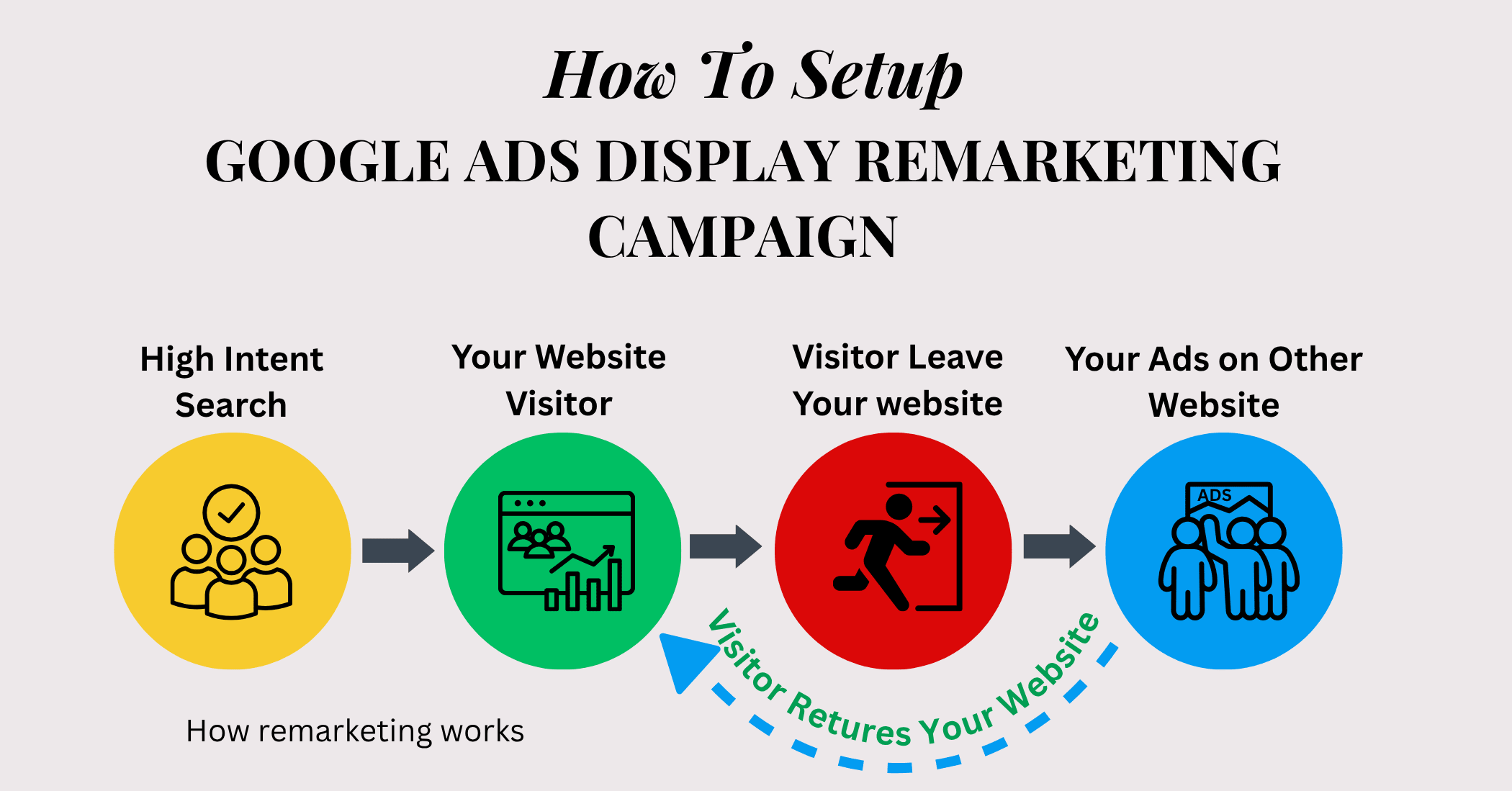
Most people do not buy, book, or request a quote on their first visit to a website. They may compare options, check prices, ask a partner, wait for payday, or simply get distracted. Retargeting ads for small businesses can help you reconnect with those visitors later without treating every person as a brand-new prospect.
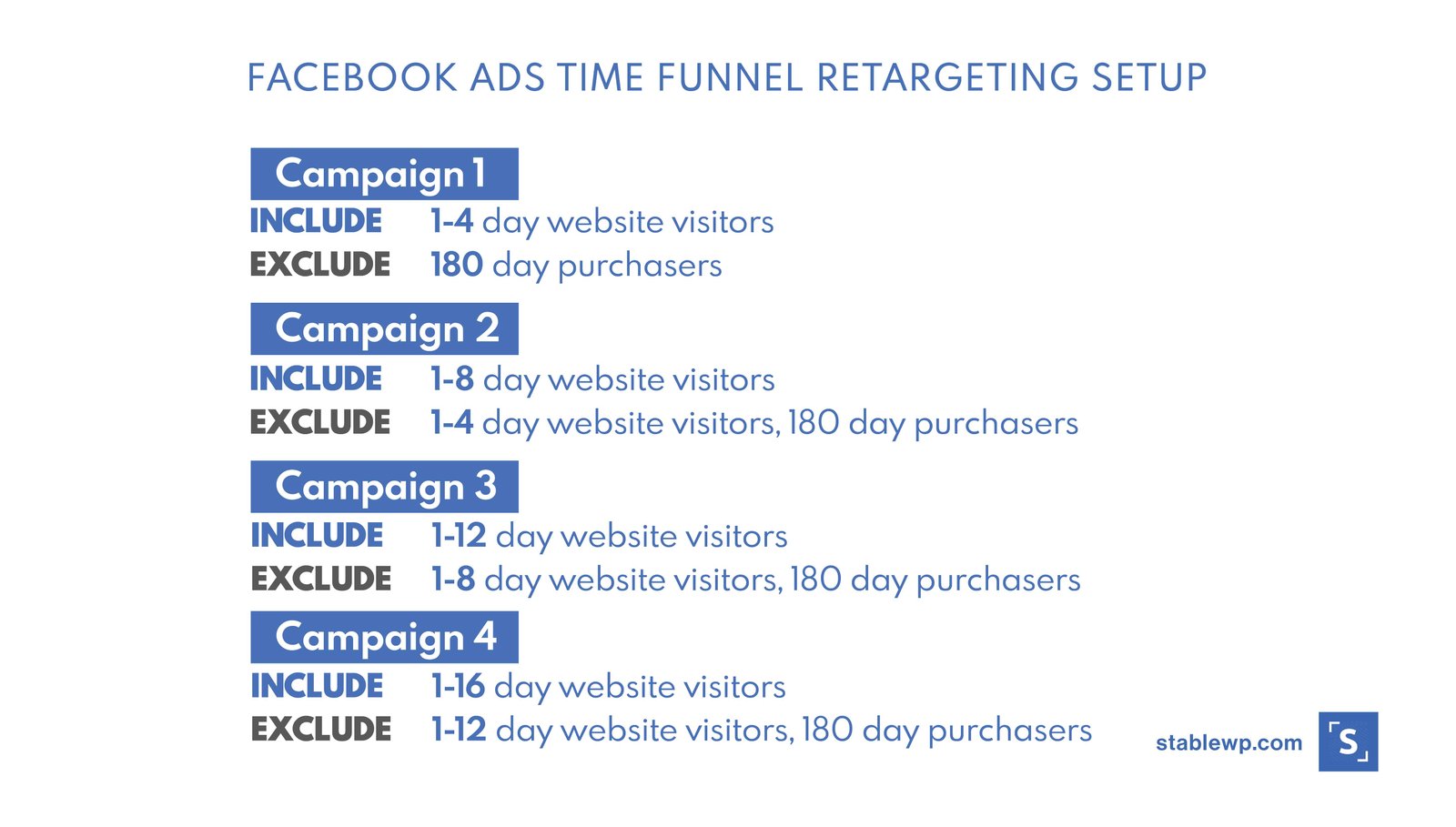
Retargeting works best when it is useful and selective. Showing the same ad to every visitor for weeks can waste budget and annoy people. A better approach is to group visitors by what they did, match the message to their stage, exclude people who already converted, and limit how long you continue advertising to them.
This guide explains how to build a practical retargeting plan across Google Ads and Meta Business Suite. It focuses on lead generation, ecommerce, and service businesses that need a clear process rather than a complicated advertising stack.
What Retargeting Means
Retargeting is advertising to people who have already interacted with your business in some measurable way. Depending on the platform and your consent setup, that may include people who:
- visited your website
- viewed a product or service page
- added an item to cart
- started a form but did not finish
- watched part of a video
- engaged with a social profile or ad
- joined an email list
The exact audience options depend on platform rules, privacy settings, region, account type, and available data.
Retargeting Is Not the Same as Showing More Ads
The goal is not to follow a visitor everywhere. The goal is to answer the next useful question.
A person who viewed a service page may need proof. A person who started checkout may need shipping details. A person who watched 75% of a product demo may need a clear trial offer.
Good retargeting changes the message based on the action already taken.
Step 1: Define the Conversion You Want
Before building audiences, decide what success means.
- purchase
- lead form
- booked consultation
- phone call
- trial start
- completed registration
Your retargeting campaign should move people toward one main outcome, not simply generate more clicks.
Step 2: Separate Visitors by Intent
Low-intent visitors
These may include blog readers or people who viewed one broad page and left quickly. They may need educational content rather than a hard sales message.
Medium-intent visitors
These visitors may have viewed a service page, pricing page, product category, or several related pages.
High-intent visitors
These people may have added to cart, started checkout, begun a lead form, or visited a booking page.
Budget and message should reflect that difference.
Step 3: Choose Sensible Audience Windows
An audience window is the period during which someone stays eligible for retargeting after an interaction. There is no universal best number of days. Match the window to the buying cycle.
| Business type | Possible starting window | Reason |
|---|---|---|
| Emergency home service | 1–7 days | The need is urgent and may disappear quickly |
| Fashion ecommerce | 7–30 days | Shoppers may compare or wait before buying |
| B2B software | 30–90 days | The decision may involve research and approval |
| High-value professional service | 30–120 days | Longer consideration may be normal |
These are starting examples, not fixed rules. Use your own sales-cycle data when available.
Step 4: Exclude People Who Already Converted
One of the easiest ways to waste retargeting budget is to keep showing acquisition ads to recent customers or completed leads.
- buyers
- submitted leads
- booked appointments
- active subscribers
You may later advertise a different offer to existing customers, but that should be a separate retention or upsell strategy.
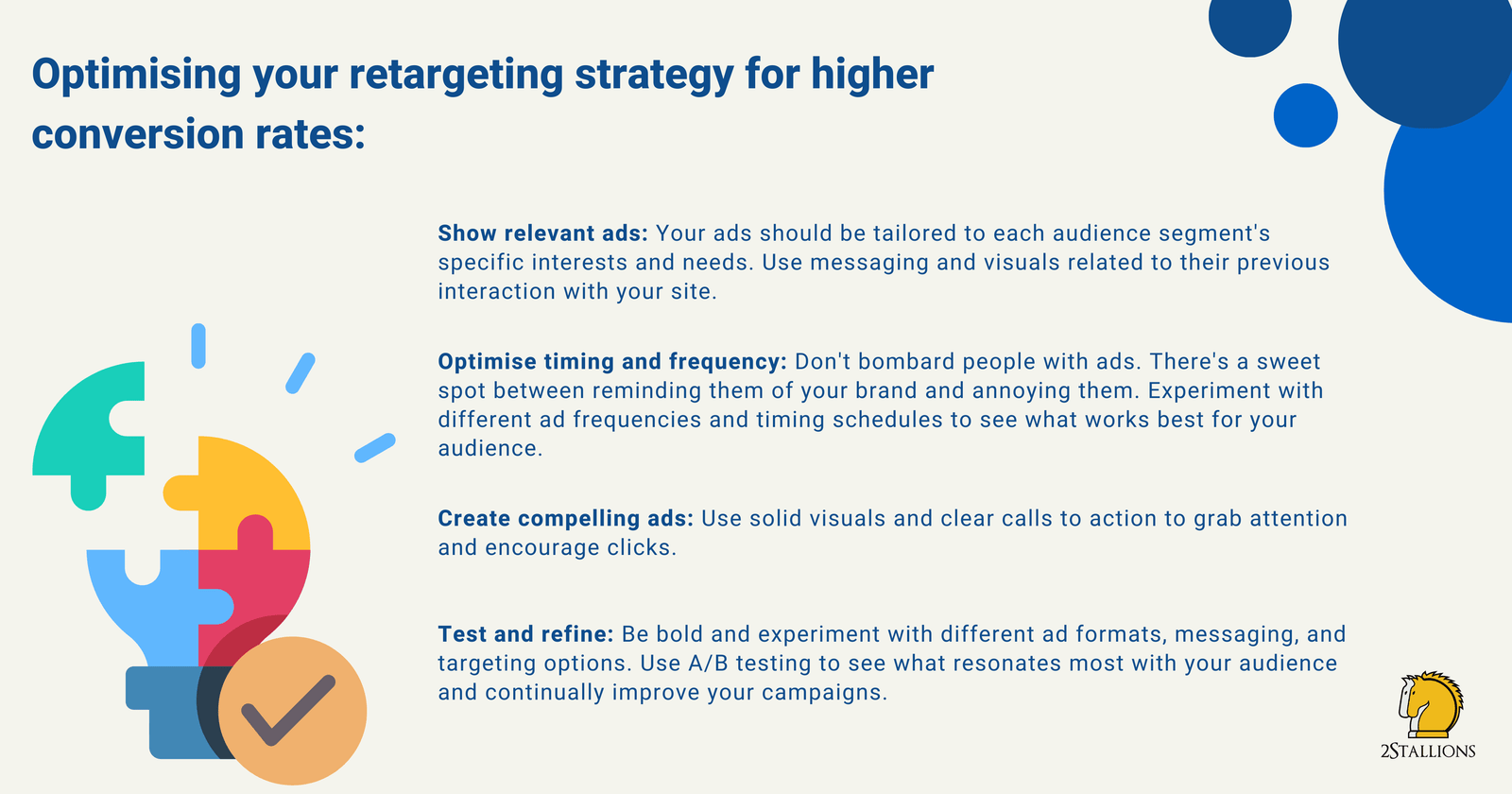
Step 5: Match the Message to the Visitor Stage
For service-page visitors
Use proof, process details, or a practical FAQ. A roofing company could show an ad that explains its inspection process and links to a page with real project photos and customer reviews.
For pricing-page visitors
Address value and common objections. Explain what is included, how billing works, or whether a consultation is free.
For cart abandoners
Remind users about the product and clarify shipping, returns, delivery timing, or stock status. Avoid fake urgency.
For engaged video viewers
Move from awareness to a more specific next step such as a demo, guide, or product comparison.
Step 6: Use Creative That Feels Familiar but Fresh
Retargeting creative should connect with the previous interaction without repeating the exact same ad forever.
- customer proof
- product benefits
- how-it-works content
- comparison information
- common objections
- service process
For ecommerce, dynamic product ads can show items related to what a person viewed when the platform and catalog setup support it.
Google Ads Retargeting Options
Google Ads offers audience features across eligible campaign types. Depending on your account and region, you may use website visitor lists, customer data, analytics audiences, or other audience signals.
For search campaigns, audience settings may be used differently from display or video campaigns. Always review the current Google Ads documentation because campaign controls change over time.
Practical Google retargeting example
A B2B consultancy has a visitor who reads its “IT Security Assessment” page but does not submit a form. The visitor later sees a YouTube or Display ad that promotes a checklist titled “10 Questions to Ask Before a Security Assessment.” The landing page then offers a consultation as the next step.
The second message adds value instead of simply repeating “Book Now.”
Meta Retargeting Options
Meta supports Custom Audiences based on eligible website activity, customer lists, app activity, engagement, video views, and other sources where available.
- all website visitors
- product viewers
- cart abandoners
- Instagram engagers
- video viewers
- existing customers for exclusion
Practical Meta retargeting example
A local fitness studio runs short videos introducing its beginner classes. People who watch most of the video enter an engagement audience. The studio then shows a second ad explaining the first-visit process, class times, and what beginners should bring.
This is more useful than immediately pushing a membership contract to cold viewers.
Frequency Matters
Retargeting audiences are often smaller than prospecting audiences. That means the same people can see the ad many times.
- rising cost per conversion
- falling click-through rate
- negative feedback
- high frequency with few conversions
Refresh creative or reduce spend when the audience is saturated.
Do Not Over-Segment Tiny Audiences
Segmentation is useful only when each group has enough people to deliver and learn. A small website with a few hundred monthly visitors may not need ten audience segments.
- all non-converting visitors
- high-intent page visitors
- cart or form abandoners
Add more detail after traffic grows.
Set a Budget Based on Audience Size
Retargeting usually does not need the same budget as prospecting because the audience is smaller. If a campaign cannot spend efficiently, raising the budget will not create more qualified retargeting users. It may simply increase frequency.
Start small, watch delivery, and scale only when the audience and conversion volume support it.
Use Offers Carefully
Discounts can help in some businesses, but they are not required for every retargeting campaign.
- free consultation
- shipping information
- product comparison guide
- case study
- demo
- trial
- size or fit guide
- implementation checklist
The offer should solve a real barrier to purchase.
Track More Than Click-Through Rate
A retargeting campaign often has a strong click-through rate because the audience already knows the brand. That does not automatically make it profitable.
- cost per conversion
- conversion rate
- revenue
- return on ad spend
- frequency
- incremental sales when you can test them
Also compare retargeting with your CRM or ecommerce data.
Watch for Attribution Inflation
Retargeting often reaches people who were already close to converting. Ad platforms may receive credit for conversions that would have happened anyway.
A simple holdout idea
If your audience and tools allow, compare a group exposed to retargeting with a similar group that is not. Larger advertisers may use formal incrementality tests. Smaller businesses can at least compare periods, audience groups, and assisted behavior with caution.
Privacy and Consent Are Part of the Strategy
Retargeting depends on user data and platform identifiers. Follow applicable privacy laws, user consent requirements, and platform rules.
Your website should clearly explain relevant data practices in its privacy information. Where consent is required, configure tags and audience collection accordingly. Do not upload customer lists unless you have the right to use that data for the intended advertising purpose.
Real-World Scenario: Local Kitchen Remodeler
A kitchen remodeling company receives 4,000 website visitors per month. Many visitors view the gallery and pricing guide but only a small number request consultations.
- gallery visitors for 30 days
- pricing-page visitors for 45 days
- consultation-form starters for 14 days
Gallery visitors see ads with real project case studies. Pricing visitors see an ad explaining what affects remodeling cost. Form starters see a simple reminder that explains what happens during the first consultation.
People who submit the form are excluded from all three campaigns. This structure uses the visitor’s previous action to choose the next message.
Real-World Scenario: Small Ecommerce Store
An online home-goods shop creates separate audiences for product viewers and cart abandoners. Product viewers receive ads showing product benefits, dimensions, and customer photos. Cart abandoners receive ads that clarify shipping time and return policy. Existing purchasers are excluded for 30 days and later enter a separate customer campaign.
The store does not automatically offer a discount. It first tries to answer the reasons shoppers may have hesitated.
Create a Retargeting Creative Rotation Plan
Small audiences can tire of ads quickly, so plan several messages before launch. You do not need dozens of designs. You need enough variety to answer different questions.
Example four-part rotation
- Proof: a real review, case example, or product demonstration.
- Process: explain what happens after the customer books, buys, or requests a quote.
- Objection: answer a common concern about price, delivery, setup, timing, or fit.
- Reminder: return to the original offer with a clear next step.
For a software company, one ad might show the reporting screen, another explains setup time, another answers a common integration question, and a fourth invites the visitor to start a trial.
Record why each creative exists
Label every ad by audience, message angle, launch date, and result. If performance falls, you can see whether the problem is audience size, creative fatigue, or a weak offer instead of replacing everything at once.
This rotation makes retargeting feel more like a useful sequence and less like the same advertisement following the user around.
Common Retargeting Mistakes
- Targeting every visitor with the same message
- Using audience windows that are too long for the buying cycle
- Failing to exclude recent converters
- Running the same creative for months
- Spending too much on a small audience
- Judging success only by click-through rate
- Ignoring frequency
- Over-segmenting low-traffic sites
- Using fake scarcity
- Ignoring privacy and consent requirements
A Practical Retargeting Setup Checklist
- Define one primary conversion.
- Confirm website and conversion tracking work.
- Create an audience for meaningful visitors.
- Create a higher-intent audience where volume allows.
- Create converter exclusions.
- Choose audience windows based on buying cycle.
- Write ads for the visitor’s stage.
- Set a modest initial budget.
- Watch frequency and cost per conversion.
- Refresh creative when performance weakens.
Document the setup date and any audience or exclusion changes. That short record makes later performance reviews easier to interpret.
FAQs About Retargeting Ads
How long should I retarget website visitors?
Use a window that matches the buying cycle. Urgent services may need days, while B2B purchases may need weeks or months.
Should I retarget everyone who visits my website?
Not necessarily. You may exclude low-value pages, employees, recent converters, or visitors who do not fit the campaign goal.
Are retargeting ads cheaper than prospecting ads?
They can be efficient because the audience is familiar with the brand, but cost varies by platform, competition, audience size, and creative performance.
Do small websites have enough traffic for retargeting?
Sometimes. Platform minimum audience requirements and privacy limits may affect delivery. Start with broad meaningful groups rather than many tiny segments.
Should I offer a discount in every retargeting ad?
No. Use a discount only when it makes business sense. Often the better message is proof, clarity, shipping information, a demo, or an answer to a common objection.
Conclusion
Retargeting works best when it acts like a helpful follow-up. Group people by meaningful behavior, use sensible audience windows, exclude converters, control frequency, and change the message based on what the visitor already knows.
Start simple. One broad retargeting audience and one high-intent audience may be enough for a small site. Measure real conversions, compare platform reporting with business data, and refresh creative before the audience becomes tired of seeing it.
The goal is not to chase every visitor. The goal is to help interested people make a more informed next decision.