Google Ads Keyword Match Types and Negative Keywords: A Practical Guide
Keyword targeting in Google Ads looks simple until real search terms start appearing. You choose a keyword, launch the campaign, and then discover that people search in many different ways. Some searches are useful. Others are irrelevant, too broad, or clearly unlikely to convert.
Keyword match types help control how closely a user’s search needs to relate to your keyword. Negative keywords help block searches that do not fit your offer. Used together, they can make a campaign easier to manage and reduce wasted spend.
This guide explains broad match, phrase match, exact match, search terms, and negative keywords in practical terms. It also shows how a small business can build a weekly review process without spending all day inside an ad account.
1. Understand the Difference Between a Keyword and a Search Term
A keyword is the targeting idea you add to a Google Ads campaign. A search term is the actual phrase a person typed before the ad appeared.
This distinction matters because the same keyword can match many search terms. A campaign may target “emergency plumber,” while users search for phrases such as “24 hour plumber near me,” “emergency pipe repair,” or “how to become an emergency plumber.”
The first two may fit a plumbing business. The third probably does not. Search-term review is where you learn what your keyword targeting is actually doing.
2. Use the Official Google Ads Guidance as the Source of Truth
Match behavior and platform features can change over time. Check current guidance from Google Ads before making account-wide decisions.
Do not build a campaign around an old screenshot or a rule from several years ago. Automated bidding, close variants, and keyword interpretation have evolved, so current account behavior matters.
3. What Broad Match Means
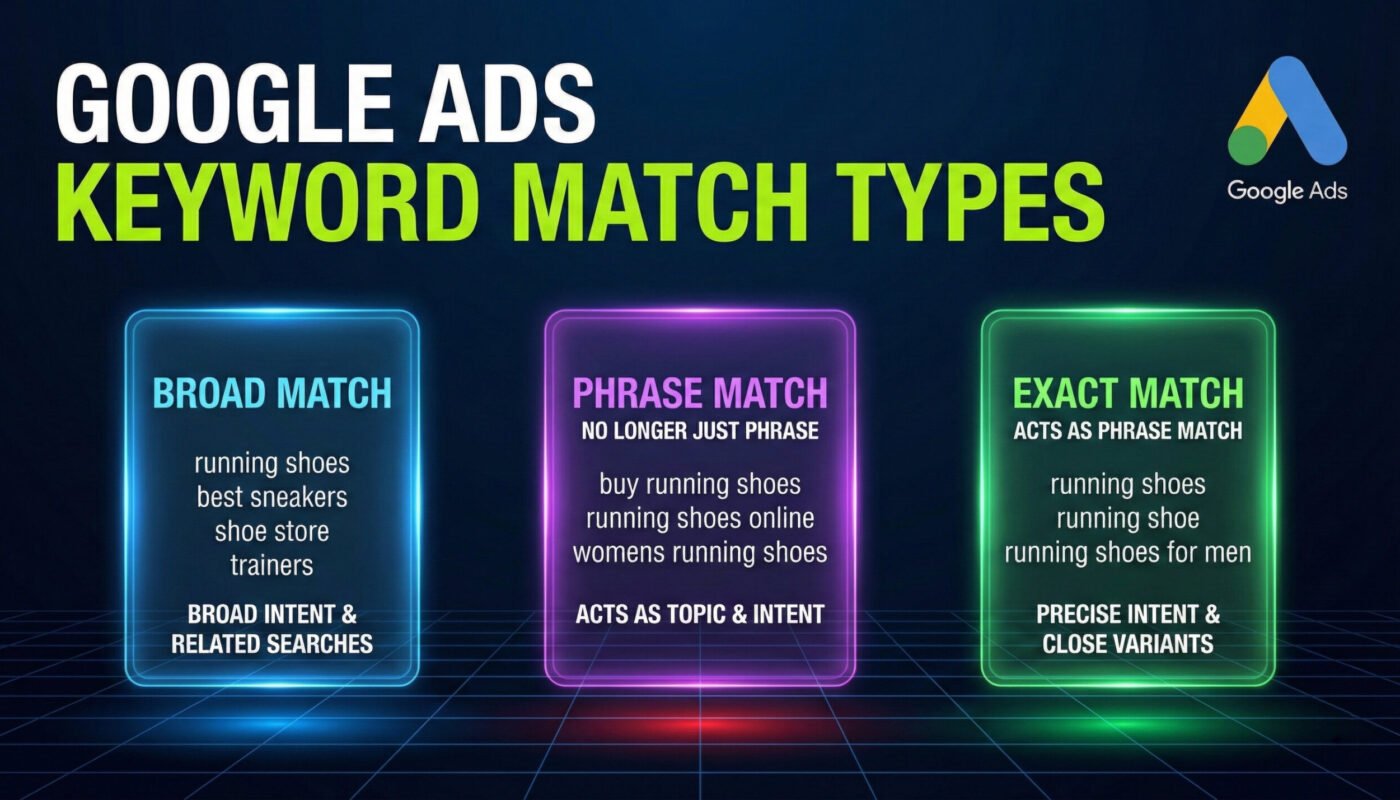
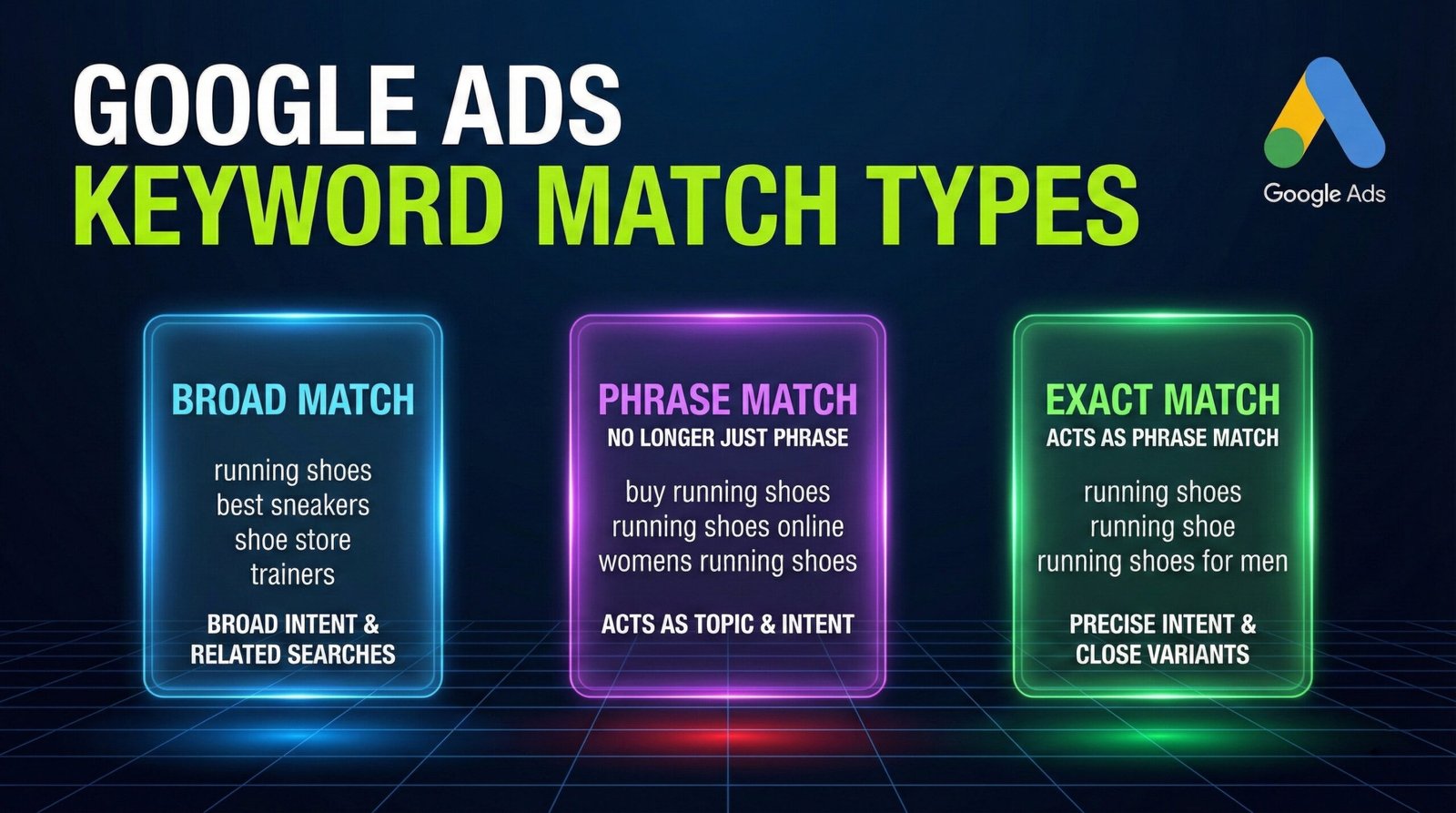
Broad match gives Google more flexibility to connect your keyword with related searches. It can consider meaning, intent, and other signals rather than requiring the search to use the exact keyword words.
This flexibility can discover valuable traffic, but it can also make the campaign harder to control when tracking or conversion data is weak.
Example
A campaign targeting the broad keyword “accounting services” could potentially match searches related to bookkeeping, accountants, financial services, or other connected needs. Whether those searches are useful depends on the business and the campaign.
When broad match can make sense
- The account has reliable conversion tracking.
- The business has enough budget to collect useful data.
- The campaign uses a bidding strategy suited to its goal.
- The team reviews search terms regularly.
- The offer can serve a reasonably broad range of related intent.
Broad match is not automatically good or bad. It gives the system more freedom, so the account needs stronger measurement and review.
4. What Phrase Match Means
Phrase match gives more control than broad match while still allowing searches that express the meaning of the keyword. The search does not need to repeat the exact phrase word for word.
For a small business, phrase match can be a useful middle ground when you want to reach close variations without opening the campaign as widely as broad match.
Example
A phrase keyword related to “office cleaning service” may reach searches that clearly express the same need, such as local commercial office cleaning. The exact matched searches will depend on current Google Ads interpretation.
Review the search-term report rather than assuming the match type will behave exactly as you imagine.
5. What Exact Match Means
Exact match provides the tightest keyword control of the three standard match types, but “exact” does not mean the user must type the exact same characters. Close variants and intent can still matter.
Exact match can be useful for high-value terms where you want clearer control, but it should still be monitored.
Example
If a local attorney targets a very specific service keyword, exact match can help focus spend around that intent. However, the account should still inspect actual search terms to confirm relevance.
6. Do Not Choose Match Type by Habit
Some advertisers use exact match for everything because it feels safe. Others use broad match for everything because they want scale. Neither approach is automatically correct.
Choose match type based on:
- Conversion tracking quality
- Budget
- Search volume
- Offer breadth
- Campaign maturity
- Bidding strategy
- Search-term review capacity
A new local business with a small budget may need tighter control at first. A mature account with strong conversion data may be able to use broader targeting more effectively.
7. Build Campaigns Around Intent, Not Just Match Type
Match type is only one control. A keyword can still be poor if the search intent does not fit the business.
Example
A software company that sells paid accounting software may not want traffic from people searching for “free accounting spreadsheet template.” Even if the search is related to accounting, the user may be looking for a different solution.
Use keyword research to understand intent before launch, then use search-term data to refine it after launch.
8. Group Keywords Around Closely Related Services
Ad groups should make it easy to create relevant ads and landing pages. Do not place unrelated services in one group just because they share a broad business category.
A home services company might separate:
- Emergency plumbing
- Drain cleaning
- Water heater repair
- Bathroom installation
Each group can then use keywords, ads, and a landing page that match that specific need.
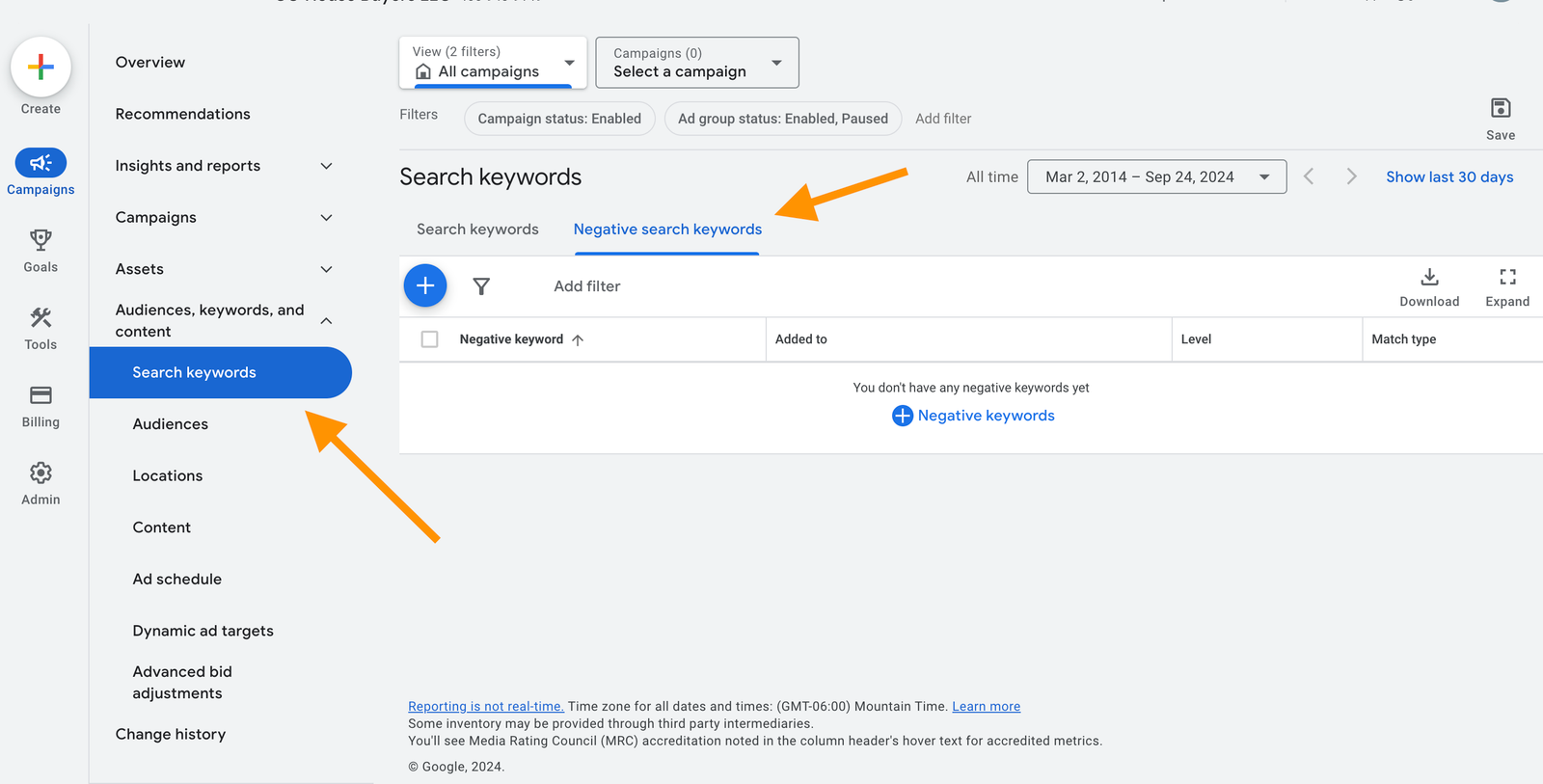
9. What Negative Keywords Do
Negative keywords tell Google Ads that certain searches should not trigger your ad when the negative match conditions are met.
They are useful for blocking irrelevant intent, unwanted products, job seekers, training searches, free-resource seekers, or locations you do not serve.
Common negative keyword themes
- Jobs, salary, career, hiring
- Free, template, PDF, download
- Course, certification, training
- DIY, how to make, tutorial
- Unserved locations
- Products or services you do not offer
Do not copy a giant universal negative list into every account. A word that is irrelevant for one business may be valuable for another.
10. Use Negative Keywords Based on Real Search Terms
The safest negative keyword strategy starts with actual search data. Review the search-term report and identify patterns.
If a roofing company repeatedly pays for searches about roofing jobs, terms related to employment may deserve negatives. If a training company sells roofing courses, those same words may be valuable.
Context matters.
11. Understand Negative Match Types
Negative keywords have their own matching behavior. Do not assume they work exactly like positive keyword match types.
Before applying account-wide negatives, check current Google Ads documentation and test carefully.
Why this matters
An overly broad negative can block valuable searches. A negative that is too narrow may fail to stop the waste you intended to prevent.
12. Create a Shared Negative Keyword List for Universal Exclusions
Some irrelevant themes apply across many campaigns in the same account. Shared negative lists can help maintain them consistently.
Possible shared exclusions
- Employment intent when the account never recruits through paid search
- Training intent when the business does not sell education
- Locations the business cannot serve
- Irrelevant product types
Review shared lists before applying them to a new campaign. A universal list should contain only truly universal exclusions.
13. Keep Campaign-Specific Negatives Separate
Some negatives are useful only inside one campaign or ad group. These can help separate intent.
Example
A company has one campaign for new boiler installation and another for boiler repair. Cross-negatives can help keep searches closer to the intended campaign when appropriate.
Do not build a complex negative structure that becomes impossible to maintain. Keep the logic documented.
14. Review Search Terms on a Schedule
A new campaign may need frequent review because it has little history. A mature campaign may need less frequent attention.
Practical routine
- New campaign: review several times during the first two weeks.
- Stable campaign: review weekly or biweekly.
- High-spend campaign: review often enough to catch waste quickly.
- After major keyword or bidding changes: review more closely.
The exact frequency depends on spend and search volume.
15. Use a Search-Term Decision Framework
For every meaningful search term, ask four questions:
- Does this person want something we actually offer?
- Is the location or market relevant?
- Does the landing page answer the need?
- Is the traffic producing useful conversions?
If the answer to the first two is no, consider a negative. If the search is relevant but performance is weak, the issue may be the ad, page, offer, tracking, or bidding rather than the keyword.
16. Do Not Add Negatives Based on One Click Alone
One non-converting click does not prove a term is bad. Some services have long buying cycles. Some keywords need enough data before you can judge performance.
Add negatives quickly when the intent is clearly irrelevant. Use more patience when the intent fits but conversion data is limited.
17. Use Conversion Tracking Before Expanding Match Types
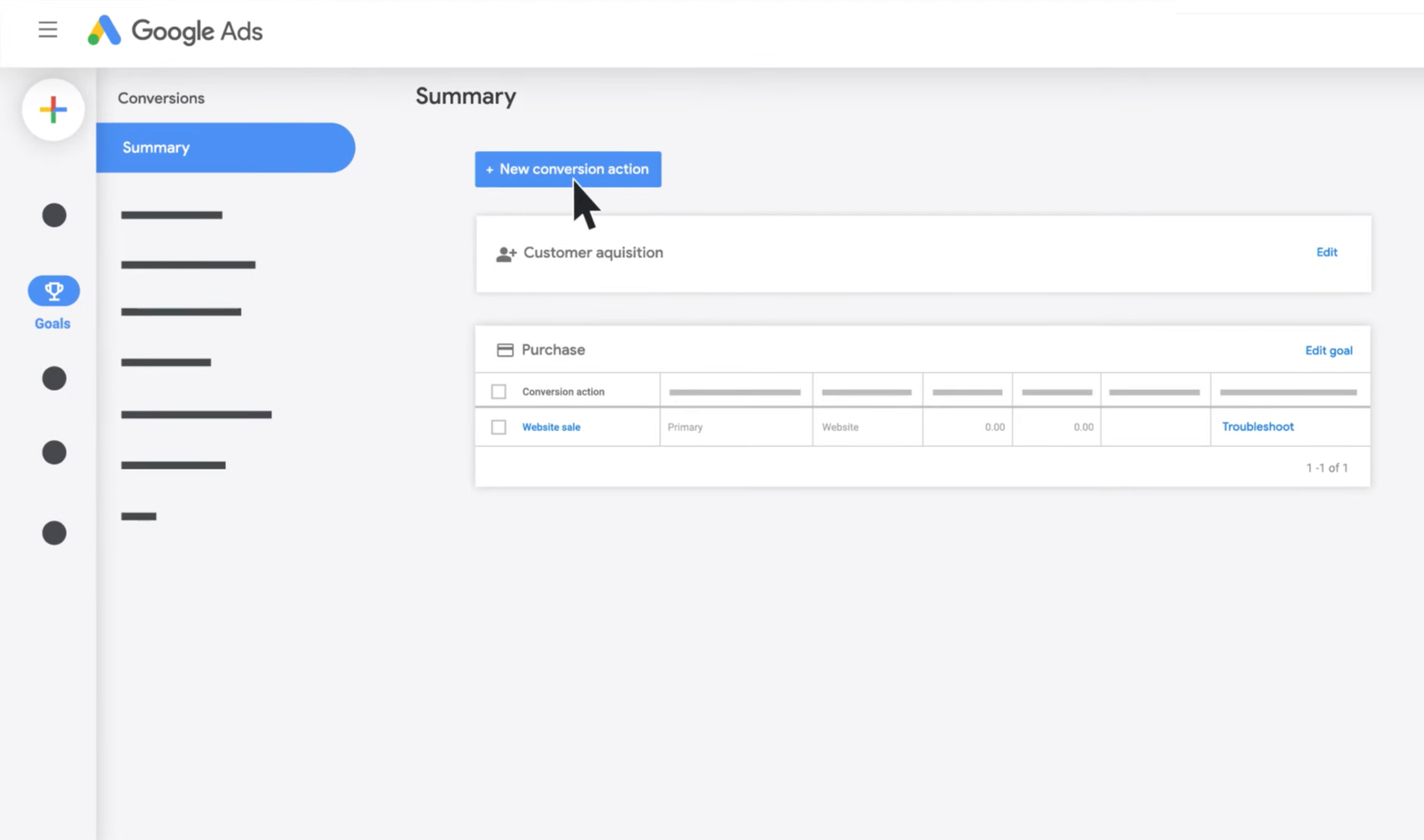
Automated bidding and broad matching depend heavily on useful conversion signals. Make sure your campaign measures the actions that matter.
For a lead business, this may include submitted forms, calls, or qualified bookings. For ecommerce, it may include completed purchases and revenue.
Do not optimize toward meaningless page views and then expect the system to find high-quality customers.
18. Track Lead Quality, Not Only Lead Count
A keyword can look efficient if it generates many cheap forms, but those forms may be spam or poor-fit inquiries.
Connect campaign data to sales outcomes when possible. Track which search themes produce qualified leads, appointments, customers, and revenue.
Example
Keyword Group A produces 20 leads at $30 each, but only two are qualified. Keyword Group B produces 10 leads at $45 each, and seven are qualified. Group B may be more valuable despite the higher cost per raw lead.
19. Use Landing Pages That Match Keyword Intent
Keyword control cannot fix a poor landing page. A search for “emergency boiler repair” should not land on a generic homepage with ten unrelated services.
The page should clearly state the service, area, process, proof, and next action.
20. Write Ads That Qualify the Click
An ad should not try to attract everyone. It should help the right user understand the offer before clicking.
If a service starts at a certain price, serves only businesses, or operates in a limited area, clear ad copy can reduce poor-fit clicks when the information is appropriate to show.
21. Watch for Search-Term Drift
Campaign behavior can change as bidding, competition, seasonality, and user searches change. A keyword that performed well six months ago may start matching a different mix of searches.
Keep the search-term review in your ongoing optimization routine rather than treating negatives as a one-time setup task.
22. Use a Keyword Performance Table
| Signal | Possible action |
|---|---|
| Relevant terms, strong conversions | Keep and consider expansion |
| Relevant terms, weak conversions | Review ad, page, bid, tracking, and offer |
| Clearly irrelevant intent | Add an appropriate negative |
| High spend, no useful data | Tighten targeting and investigate |
| Strong new search theme | Consider its own keyword or ad group |
23. Avoid Overbuilding the Keyword List
You do not need hundreds of slight keyword variations when a smaller set covers the same intent. Large lists can make reporting harder and spread data too thinly.
Focus on meaningful service and intent differences.
24. Avoid Duplicate Keywords Across Many Campaigns
Unplanned overlap can make account analysis difficult. Document which campaign owns each major intent.
Overlap is not always a disaster, but it should be intentional rather than accidental.
25. Build a Weekly Optimization Checklist
- Review high-spend search terms.
- Flag clearly irrelevant intent.
- Add or refine negative keywords.
- Check conversion tracking.
- Review lead quality.
- Look for useful new keyword themes.
- Check landing-page relevance.
- Review budget concentration.
- Document major changes.
26. Example: Local Cleaning Company
A commercial cleaning company targets offices in one city. The account starts with phrase and exact keywords around office cleaning, commercial cleaning, and janitorial service.
The search-term report shows useful phrases such as “weekly office cleaner” and “commercial cleaners near me.” It also shows “office cleaning jobs,” “free cleaning checklist,” and residential house cleaning.
The team adds negatives for employment, free resources, and residential intent because those searches do not match the service. It keeps reviewing performance instead of assuming the initial keyword list was perfect.
27. Example: B2B Software Company
A B2B software company has strong conversion tracking and enough data. It tests broad match around a high-value software category while using automated bidding.
The team reviews search themes and finds several new use cases that convert well. It also finds student research terms and free-template intent that do not convert.
The lesson is not that broad match always works. It is that broader targeting becomes more manageable when measurement, negatives, and review are strong.
28. Common Keyword Targeting Mistakes
| Mistake | Better approach |
|---|---|
| Using broad match without reliable tracking | Fix conversion measurement first |
| Assuming exact match means exact characters | Review current platform behavior |
| Copying universal negative lists | Build negatives from real business relevance |
| Adding negatives after one poor click | Separate irrelevant intent from limited data |
| Ignoring lead quality | Connect search terms to qualified outcomes |
| Sending all keywords to the homepage | Match landing pages to intent |
29. A 30-Day Keyword Optimization Plan
Week 1: Build the foundation
Group keywords by intent. Confirm conversion tracking. Create a small shared negative list for obvious universal exclusions.
Week 2: Review real searches
Inspect search terms. Add clear negatives. Note new relevant themes.
Week 3: Improve relevance
Adjust ads and landing pages for high-value keyword groups. Check whether match types fit the available data.
Week 4: Review quality
Compare search themes by qualified leads or purchases. Document what to expand, pause, or investigate next month.
Frequently Asked Questions
Which Google Ads match type is best?
There is no universal best match type. The right choice depends on conversion tracking, budget, search volume, bidding strategy, and how much control the campaign needs.
Are negative keywords important?
Yes. They help reduce clearly irrelevant searches and keep campaigns focused, but they must be chosen carefully so they do not block valuable traffic.
Should I use broad match with a small budget?
It may be risky when data is limited. Start with the level of control that fits your measurement quality and budget, then test changes deliberately.
How often should I review search terms?
Review more often during launch and after major changes. Mature campaigns can use a regular weekly or biweekly routine depending on spend.
Can negative keywords improve conversion rate?
They can remove irrelevant traffic, which may improve traffic quality. Conversion rate also depends on the ad, offer, landing page, tracking, and sales process.
Conclusion
Google Ads keyword match types give you different levels of reach and control. Negative keywords help remove traffic that does not fit the business. The most important habit is not choosing one match type forever. It is reviewing real search terms and connecting them to real outcomes.
Start with clear intent, reliable conversion tracking, focused ad groups, relevant landing pages, and a manageable negative keyword process. Review search terms on a schedule. Expand when the data supports it. Tighten when the traffic drifts. That approach gives a small business much better control over paid search than a large keyword list alone.