Social Media Content Calendar: How to Plan 30 Days of Useful Posts
A social media content calendar should make publishing easier, not create more paperwork. The best calendar tells you what to post, why you are posting it, which platform it belongs on, what asset you need, and what result you want to track.
Small businesses often struggle because they plan one post at a time. That creates daily pressure. It also leads to repeated promotions, random topics, and long gaps when the team gets busy.
A 30-day plan solves that problem. You decide the important themes once, turn them into useful posts, batch the work, and leave enough space for timely updates. This guide shows a simple way to build that system.
1. Start With One Business Goal
Before you fill a calendar, choose what the next month should support. You may want more website visits, local bookings, product sales, email signups, event attendance, or brand awareness.
One month can support more than one outcome, but one main goal keeps the content focused.
Example
A small fitness studio may choose “increase trial class bookings.” Its content can still teach and entertain, but the month should gradually help potential members understand the classes, trainers, schedule, and booking process.
2. Define the Audience in Plain Language
Do not write a complex persona if you will never use it. Define the people you are trying to help in one or two sentences.
Example: “Local professionals aged 25–45 who want a simple fitness routine but feel unsure about group classes.”
This sentence gives you useful content questions. What are they worried about? What do they need to know before booking? What keeps them from starting?
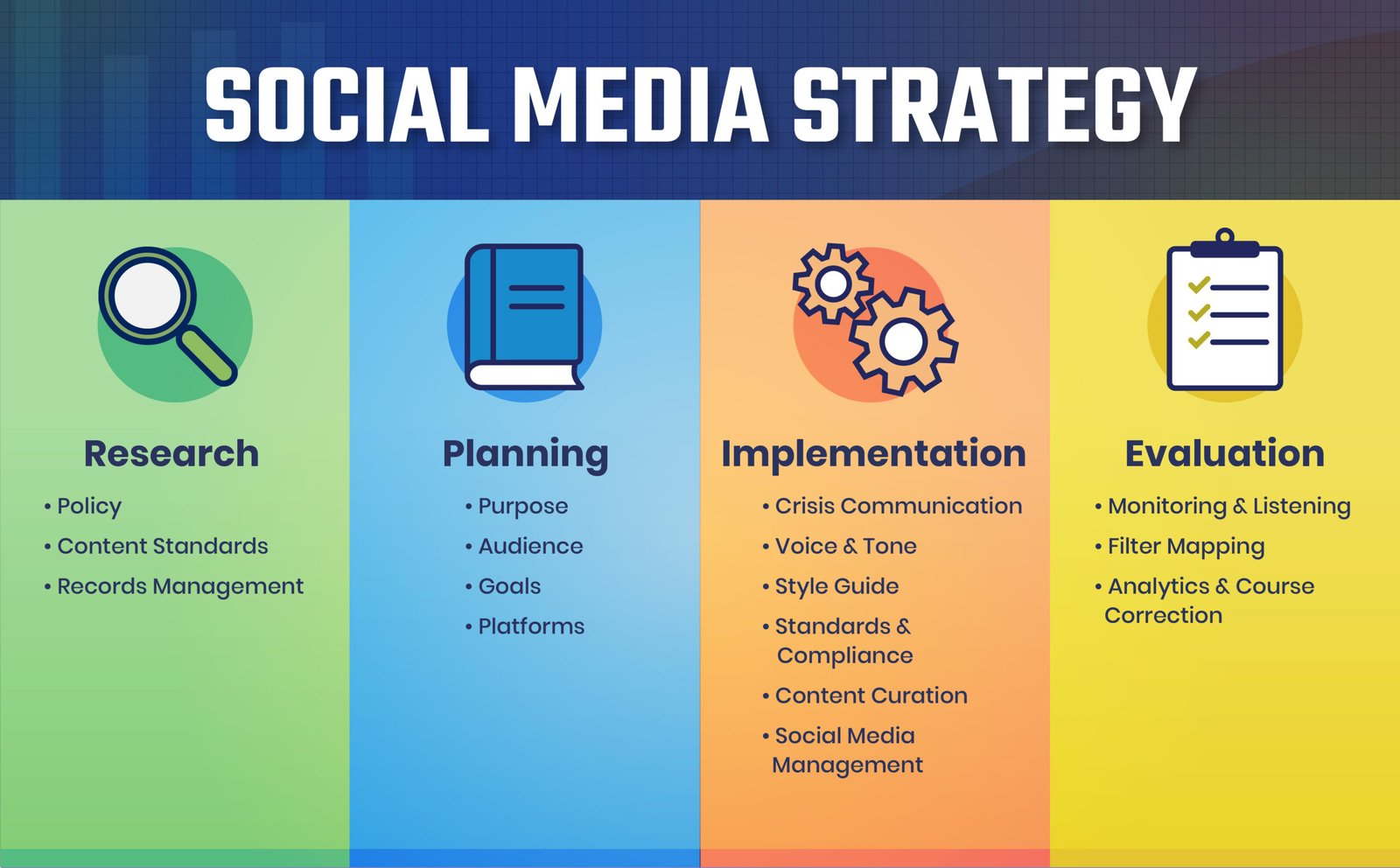
3. Choose Four or Five Content Pillars
Content pillars are the main topic groups you repeat throughout the month. They keep the calendar balanced.
Example for a service business
- Education
- Customer proof
- Behind the scenes
- Common questions
- Offers and next steps
Example for an ecommerce brand
- Product use
- Product care
- Comparisons
- Customer stories
- Seasonal collections
Every post should fit one pillar. If an idea fits none, ask whether it belongs in the strategy.
4. Decide Which Platforms Matter
You do not need to be active everywhere. Choose platforms where your audience and content format make sense.
A B2B consultant may prioritize LinkedIn and YouTube. A local café may use Instagram and Facebook. A visual blog may benefit from Pinterest. A product brand may test TikTok and Instagram.
Use official resources such as Meta for Business, TikTok for Business, and YouTube Creators when you need current feature details.
5. Choose a Sustainable Posting Frequency
Posting every day is not required. Start with the level your team can maintain.
| Team capacity | Practical starting point |
|---|---|
| One person with limited time | 3 posts per week |
| Small marketing team | 4–5 posts per week |
| Content-led business | 5–7 posts per week across formats |
Quality and consistency matter more than filling every day.
6. Create a Monthly Theme
A theme can connect the month without making every post identical. It may be a seasonal need, customer problem, product category, or campaign.
A tax accountant might focus on “year-end record cleanup.” A travel blog might focus on “winter city breaks.” A marketing agency might focus on “website conversion basics.”
The theme helps you choose examples and calls to action.
7. Build a Question Bank
Questions are one of the best sources of useful content. Collect them from:
- Customer emails
- Sales calls
- Comments
- Search Console queries
- On-site search
- Reviews
- Support tickets
Use Google Search Console to see queries that already bring impressions to your website. Those queries can become social posts that link back to deeper guides.
8. Turn One Topic Into Several Formats
You do not need 30 completely different ideas. One strong topic can become several useful posts.
Example: local SEO
- Carousel: five local SEO mistakes
- Short video: how to check business hours
- Text post: why service-area pages fail
- Poll: which local search issue causes the most trouble?
- Blog link: full local SEO checklist
The topic stays consistent, but the angle and format change.
9. Use a Balanced Content Mix
Do not make every post educational. Do not make every post promotional. Mix content based on the customer journey.
A simple monthly balance
- 40% education and practical help
- 20% trust and proof
- 15% behind the scenes or brand story
- 15% engagement and community
- 10% direct offer or campaign
These numbers are a starting point, not a strict rule.
10. Plan Content Around Customer Stages
Some people have never heard of you. Others are comparing options. Others are ready to act. Your calendar should serve all three.
| Stage | Useful content |
|---|---|
| Discovery | Tips, mistakes, simple educational videos |
| Consideration | Comparisons, process, proof, FAQs |
| Decision | Pricing context, availability, booking steps, offers |
11. Write Hooks Before Full Captions
When planning, write the opening line first. A strong hook makes the purpose clear.
- “Three things to check before you increase your ad budget.”
- “If your homepage gets traffic but no leads, start here.”
- “What actually happens during your first bookkeeping month?”
- “A simple 10-minute meal prep step that saves time later.”
Then write the rest of the caption around that promise.
12. Give Every Post One Job
A post can educate, build trust, start a conversation, or drive an action. Trying to do everything in one post often makes the message weak.
Write the purpose in the calendar. This helps the team judge whether the post is working.
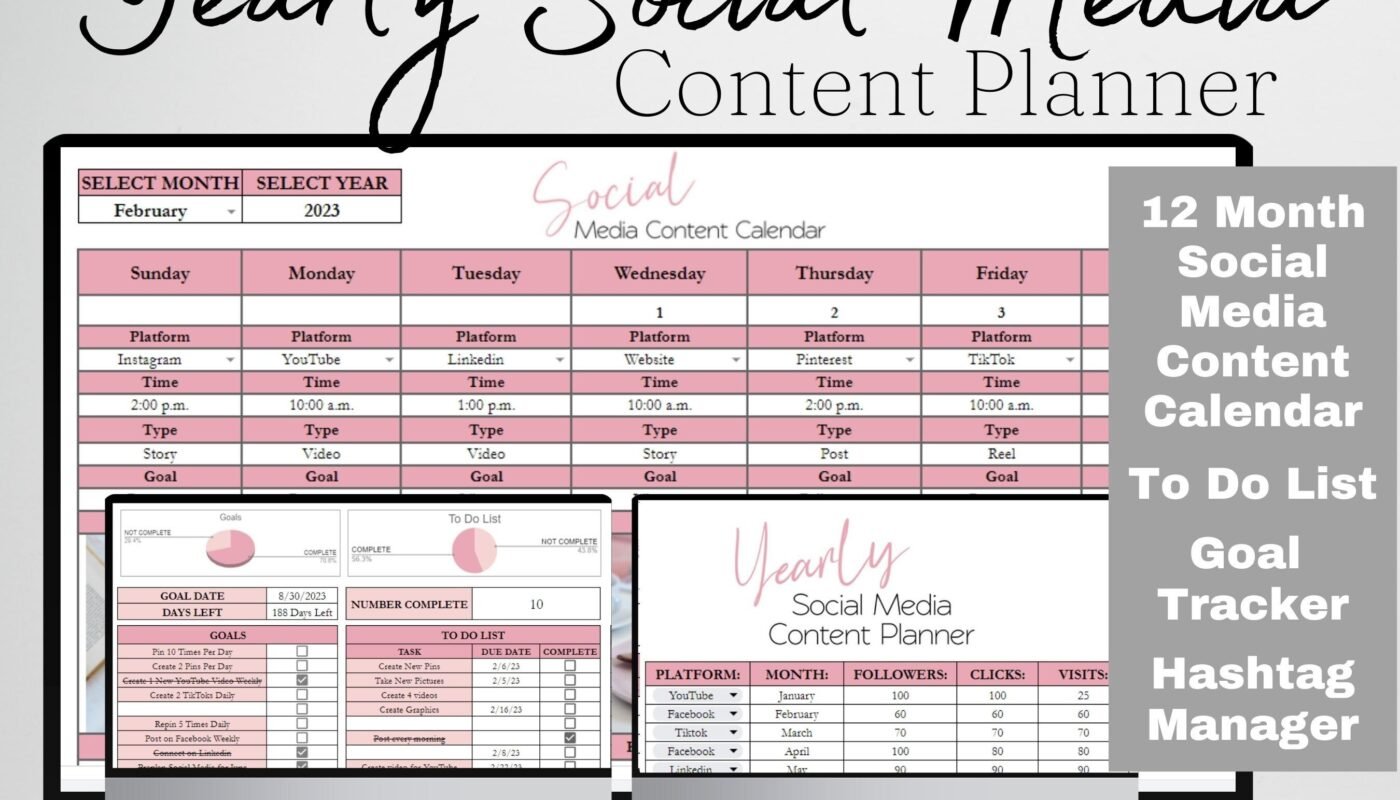
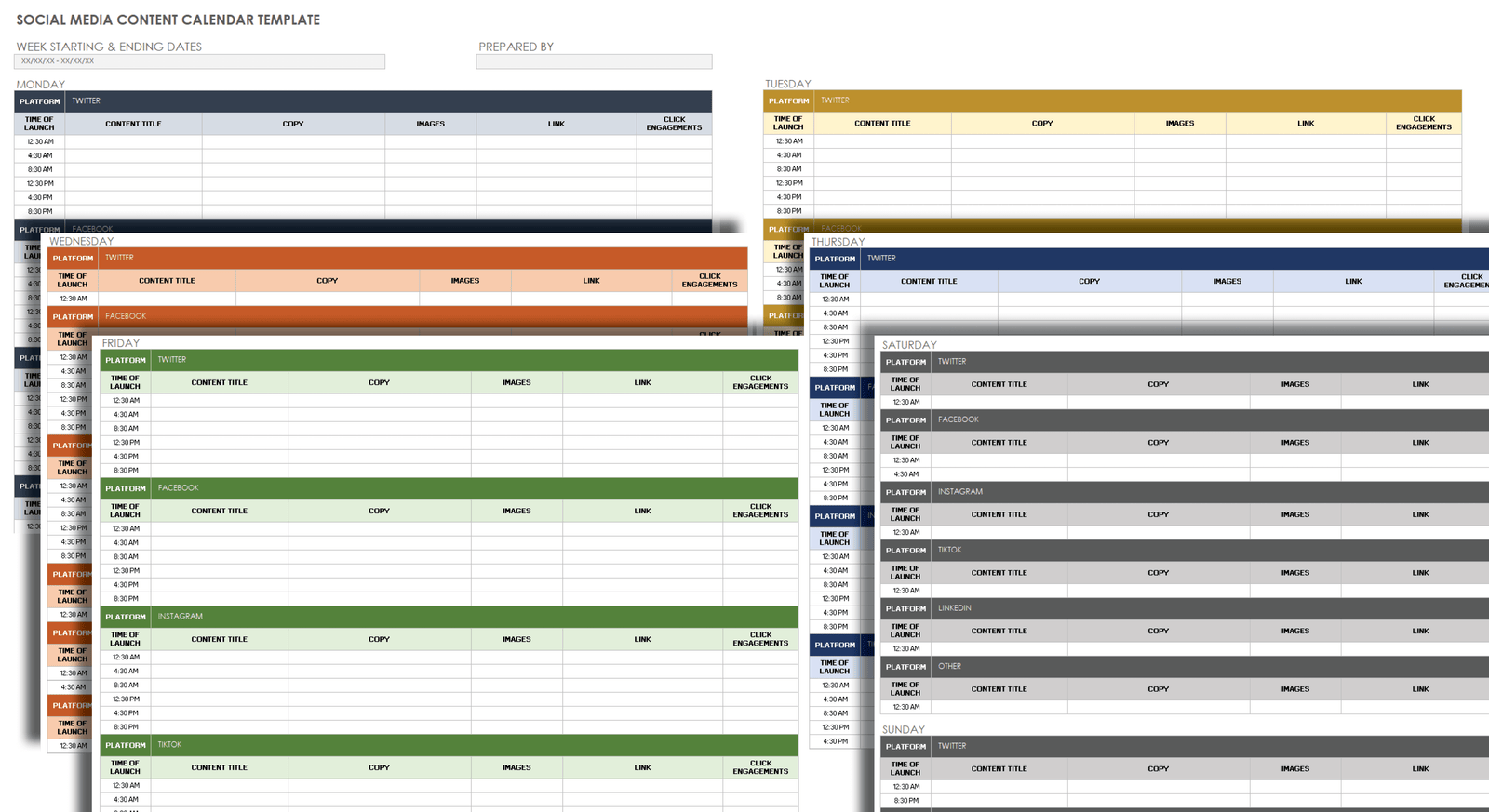
13. Create a Repeatable Calendar Template
Your spreadsheet or project tool can include:
- Date
- Platform
- Content pillar
- Topic
- Format
- Hook
- Caption status
- Visual status
- Destination link
- Call to action
- Owner
- Performance note
Keep the system simple enough that the team will actually use it.
14. Batch Ideas by Pillar
Instead of brainstorming 30 random ideas, create five ideas for each pillar. That gives you 20–25 ideas quickly.
Then add seasonal posts, product updates, events, and timely content to reach your monthly total.
15. Batch Captions
Write similar content in one session. Draft all FAQ captions together. Then write all proof posts. This keeps your brain in one mode and speeds up the work.
Leave final edits until the scheduling day.
16. Batch Visual Production
Plan images, carousels, videos, and screenshots after the topics are approved. Use a few consistent templates rather than designing every post from zero.
For real photos, create a shot list. A restaurant can photograph dishes, kitchen process, staff, ingredients, and the dining space in one session.
17. Adapt Posts for Each Platform
Repurposing is useful, but copy-paste is not always enough. A LinkedIn post may need more context. An Instagram carousel may need short slide text. TikTok may need a spoken hook. Pinterest may need a search-friendly vertical image.
Keep the core idea, then adapt the packaging.
18. Plan Links and Landing Pages
If the post sends traffic to your site, decide the destination while building the calendar. Match the link to the topic.
A post about local SEO should link to the local SEO guide. A product comparison should link to the relevant category or comparison page.
Do not send every post to the homepage.
19. Use UTM Tracking for Important Campaigns
UTM parameters help you identify traffic from specific social posts or campaigns. Use consistent names for source, medium, and campaign.
Document the naming rules inside the calendar so everyone follows the same system.
20. Leave Space for Timely Content
Do not schedule every slot weeks in advance. Leave 10–20% of the calendar open for timely events, customer questions, news, stock changes, or unexpected opportunities.
A calendar should provide structure, not remove flexibility.
21. Create a 30-Day Example Calendar
| Week | Post 1 | Post 2 | Post 3 | Post 4 |
|---|---|---|---|---|
| 1 | Quick tip | FAQ | Behind the scenes | Customer proof |
| 2 | Common mistake | Short demo | Blog guide | Community question |
| 3 | Checklist | Comparison | Team story | Offer |
| 4 | Myth vs fact | Process video | Customer FAQ | Monthly recap |
This produces 16 core posts. Add stories, Shorts, Pins, or platform-specific updates based on capacity.
22. Add Real-World Content Scenarios
Local café
Monday: new seasonal drink. Wednesday: behind-the-scenes preparation. Friday: customer favorite poll. Sunday: weekly opening hours and event reminder.
B2B consultant
Tuesday: one common strategy mistake. Thursday: short case example. Friday: checklist from a long blog post. Next Tuesday: FAQ about the consulting process.
Ecommerce brand
Monday: product demo. Wednesday: care tip. Friday: comparison. Sunday: customer photo with permission.
23. Review Content Before Scheduling
Use a quick quality check:
- Does the post solve or answer something?
- Is the first line clear?
- Is the visual relevant?
- Is the call to action appropriate?
- Does the link work?
- Is the information accurate?
- Does it fit the platform?
24. Measure by Content Pillar
At the end of the month, compare pillars. Education may produce saves. Proof may produce profile visits. Offers may produce website conversions.
Do not use one metric for every post type.
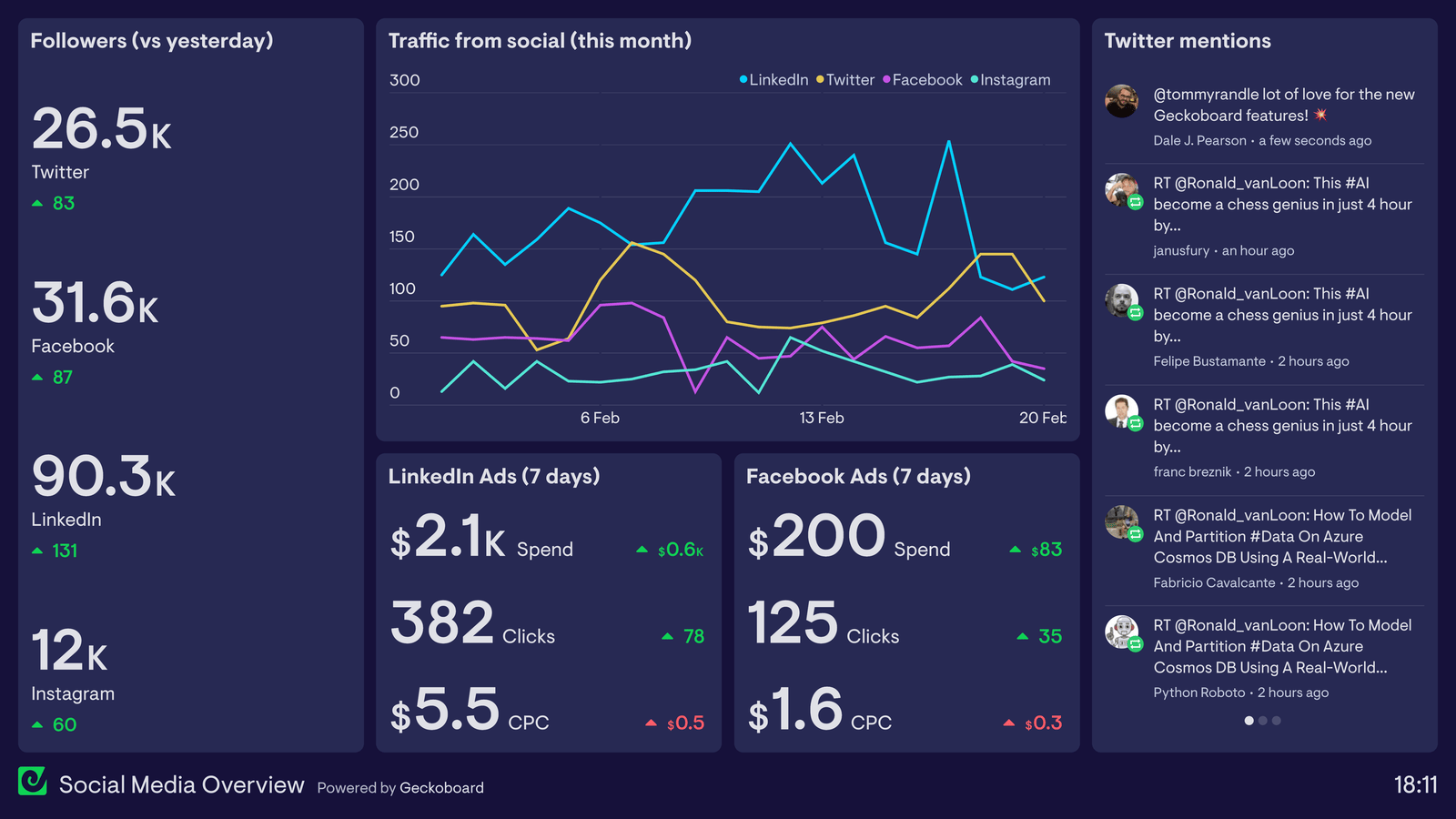
25. Track Meaningful Metrics
Possible metrics include reach, saves, shares, comments, video watch time, profile visits, website clicks, messages, leads, and sales.
Choose two or three metrics tied to your monthly goal.
26. Create a Monthly Review Meeting
A 30-minute review is enough for many small teams.
- Identify the five strongest posts.
- Identify the five weakest posts.
- Look for topic and format patterns.
- Review comments and questions.
- Choose next month’s main theme.
- Carry forward ideas that still matter.
27. Reuse Strong Ideas Without Repeating the Same Post
If a topic works, use a new angle. A successful “three website mistakes” post can become a short video, detailed blog article, checklist, or industry-specific version.
Do not copy the same caption every month.
28. Common Content Calendar Mistakes
| Mistake | Better approach |
|---|---|
| Planning only promotions | Balance education, trust, community, and offers |
| Posting everywhere | Choose the platforms that fit |
| Creating 30 unrelated ideas | Use content pillars |
| Scheduling every slot | Leave room for timely content |
| Copying one post to every platform | Adapt the format and caption |
| Never reviewing results | Run a monthly review |
29. Add a Weekly Handoff Routine
A content calendar works better when each week ends with a short handoff. Review what is already approved, what still needs an image, what needs a link check, and which timely posts may replace planned content.
For a two-person team, one person can prepare captions and visuals while the other checks facts, links, offers, and scheduling. For a solo business owner, use the same routine as a self-review before scheduling.
Five-minute Friday check
- Confirm next week’s posts have final captions and assets.
- Open every destination link on mobile.
- Check dates, prices, availability, and promotional terms.
- Move unfinished posts to a later date instead of rushing them.
- Record one lesson from the current week.
This routine prevents small production issues from becoming public mistakes and keeps the next week’s workload clear.
30. Build a Four-Week Production Rhythm
A monthly calendar becomes easier to sustain when each week has a clear production purpose. The goal is not to lock every post in advance. It is to reduce last-minute decisions.
Week 1: Research and planning
Review customer questions, website search data, seasonal needs, product updates, and recent campaign results. Select the month’s main theme and confirm the content pillars. Draft the first two weeks of topics and identify which posts need photos, screenshots, quotes, or video.
Week 2: Production
Write captions in batches and create the main visual assets. Film several short videos in one session when possible. Keep a clear file naming system so the correct asset is easy to match with the calendar entry.
Week 3: Publishing and conversation
Publish according to the plan, but watch comments, messages, and customer questions. If a useful new question appears, add it to an open calendar slot rather than waiting until next month.
Week 4: Review and refresh
Compare results by content pillar, format, and business action. Do not copy the highest-reach post automatically. Ask why it worked and whether it supported the goal. Carry useful lessons into the next month.
This four-week rhythm gives a small team a repeatable operating system. It also creates room for timely content without returning to daily guesswork.
Frequently Asked Questions
How far ahead should I plan social media content?
Planning one month ahead works well for many small businesses. Keep some open slots for timely updates.
How many times should I post each week?
Start with a schedule you can sustain. Three to five quality posts per week is enough for many small teams.
Should the same content go on every platform?
You can reuse the core idea, but adapt the format and wording to each platform.
What tool should I use for a content calendar?
A spreadsheet is enough. Project tools can help larger teams, but the best tool is one the team uses consistently.
How do I find 30 content ideas?
Start with customer questions and four or five content pillars. Turn strong topics into several distinct formats and angles.
Conclusion
A 30-day social media content calendar should reduce stress and improve focus. Start with a clear goal and audience. Choose content pillars. Pick a realistic posting frequency. Build a question bank. Batch captions and visuals. Adapt content for each platform. Then review the results at the end of the month.
The calendar is not the strategy. It is the system that helps you execute the strategy. Keep it simple, useful, and flexible enough to respond to real customers and real events.