AI Prompt Framework for Better Marketing Content: A Practical Guide
AI writing tools can save time, but the quality of the output depends heavily on the instructions you provide. A vague prompt often creates vague content. A prompt with clear context, audience, goal, constraints, and examples gives the model a better chance of producing a useful first draft.
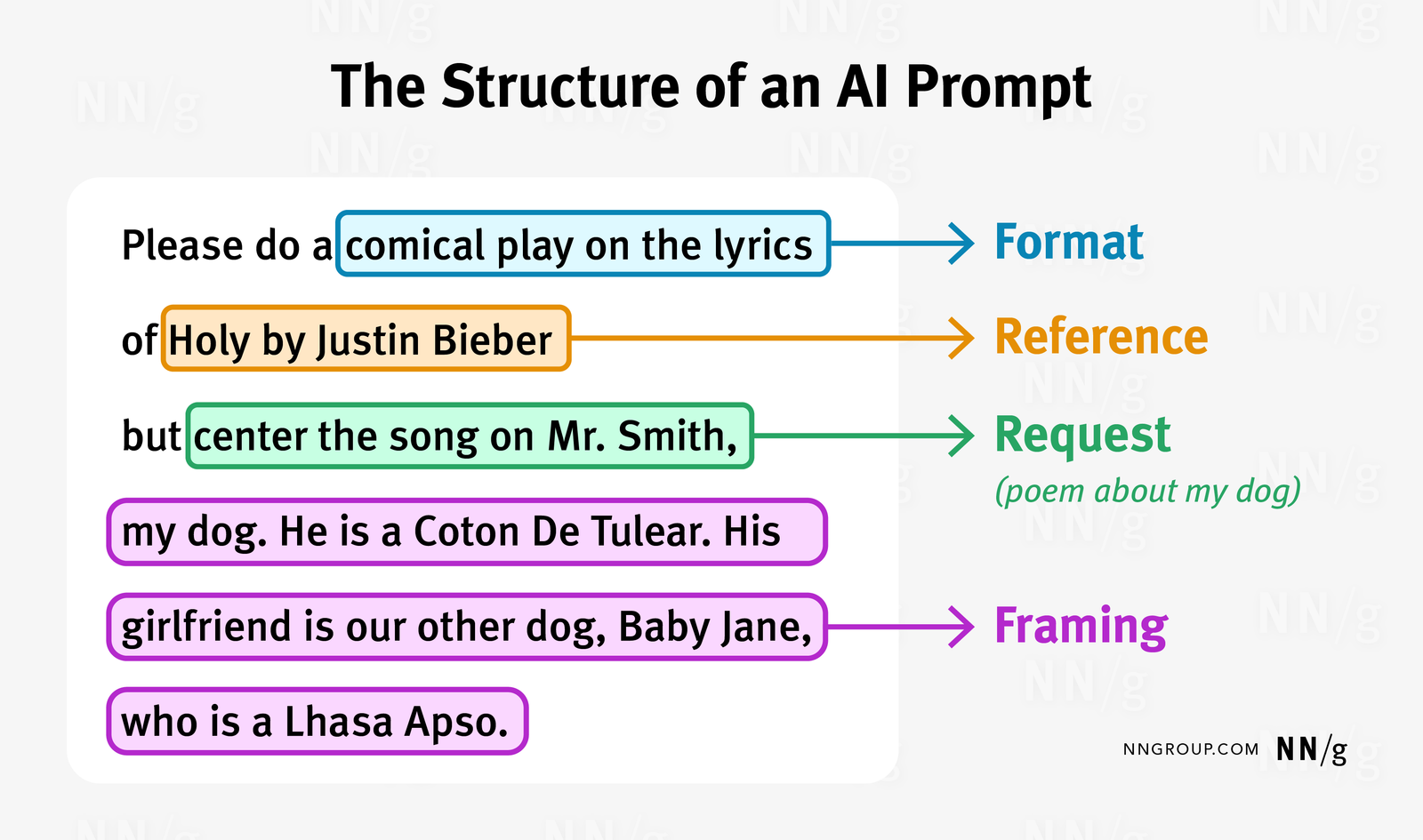
The goal is not to find one “magic prompt.” Marketing work changes by channel, customer, product, and task. You need a repeatable prompt framework that helps you explain what good work looks like.
This guide gives you a practical system for prompting AI tools for blog outlines, social posts, emails, landing pages, research summaries, and content repurposing. It also shows where human review is still essential.
1. Start With the Task, Not the Tool
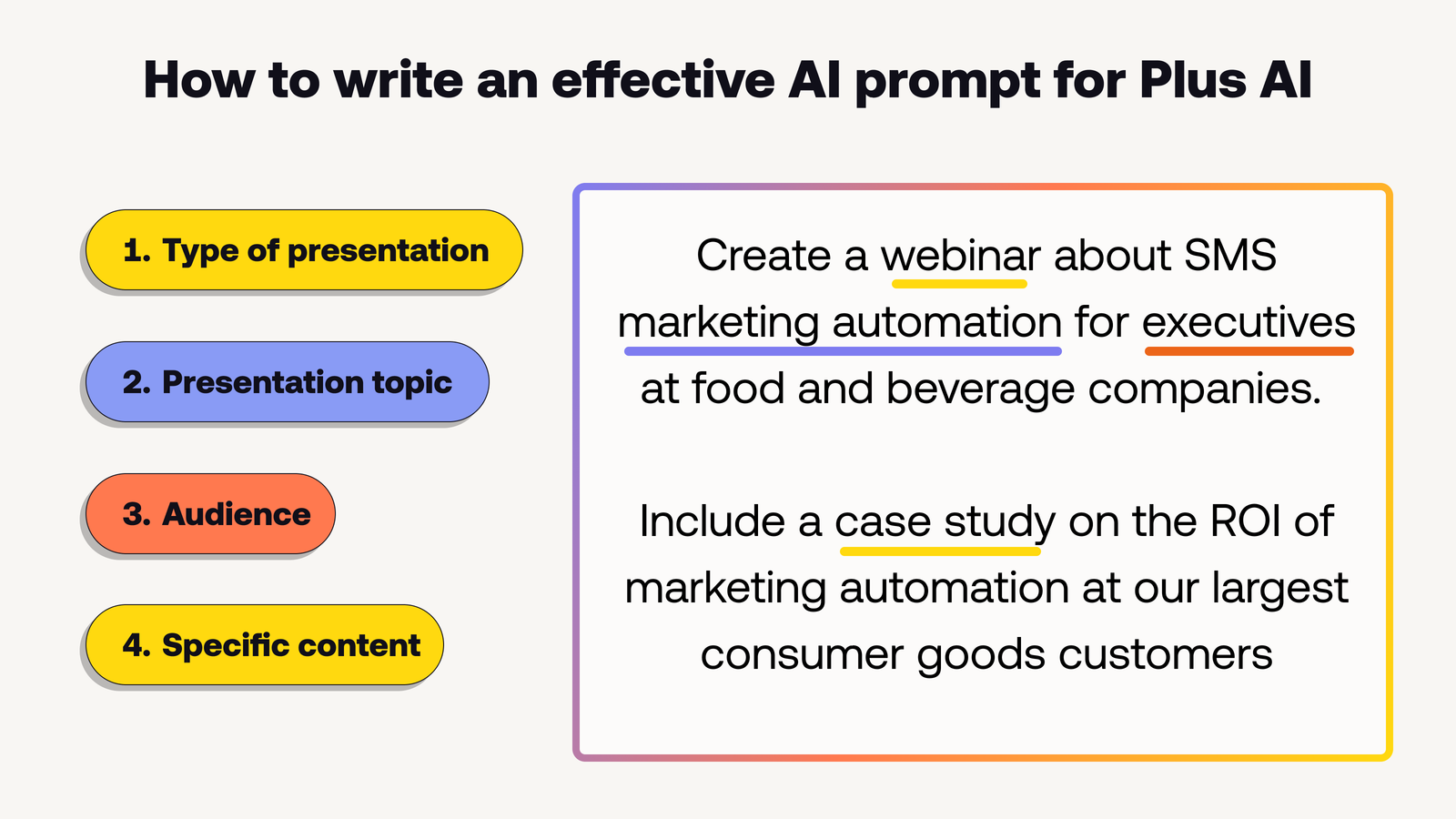
Before opening an AI assistant, define the work in one sentence. “Write marketing content” is too broad. “Create a five-email welcome sequence for new subscribers who downloaded our local SEO checklist” is much clearer.
A specific task gives you a target. It also makes the output easier to judge.
Use a task statement
Write: “The task is to…” and finish the sentence. If the sentence still feels vague, narrow it before prompting.
2. Add the Business Context
AI does not automatically know your product, positioning, customer concerns, or brand boundaries. Give the context that affects the answer.
Useful context can include:
- What the business sells
- Who the audience is
- Where the business operates
- What makes the offer different
- What the customer already knows
- What the content should not claim
Example
Instead of “Write an ad for bookkeeping,” say: “We provide monthly bookkeeping for UK freelancers with 1–5 employees. The audience understands basic expenses but dislikes accounting jargon. Do not promise tax savings.”
3. Define the Audience in Practical Terms
Age and location can matter, but customer situation matters more. Describe what the reader is trying to do, what they worry about, and what they already understand.
Example: “The reader runs a small local service business. They have a website but little SEO knowledge. They want more local inquiries and can spend about two hours per week on marketing.”
This helps the model choose useful depth and examples.
4. State the Desired Outcome
What should the reader know or do after consuming the content? A clear outcome improves focus.
Examples:
- Understand the difference between two plans.
- Book a consultation.
- Complete a five-step setup.
- Choose the right product size.
- Learn one safe maintenance process.
The outcome should be realistic. Do not ask the model to “make the post go viral” because no prompt can guarantee that.
5. Choose the Format
Tell the model what structure you need. A LinkedIn post, blog article, landing page, email, table, checklist, and video script need different formats.
Include length when it matters, but use a useful range rather than an arbitrary target.
Example format instruction
“Create a 60-second video script with a one-sentence hook, three steps, one example, and a short final call to action.”
6. Give a Clear Tone and Reading Level
“Professional” can mean many things. Add concrete writing rules.
For example:
- Use plain English.
- Keep sentences short.
- Use active voice.
- Avoid hype and buzzwords.
- Explain technical terms.
- Use a calm, confident tone.
These rules are easier to follow than “sound premium.”
7. Add Constraints
Constraints tell the model what not to do. This is useful in regulated, technical, or brand-sensitive work.
Useful constraints
- Do not invent statistics.
- Do not claim guaranteed results.
- Do not mention competitors.
- Do not use raw URLs.
- Do not use medical or legal advice language.
- Do not use emojis.
- Do not use more than one call to action.
Keep the list focused. Too many conflicting rules can make the prompt harder to follow.
8. Provide Source Material
If accuracy matters, give the model the source text or verified facts it should use. Do not expect it to invent current prices, policies, product specifications, or recent platform changes.
For AI product details, use official sources such as OpenAI. For search guidance, use Google Search Central.
When content depends on current information, verify the source before publication.
9. Give Examples of Good Output
A short example can clarify style better than ten adjectives. Show one sentence, paragraph, headline pattern, or previous approved piece.
Tell the model what you like about the example. Is it direct? Short? Specific? Calm? Does it use useful examples?
Do not overload the prompt
One or two strong examples are often enough. Too many can cause the output to copy surface patterns instead of solving the task.
10. Use the C-A-G-E-S Prompt Framework
A simple framework can make prompting repeatable:
- C — Context: What does the business, product, or situation involve?
- A — Audience: Who is the content for?
- G — Goal: What should the content achieve?
- E — Execution: What format, structure, and tone should be used?
- S — Safeguards: What facts, limits, and rules must be respected?
This framework works for many marketing tasks because it covers the information most generic prompts miss.
11. Example: Blog Outline Prompt
Context
A digital marketing site helps small businesses improve SEO with limited time and budget.
Audience
Business owners who understand basic keywords but have never built an internal linking plan.
Goal
Help them create a simple internal linking workflow they can use monthly.
Execution
Create an outline with one H1, eight to twelve H2 sections, useful H3s, one table idea, one real-world example, a checklist, FAQs, and a practical conclusion. Use plain English and active voice.
Safeguards
Do not invent ranking guarantees. Do not repeat the same point under different headings. Flag any claim that needs current verification.
12. Example: Social Post Prompt
“Create a LinkedIn post for owners of small B2B agencies. The topic is why a content calendar should start with customer questions, not posting frequency. Use a direct opening, one short example, three practical steps, and a calm ending. Keep it under 220 words. No emojis, hype, or sales pitch.”
This prompt works because the audience, point, structure, and boundaries are clear.
13. Example: Email Prompt
“Draft a welcome email for a subscriber who downloaded a local SEO checklist. They run a local service business and have basic marketing knowledge. Thank them, explain the first three actions to take, link to the checklist, and invite them to reply with one question. Keep the email under 300 words. Use short paragraphs. Do not sell a service in this email.”
14. Example: Landing Page Prompt
“Create a landing page outline for monthly bookkeeping services for UK freelancers. Focus on clarity, process, deliverables, common concerns, and trust. Include hero copy, service scope, process, who it is for, who it is not for, FAQ, proof section, and one main call to action. Avoid claims about guaranteed tax savings.”
15. Ask the Model to Identify Missing Information
A useful prompt can tell the model not to guess. Ask it to list missing facts before creating the final output when the task depends on information you have not provided.
This is especially useful for pricing, legal claims, technical specifications, dates, and customer data.
16. Separate Research From Writing
Do not ask one prompt to research, verify, plan, write, edit, and publish a long article in a single step. Break the workflow into stages.
A better workflow
- Define the topic and audience.
- Collect reliable sources.
- Extract key facts and questions.
- Create the outline.
- Draft one section at a time or the full article.
- Fact-check claims.
- Edit for clarity and brand voice.
- Run SEO and formatting checks.
This gives you more control and makes errors easier to find.
17. Use AI for Variations, Not Final Decisions
AI is strong at generating options. Ask for five headline approaches, three call-to-action variations, or four content angles. Then choose based on audience and strategy.
This is often more useful than asking the model to pick “the best” option without knowing your performance data.
18. Ask for Critique Before Rewriting
If you already have a draft, first ask the model to identify unclear sections, repetition, weak claims, missing examples, and tone problems. Then decide which changes you accept.
This keeps the human editor in control.
19. Use a Fact-Check Pass
Ask the model to highlight statements that need external verification. Then check those claims against reliable sources.
AI can still miss issues, so do not treat this pass as proof of accuracy.
20. Use a Repetition Pass
Long AI drafts often repeat the same point using different words. Ask for a section-by-section repetition audit.
Then remove duplicate explanations and replace them with examples, data, or actions where useful.
21. Use a Readability Pass
Ask the model to shorten long sentences, reduce jargon, use active voice, and keep paragraphs easy to scan. Do not ask it to simplify technical meaning so much that accuracy is lost.
22. Add Brand Voice Rules
Create a small reusable style guide. It can include:
- Words you use often
- Words you avoid
- Preferred sentence length
- How formal the brand sounds
- Whether humor is allowed
- How calls to action are written
- Claims that require approval
Paste only the relevant parts into prompts.
23. Protect Customer and Business Data
Do not paste passwords, private customer records, payment data, confidential contracts, or sensitive internal information into AI tools unless your approved business setup and privacy controls allow it.
Use anonymized examples where possible. Replace names and account details with placeholders.
24. Avoid Prompt Libraries Full of Generic Tricks
A huge prompt library can create false confidence. The best prompt is usually the one built for your specific task and source material.
Keep reusable frameworks, tone rules, checklists, and templates. Customize the facts and goal each time.
25. Create a Prompt Brief Template
| Field | What to add |
|---|---|
| Task | Exact work required |
| Context | Business, product, situation |
| Audience | Needs, skill level, concerns |
| Goal | Desired reader action or understanding |
| Format | Article, email, script, table, etc. |
| Tone | Concrete style rules |
| Sources | Verified material to use |
| Constraints | Claims, words, or actions to avoid |
| Quality checks | Accuracy, repetition, readability |
26. Build an AI Marketing Workflow Around Review Gates
A safe workflow has human review points. Do not let a draft move directly from generation to publication when it contains factual, legal, medical, financial, or brand-sensitive claims.
Simple review gates
- Strategy review: Is this the right topic and audience?
- Fact review: Are claims accurate?
- Brand review: Does it sound like the business?
- SEO review: Does it match intent and structure?
- Final review: Are links, images, and calls to action correct?
27. Measure the Output, Not the Prompt
A prompt is useful only if it helps create content that performs its job. Measure readability, editing time, error rate, engagement, clicks, leads, or conversions depending on the task.
If a complicated prompt takes longer to maintain than writing the draft manually, simplify it.
28. Common AI Prompting Mistakes
| Mistake | Better approach |
|---|---|
| “Write a great blog post” | Define audience, goal, format, and sources |
| Asking for guaranteed results | Ask for practical options and reasoning |
| Giving no business context | Explain the product and customer need |
| Letting the model invent facts | Provide sources and require verification |
| Publishing the first draft | Use human review gates |
| Using one giant prompt for everything | Split research, drafting, and editing stages |
Frequently Asked Questions
What makes a good AI marketing prompt?
A good prompt gives enough context to define the task, audience, goal, format, tone, sources, and limits.
Should I include examples in prompts?
Yes, when style or format is important. Use one or two examples and explain what makes them useful.
Can AI replace a marketing writer?
AI can help with research support, options, outlines, drafting, and editing. Human judgment is still needed for strategy, facts, brand voice, ethics, and final decisions.
How long should a prompt be?
Long enough to remove important ambiguity. A short precise prompt can outperform a long prompt full of unnecessary rules.
Should prompts include keywords?
Yes, when SEO matters. Include the primary topic and related terms, but instruct the model to use them naturally rather than repeat them mechanically.
Conclusion
Better AI marketing output starts with a better brief. Define the task. Give business context. Describe the audience. State the goal. Choose the format. Set clear writing rules. Provide reliable sources. Add safeguards. Then review the result with human judgment.
The C-A-G-E-S framework gives you a simple way to remember the essentials: Context, Audience, Goal, Execution, and Safeguards. Use it as a starting point, then adapt each prompt to the real job. The aim is not perfect prompting. The aim is useful, accurate content that takes less time to produce and less effort to fix.