Internal Linking Strategy for Small Websites: A Step-by-Step SEO Guide
Internal links are links from one page on your website to another page on the same website. They look simple, but they solve several important problems at once. They help readers discover related information. They help search engines find pages. They show which pages are closely connected. They can also guide attention toward the pages that matter most to your business.
Small websites often ignore internal linking because it feels less urgent than publishing new content. That is a mistake. A site with 30 useful pages can become much easier to use when those pages are connected in a clear way. You do not need advanced software or a huge content team. You need a simple structure and a repeatable process.
This guide shows how to plan internal links for a small business or blog. It covers page hierarchy, anchor text, orphan pages, topic clusters, link placement, audits, and a practical monthly workflow.
1. Understand What Internal Links Actually Do
An internal link is more than a navigation shortcut. It gives context. If a blog post about keyword research links to a guide about search intent, that connection helps a reader move to the next useful topic. It also tells search engines that the two pages are related.
Internal links can support three basic goals:
- Help users move through the site.
- Help search engines discover and understand pages.
- Direct more attention to important pages.
For technical background on how search engines crawl websites, use Google Search Central. The main lesson for a small site is simple: important pages should be easy to reach through normal links.
2. Start With a Clear Website Hierarchy
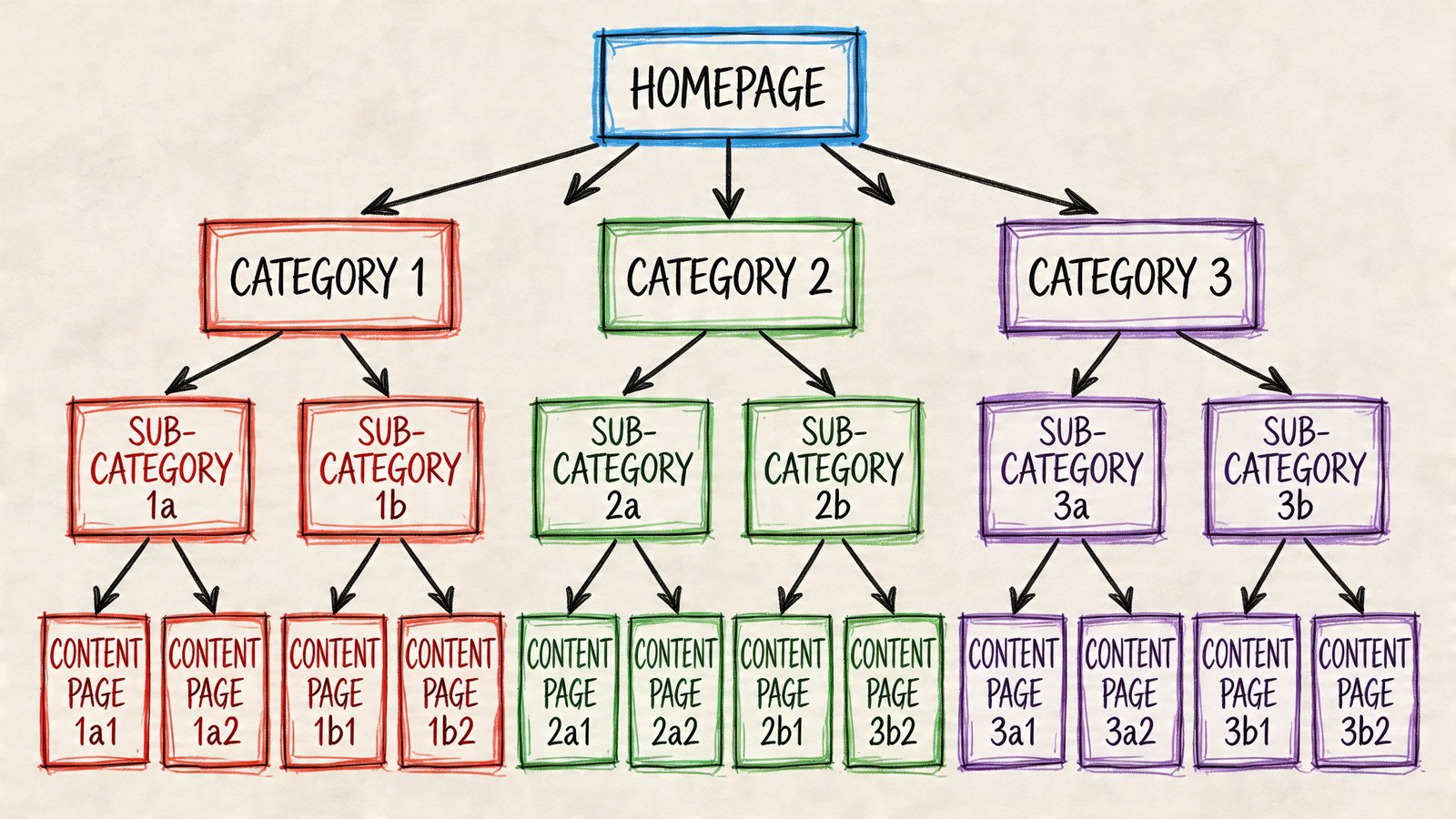
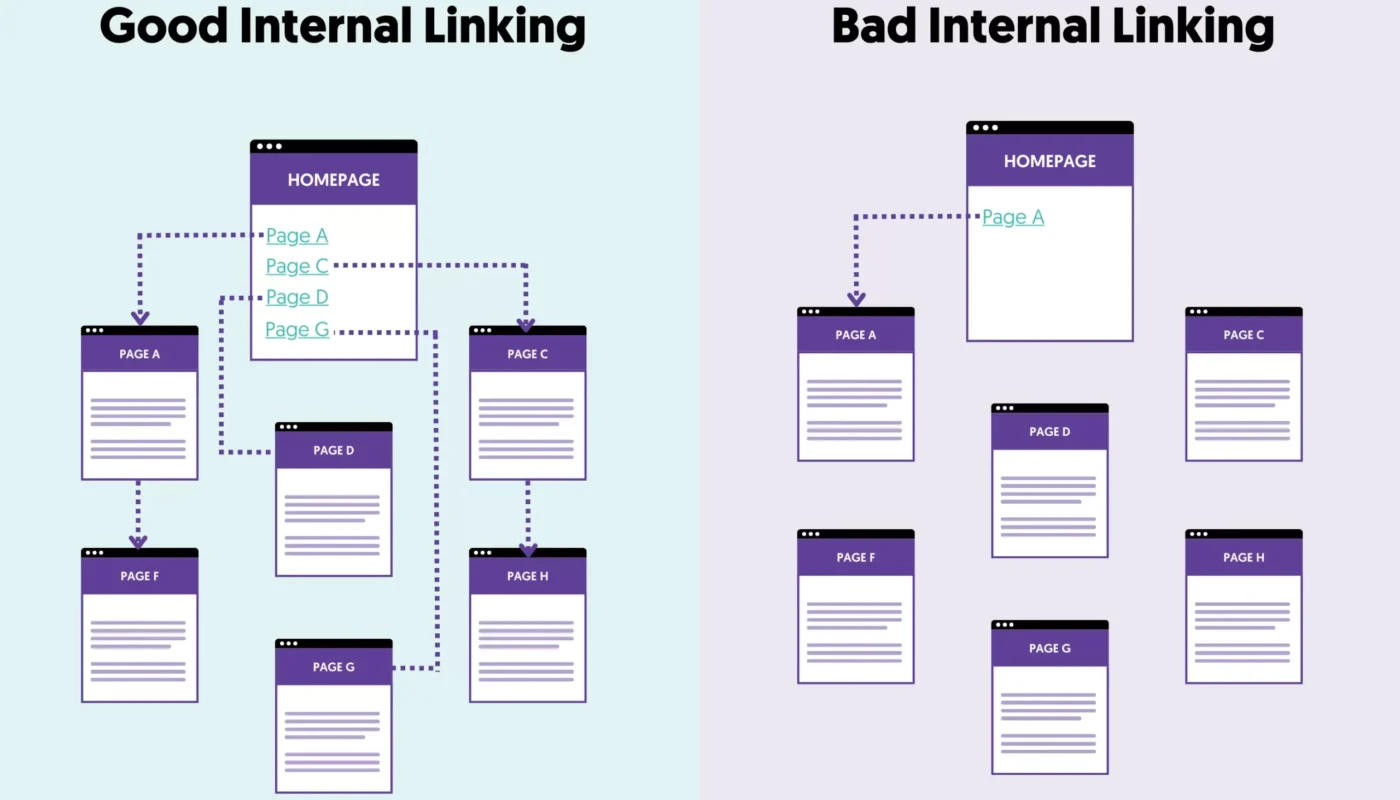
Internal linking works best when the site has a sensible structure. Think of the homepage as the top level. Below it sit your main categories, services, or product groups. Under those pages sit more specific guides, products, locations, or supporting posts.
Example structure for a marketing site
- Homepage
- SEO Guides
- Social Media Marketing
- AI Content & Marketing
- Paid Ads Strategy
Inside the SEO section, you might have keyword research, technical SEO, internal linking, local SEO, and content refresh guides. These posts can link to each other where the relationship is useful.
A clear hierarchy reduces random linking. You know which pages belong together and which pages should receive the strongest support.
3. Decide Which Pages Matter Most
Not every page needs the same number of internal links. A privacy policy does not need the same attention as your core service page. A temporary announcement does not need the same support as a detailed evergreen guide.
Make a short list of priority pages. These might include:
- Main service pages
- Important category pages
- High-value product pages
- Strong evergreen guides
- Pages that already earn search impressions
Use business value and user value together
A page should not become a priority only because it makes money. It should also be useful. For example, a detailed “small business SEO guide” may be a strong internal link target because it answers a broad question and naturally leads to related service or topic pages.
4. Create Topic Clusters Instead of Random Link Networks
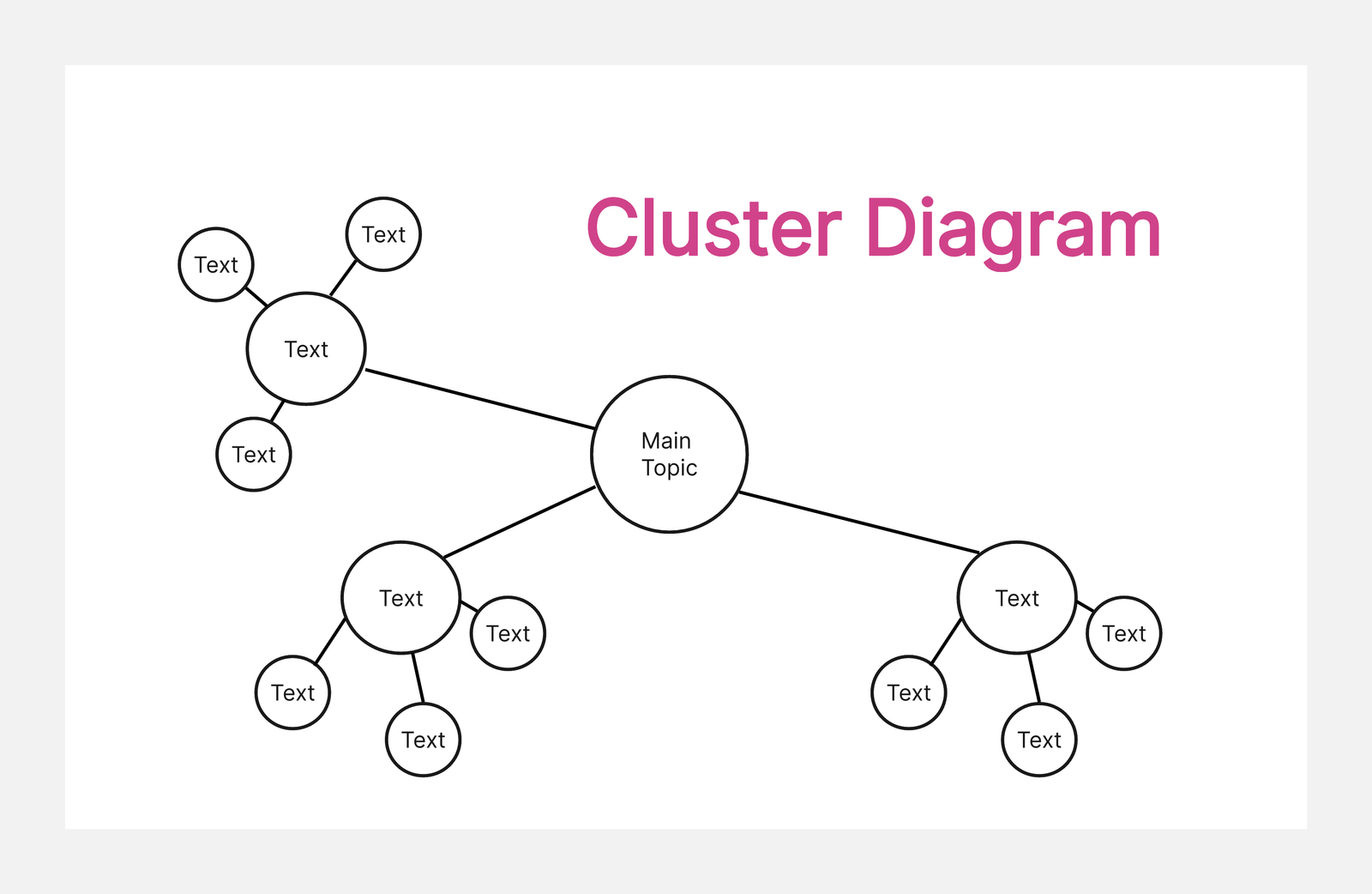
A topic cluster is a group of pages that cover one broad subject from different angles. One central page covers the broad topic. Supporting pages answer narrower questions. The pages link to each other in ways that make sense.
Example SEO topic cluster
A broad SEO guide could link to pages about keyword research, local SEO, technical SEO, internal linking, image optimization, and content refreshes. Each supporting guide can link back to the broad guide and to one or two closely related articles.
This structure helps readers choose their next step. It also avoids the messy pattern of linking every page to every other page.
5. Link From New Posts to Older Relevant Content
When you publish a new article, add links to older pages that help the reader. This is the easy part because you are already editing the new post.
Before publishing, search your own site for the main topic and related phrases. Choose two to five pages that genuinely add value. Place links inside sentences where the connection is clear.
Example
If you are writing a guide about local SEO, you might link to an existing keyword research guide when you explain local keyword discovery. You might also link to a technical SEO checklist when discussing crawlability or page speed.
6. Update Older Posts to Link to New Content
This step is often missed. A new page can remain weak if no older page points to it. After publishing new content, find older relevant pages and add one or two links back to the new page.
Imagine you publish a strong guide about internal linking. An older technical SEO article may already mention site structure. Add a link from that section to the new guide. Now readers and crawlers can discover it naturally.
7. Use Descriptive Anchor Text
Anchor text is the clickable text in a link. Good anchor text tells the reader what to expect. “Read our internal linking strategy guide” is clearer than “click here.”
You do not need the exact target keyword every time. Natural variation is better for readability. Use phrases that fit the sentence.
| Weak anchor | Better anchor |
|---|---|
| Click here | technical SEO checklist |
| Read more | guide to keyword research |
| This page | local SEO checklist for small businesses |
Avoid forced exact-match anchors
If every link to a page uses the same long keyword phrase, the writing can sound unnatural. Choose clear anchors based on context.
8. Place Links Where Readers Need Them
Useful links should appear close to the relevant idea. If a paragraph mentions a concept that needs more detail, link there. Do not wait until the bottom of the article to add a long block of unrelated links.
Links in navigation, breadcrumbs, sidebars, and footers can also help users. However, contextual links inside the main content often give the clearest topic signal because the surrounding text explains the relationship.
9. Do Not Overload Every Paragraph With Links
More links are not always better. A paragraph with five links can be hard to read. A page with dozens of weak links may distract the visitor from the main task.
Use enough links to help the reader continue. The right number depends on article length and topic depth. A long guide may naturally contain many internal links. A short FAQ may need only a few.
Use the reader test
Ask: “Would I want this link here if search engines did not exist?” If the answer is no, the link may not be useful.
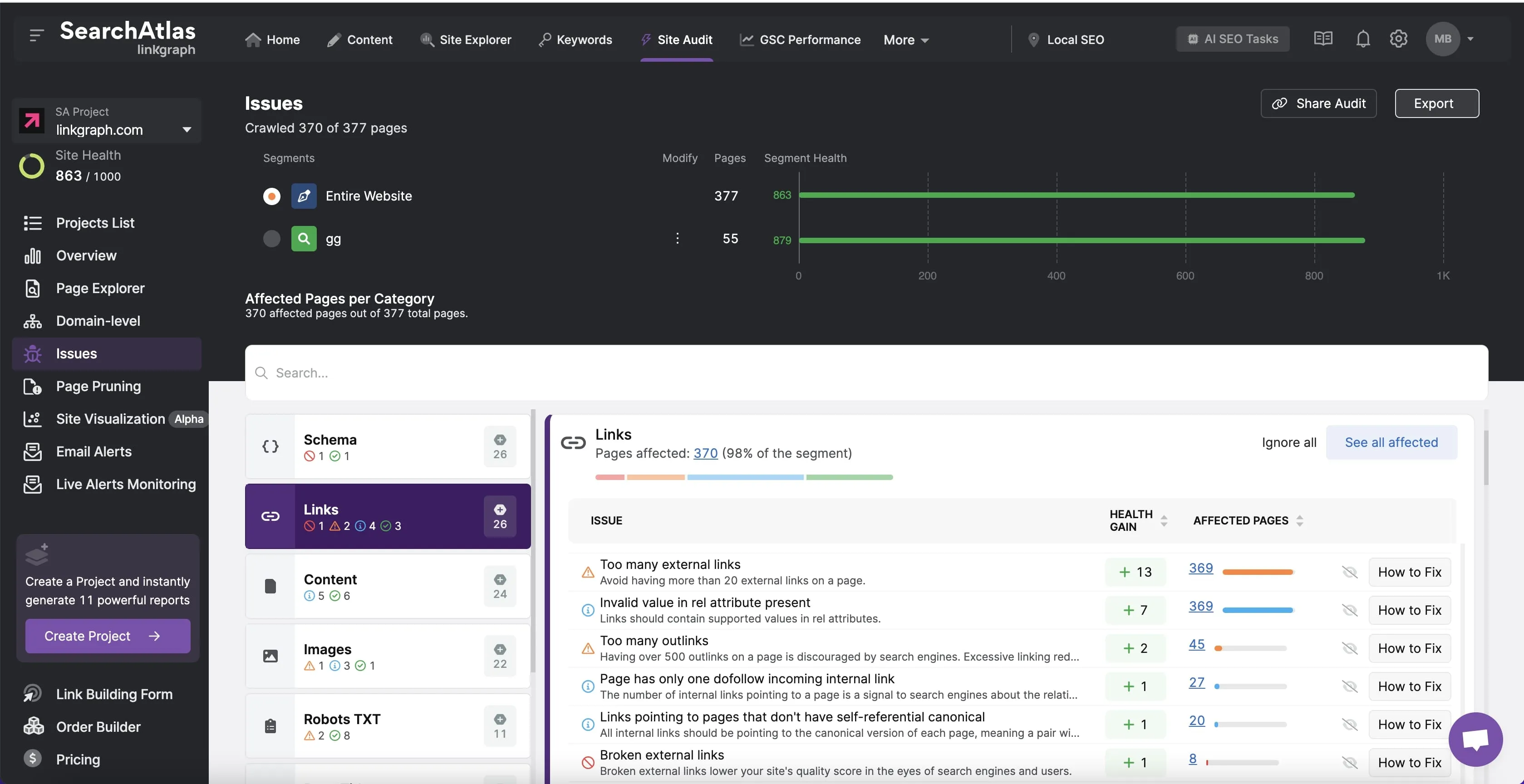
10. Find and Fix Orphan Pages
An orphan page has no useful internal links pointing to it. Search engines may still find it through a sitemap, but users may have no normal path to reach it.
Orphan pages are common after migrations, redesigns, and large content batches. They are also common when teams publish new posts without updating older content.
Simple orphan-page audit
- Export or list all published pages and posts.
- Check which pages receive internal links.
- Flag useful pages with no incoming links.
- Find one to three relevant older pages.
- Add natural contextual links.
If an orphan page is no longer useful, updating or removing it may be better than forcing links toward it.
11. Fix Broken Internal Links
Broken links waste a reader’s time. They often appear when URLs change or old pages are deleted. Check your internal links on a regular schedule.
If a linked page moved, update the source link to the current URL. A redirect can help, but direct links are cleaner when you can update them. If the destination no longer exists, point to the closest useful replacement or remove the link.
12. Use Breadcrumbs for Deep Sites
Breadcrumbs show the user where a page sits within the site structure. They are helpful when a website has categories, subcategories, products, or many levels of content.
A breadcrumb might look like Home → SEO Guides → Internal Linking Strategy. It gives the reader an easy path back to a broader section.
If you use WordPress, check your theme and SEO plugin options before adding custom breadcrumb code. Many setups already support them.
13. Link to Conversion Pages Without Turning Every Article Into a Sales Page
A blog article can link to a service or product page when the connection is useful. The key is timing. First solve the reader’s problem. Then offer a relevant next step.
Example
A detailed guide about Google Ads budgeting can link to a paid advertising service near the section where a business owner may need help setting up tracking or campaign structure. The link should feel like an option, not an interruption.
Avoid adding the same aggressive call to action after every paragraph. That can reduce trust and make informational content harder to read.
14. Use Search Console to Find Internal Linking Opportunities
Google Search Console can help you identify pages that already receive impressions. If a page is relevant and important but sits deep in the site, stronger internal linking may help users find it.
You can also look at queries. A page may appear for a related phrase you have covered elsewhere. That can reveal a natural cross-link between two articles.
15. Use a Spreadsheet for a Small Site
You do not need a complex SEO platform to manage 20, 50, or even 100 important pages. A spreadsheet can work well.
Create columns for:
- Page title
- URL
- Category
- Primary topic
- Priority level
- Main page it should link to
- Supporting pages it should link to
- Last internal-link review date
This gives you a simple map. It also prevents every new article from becoming an isolated piece of content.
16. Build Internal Links Into Your Publishing Workflow
The easiest system is the one you repeat. Add internal linking to your article checklist rather than treating it as a separate SEO project.
Before publishing
- Add two to five useful links from the new article to existing pages.
- Check that anchor text is clear.
- Confirm the links open the correct pages.
- Choose one or two older pages that can link back to the new article.
After publishing
- Add the backlinks from older pages.
- Check category and navigation placement.
- Confirm the new page is in the sitemap if your setup uses one.
17. Review Internal Links During Content Updates
When you refresh an old article, review its links. Some may be stale. Newer posts may be better destinations. A service may have changed. A category structure may be different.
An internal-link review is one of the easiest ways to make an old article more useful without rewriting the whole piece.
18. Avoid These Common Internal Linking Mistakes
| Mistake | Better approach |
|---|---|
| Using “click here” everywhere | Use descriptive anchors |
| Linking every post to every service | Link only where the next step fits |
| Ignoring old posts | Add links from older content to new pages |
| Creating orphan pages | Give every important page a clear path |
| Keeping broken links | Run a regular link check |
| Forcing exact keywords | Vary anchor text naturally |
19. A Practical Internal Linking Example
Imagine a small website has four SEO posts: keyword research, technical SEO, local SEO, and internal linking. The keyword research guide can link to local SEO when it explains local terms. The technical guide can link to internal linking when it covers crawl paths. The local SEO guide can link back to keyword research and technical SEO. The internal linking guide can link to all three when showing examples.
Now add a broad SEO category page. Each article links to the category when useful, while the category page points to the core guides. The result is a simple network based on topic relationships rather than random links.
20. Monthly Internal Linking Checklist
- Review all new posts from the month.
- Make sure each new post has incoming links.
- Find one high-priority page that needs more support.
- Update three older posts with relevant links.
- Fix broken internal links.
- Check for orphan pages.
- Review anchor text for clarity.
- Remove links that no longer help.
Frequently Asked Questions
How many internal links should a blog post have?
There is no fixed number. Use as many as help the reader without making the page cluttered. Long guides usually need more than short posts.
Should internal links open in a new tab?
Usually, internal links can open in the same tab. That keeps navigation simple. Use a new tab only when there is a clear user reason.
Can I link to the same page more than once?
Yes, when both links are useful. Avoid repeating the same destination many times without a reason.
Do internal links help SEO?
They can support crawling, context, site structure, and page discovery. Their strongest value is that they make related content easier to reach and understand.
What is the best anchor text?
The best anchor is clear, natural, and relevant to the destination. It should help the reader know what they will find after clicking.
Conclusion
A strong internal linking strategy does not need to be complex. Start with a clear site hierarchy. Identify your important pages. Group related content. Add useful links from new posts to older posts, and remember to link older posts back to new content. Use descriptive anchors and fix orphan or broken links as part of normal maintenance.
For a small site, the biggest gain comes from consistency. Spend a few minutes on internal links every time you publish or update content. Over time, your website becomes easier to explore, easier to understand, and more useful to both readers and search engines.