Small businesses often struggle with Instagram for one simple reason: they post without a system. One week may have five posts. The next week has none. A Reel gets views, but there is no clear link to a business goal. A product post goes live, but the caption gives people no reason to care.
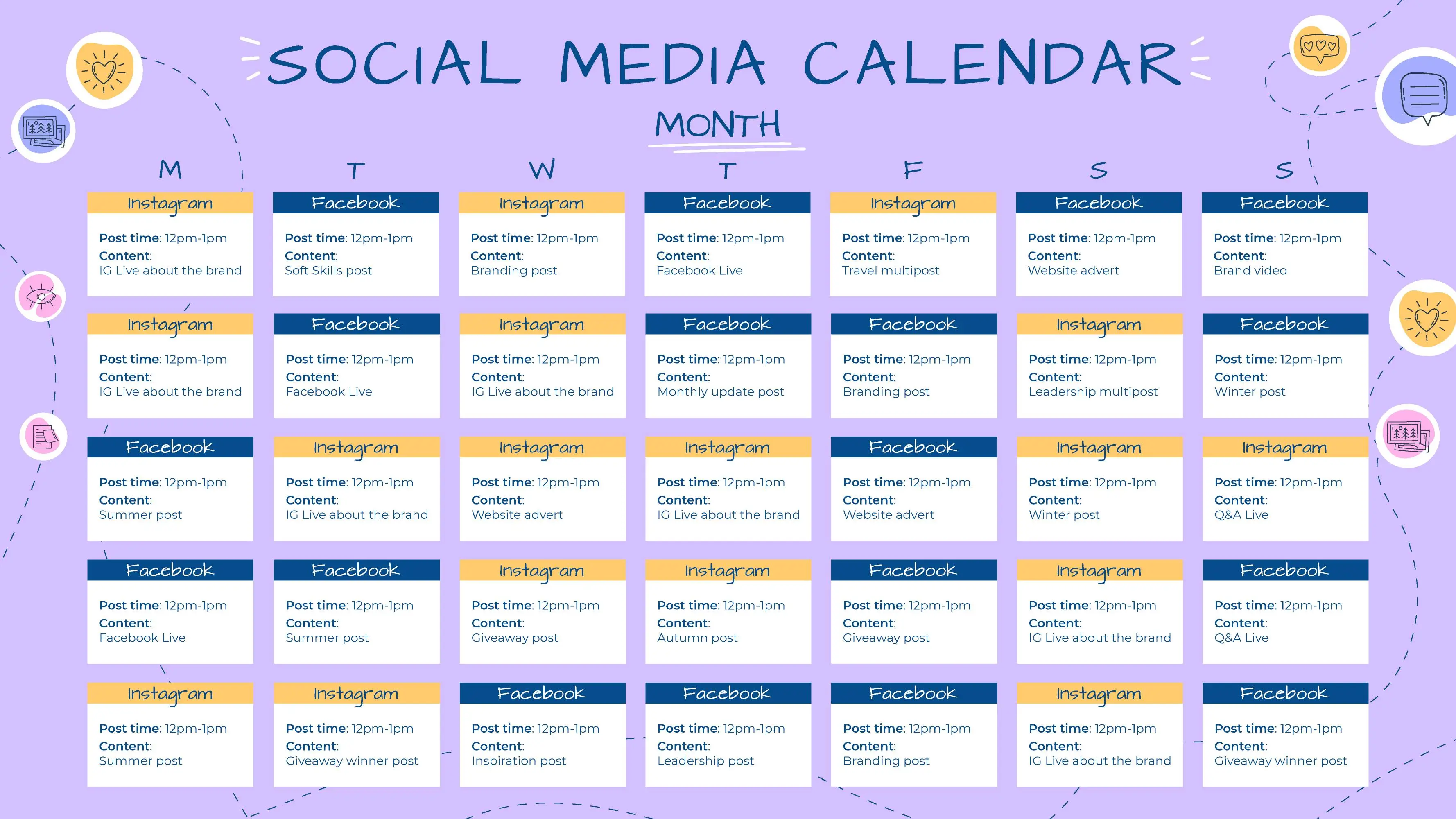
A useful Instagram content strategy should make posting easier, not more stressful. It should help a business decide what to say, what format to use, how often to post, and what to measure. This guide gives you a 30-day plan that can work for a local service business, an online store, a consultant, or a small team.
The focus is not on chasing every trend. It is on building a repeatable system that turns real customer questions, useful proof, and clear offers into consistent content. You can also use the education and planning resources from Meta for Business as a reference when platform tools change.
Start with one business goal
Instagram can support many goals, but trying to do everything at once creates weak content. Pick one main goal for the next 30 days.
Common goals include:
- Get more local awareness.
- Generate qualified inquiries.
- Drive product page visits.
- Build trust before a sales call.
- Grow an email list.
- Educate customers about a service.
A home bakery may want more local orders. A freelance designer may want discovery calls. A fitness studio may want trial class bookings. The content can look different because the desired action is different.
Choose one primary action
Decide what you want an interested person to do next. It may be “send a message,” “visit the booking page,” “view the menu,” or “join the email list.” Use that action often enough that followers know how to move forward.
Build four content pillars before making a calendar
Content pillars are repeatable topic groups. They prevent the common problem of opening Instagram and asking, “What should I post today?”
For most small businesses, four pillars are enough.
| Pillar | Purpose | Example |
|---|---|---|
| Teach | Solve a small problem | A plumber explains why a tap keeps dripping |
| Proof | Build trust | Before-and-after work with context |
| Behind the scenes | Show process and people | How an order is prepared |
| Offer | Help people buy or inquire | Service package, booking slot, product launch |
You can add a fifth pillar if the business has a strong community angle, such as local events, customer stories, or industry commentary.
Turn customer questions into content
Your best content ideas are often already sitting in your inbox. Look at customer emails, direct messages, reviews, calls, and sales conversations.
Write down ten questions people ask before buying. Then turn each question into one short post, one Reel, or one Story sequence.
Example: local skincare clinic
Customers may ask:
- How long does a facial take?
- What should I avoid before treatment?
- How soon can I wear makeup?
- Which treatment is suitable for dry skin?
- How often should I book?
Each question is useful because it removes uncertainty. That is more valuable than posting a generic quote that has little connection to the business.
Choose the right format for the idea
Do not force every idea into a Reel. Different formats are useful for different jobs.
Use Reels for demonstration and discovery
Short video works well when movement helps. Show a process, a quick transformation, a product in use, a mistake to avoid, or a simple before-and-after.
Use carousels for step-by-step education
A carousel is useful when the reader needs several points. Examples include “five things to prepare before a consultation” or “four signs your landing page needs work.”
Use Stories for daily context
Stories are good for quick updates, polls, questions, reminders, and small behind-the-scenes moments. They do not need the same production effort as a main feed post.
Use single images when the image itself matters
A strong product photo, completed project, event image, or customer result may only need a clear caption.
Create a simple weekly posting rhythm
A small business does not need to post all day. It needs a schedule it can maintain.
Here is a practical weekly pattern:
- Monday: educational carousel
- Wednesday: Reel showing a process, tip, or demonstration
- Friday: proof, customer result, case example, or offer
- Stories: three to five days during the week when something useful is happening
If three feed posts are too much, use two. Consistency matters more than choosing an unrealistic schedule.
A practical 30-day Instagram plan
The following plan gives you a full month of ideas. You can change the format based on what you can produce well.
| Day | Content idea | Format |
|---|---|---|
| 1 | Explain the main problem your business solves | Carousel |
| 2 | Show a quick behind-the-scenes task | Story |
| 3 | Answer one common customer question | Reel |
| 4 | Run a simple audience poll | Story |
| 5 | Share one real customer result with context | Image or carousel |
| 6 | Show a tool, material, or product you use | Story |
| 7 | Rest or reply to comments and messages | Community |
| 8 | Teach a three-step process | Carousel |
| 9 | Share a short team or founder update | Story |
| 10 | Show a common mistake and the fix | Reel |
| 11 | Ask followers what they want help with | Story |
| 12 | Explain how your service works | Carousel |
| 13 | Show work in progress | Story |
| 14 | Share a useful customer review | Image |
| 15 | Answer a pricing or process question | Reel |
| 16 | Post a question sticker | Story |
| 17 | Compare two common choices | Carousel |
| 18 | Show one small detail customers rarely see | Story |
| 19 | Explain who your offer is best for | Reel |
| 20 | Share an upcoming slot, product, or event | Story |
| 21 | Review comments and save useful questions | Community |
| 22 | Give a checklist followers can save | Carousel |
| 23 | Show your workspace or setup | Story |
| 24 | Demonstrate a quick tip | Reel |
| 25 | Share a customer FAQ | Story |
| 26 | Tell a short customer problem-to-solution story | Carousel |
| 27 | Show a small win from the week | Story |
| 28 | Explain a product or service difference | Reel |
| 29 | Ask for feedback on a future topic | Story |
| 30 | Share a clear offer with a simple next step | Image or carousel |
How to make Reels that are useful without overproducing

You do not need studio lighting or complex editing for every Reel. Start with a clear idea and a visible subject.
Use a three-part structure
- Opening: name the problem or result.
- Middle: show the useful step, example, or demonstration.
- End: give one next action.
For example, a coffee shop could open with “Why does your iced coffee taste watery at home?” Then show how coffee strength changes when ice melts. End with one practical ratio the viewer can try.
The business is not begging for attention. It is giving a useful answer that naturally shows expertise.
Write captions people can scan
A good caption does not need to be long. It needs to make the post easier to understand.
Use this simple pattern:
- First line: state the problem or benefit.
- Middle: explain the useful details.
- End: ask one relevant question or give one next step.
Caption example for a web designer
Opening: “A slow contact page can cost you leads.”
Useful detail: Explain how oversized images, heavy scripts, and a long form can slow the page or make it harder to use.
Next step: “Test your contact page on your own phone today. If the form feels slow or difficult, fix that page before adding more traffic.”
Use calls to action that match the post
Not every post should say “buy now.” Match the call to action to the reader’s stage.
| Post type | Useful call to action |
|---|---|
| Educational | Save this checklist for later |
| Question | Tell us which option you use |
| Service explanation | Read the service details in our profile |
| Customer result | Send a message if you have the same problem |
| Offer | Book the available slot |
This keeps the account from sounding like a constant advertisement.
Build trust with proof, not vague claims
“We are the best” tells a follower very little. Proof is more useful.
Show:
- Completed work
- Customer feedback with permission
- Before-and-after examples
- Clear process steps
- Qualifications when relevant
- Real timelines
- What happens when something goes wrong
If you use customer reviews, do not change their meaning. Avoid fake testimonials or incentives that are not disclosed.
Use hashtags as labels, not as the strategy
Hashtags can help describe a topic or location, but they cannot rescue weak content. Use a small, relevant set rather than adding every broad tag you can find.
A local photographer could combine a few subject and location tags. A B2B consultant may use fewer because the content itself and professional network matter more.
Write for humans first. Clear captions and useful visuals should make sense even if hashtags bring no extra reach.
Make Stories useful for warm followers

Stories can help people who already know the business understand it better.
A five-frame Story sequence
- Show the problem.
- Explain what is happening.
- Show one step of the solution.
- Show the result.
- Give a next action.
A bicycle repair shop could show a worn brake pad, explain the risk, show the replacement, show the finished wheel, and end with “If your brakes squeal or feel weak, book a safety check.”
Create content in batches

Daily creation is hard for a small team. Batch similar work.
A simple two-hour session can produce:
- Three short videos
- Ten product or workspace photos
- Five customer FAQ notes
- One carousel outline
- Several Story clips
Keep the raw files in folders by topic. This makes it easier to reuse one useful idea in more than one format without copying the same post word for word.
Repurpose one idea without repeating yourself
Repurposing works when each format adds something new.
Suppose a dentist wants to explain tooth sensitivity:
- A Reel shows three common triggers.
- A carousel explains when sensitivity needs a dental check.
- A Story poll asks when followers notice sensitivity.
- A longer website article explains causes and care in more detail.
The topic is the same, but each piece has a different job.
Track the metrics that match the goal
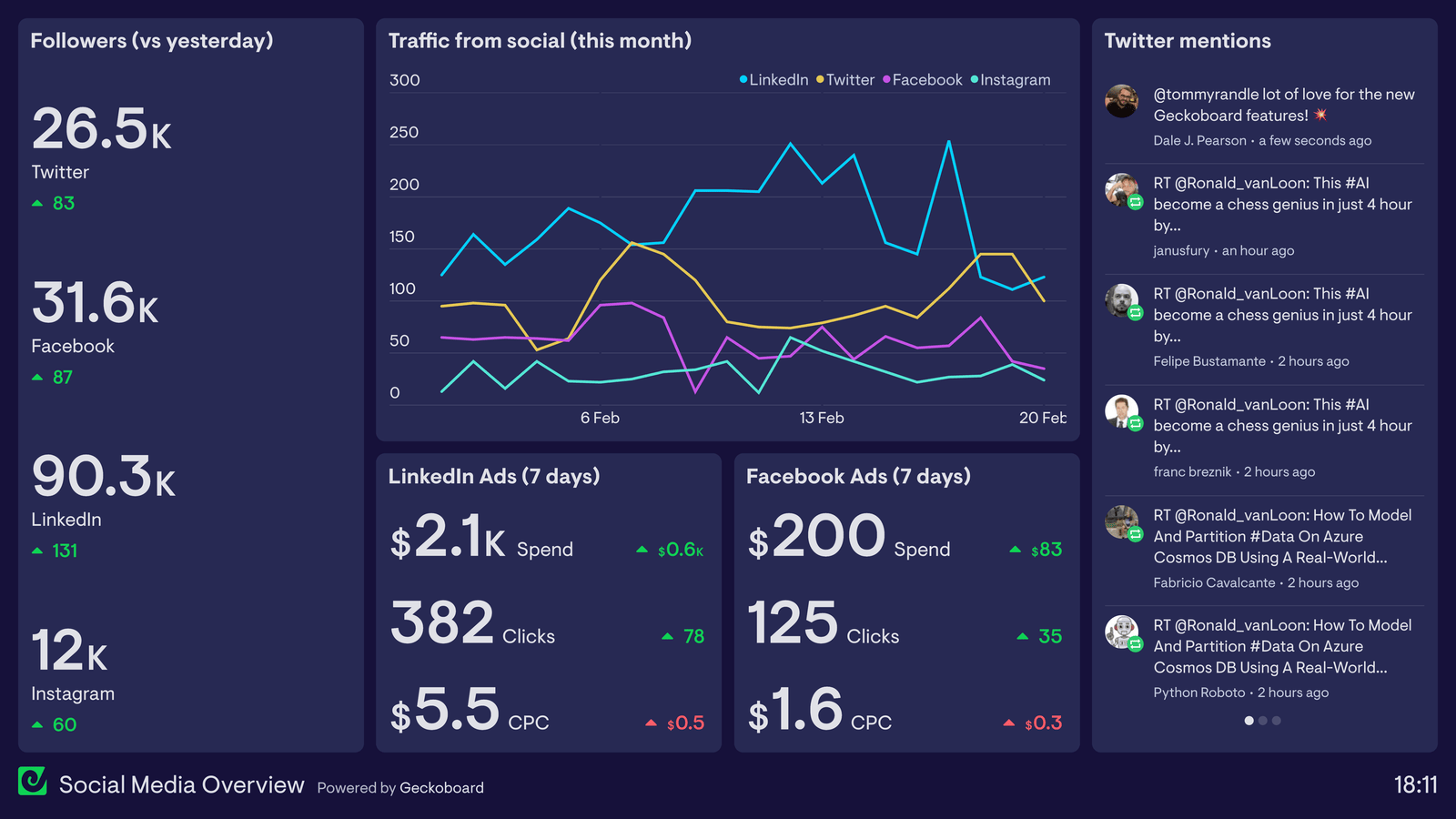
Do not judge every post by likes. Choose metrics based on the business goal.
| Goal | Useful metrics |
|---|---|
| Awareness | Reach, views, profile visits |
| Education | Saves, shares, watch time |
| Conversation | Comments, replies, direct messages |
| Traffic | Link clicks and landing page sessions |
| Leads | Qualified messages, forms, calls, bookings |
Use Instagram’s built-in insights to compare similar content. Look for patterns over several posts rather than changing strategy after one weak day.
A simple monthly review process
At the end of 30 days, choose your top five posts based on the goal. Then ask why they worked.
- Was the topic more useful?
- Did the opening make the problem clear?
- Was the visual easier to understand?
- Did the post show real proof?
- Was the next step clear?
Also review the weakest posts. Do not assume the topic was bad. The format, timing, opening, or clarity may have been the issue.
Common Instagram mistakes small businesses can avoid
Posting only promotions
If every post asks for a sale, followers get little value between purchases. Mix education, proof, process, and offers.
Copying trends that do not fit the brand
A trend can bring views but still attract the wrong audience. Use trends only when they help explain something relevant.
Using stock content for everything
Real photos of your work, people, products, process, or environment often build more trust than generic images.
Ignoring comments and messages
Content is only one part of social media. Reply to genuine questions. Save repeated questions as future content ideas.
Changing the strategy every week
Give a clear system enough time to produce useful data. Improve it based on patterns, not mood.
Instagram content checklist
- Choose one primary business goal.
- Set one main next action for interested followers.
- Create four content pillars.
- Collect at least ten real customer questions.
- Choose a schedule you can maintain.
- Use Reels for useful demonstrations.
- Use carousels for step-by-step ideas.
- Use Stories for daily context and conversation.
- Show proof instead of vague claims.
- Review metrics that match the goal.
Frequently asked questions
How often should a small business post on Instagram?
There is no single perfect number. Start with two or three useful feed posts each week if you can maintain that pace. Add Stories when you have something relevant to share.
Do small businesses need Reels?
Reels can be useful for discovery and demonstration, but they should serve the content idea. A clear carousel or strong photo can be better for some topics.
What should I post when I have no new products?
Teach something, answer a customer question, show your process, explain a common mistake, share proof, or compare two choices customers often face.
Should I delete posts that perform badly?
Usually there is no need. Study why the post was weak and use that lesson in future content. Delete only when information is wrong, outdated, harmful, or no longer represents the business.
Can AI help create Instagram content?
Yes. AI can help brainstorm angles, outline captions, or organize a calendar. A human should still check facts, tone, examples, and whether the post reflects the real business. Our guide to using AI content with quality and trust covers a similar review process for written content.
Conclusion: make Instagram a system, not a daily guess
A useful Instagram strategy starts with a business goal and real customer needs. Build a few content pillars, choose a realistic schedule, and match each idea to the right format. Show how your business works. Answer real questions. Share proof. Make the next step clear.
After 30 days, review what produced meaningful actions, not just the biggest like count. Keep the formats and topics that helped people. Improve the weak parts. When the system is simple enough to repeat, Instagram becomes easier to manage and more useful to the business.