Human Editing Checklist for AI-Generated Content: 30 Quality Checks
AI can create a fast first draft, but a first draft is not a finished article. It may contain vague claims, repeated ideas, missing context, invented facts, awkward transitions, weak examples, or language that does not sound like your brand. Human editing is what turns the draft into useful content.

A good editor does more than correct grammar. The editor checks whether the page solves the reader’s problem, whether every claim is accurate, whether the structure makes sense, and whether the article deserves to be published.
This checklist gives you a repeatable human review process for AI-generated blog posts, guides, landing pages, emails, and social content. It is designed for teams that want to use AI responsibly without lowering content quality.
1. Confirm the Main Reader Problem
Write the reader’s problem in one sentence. Then ask whether the draft actually solves it.
If the article is called “Local SEO Checklist for Small Businesses,” the reader should leave with a usable local SEO process. A long history of search engines would not solve that problem.
2. Check Search Intent
Make sure the format matches the query. A “how to” topic needs steps. A checklist topic needs a checklist. A comparison needs differences and decision criteria.
Do not keep a draft that sounds polished but misses the reason a person searched.
3. Verify the Primary Topic
AI can drift into related subjects. Review every major section. Remove sections that do not support the main topic.
A focused article is often more useful than a broader article with many weak side topics.
4. Fact-Check Every Specific Claim
Check dates, prices, statistics, product features, laws, platform rules, technical instructions, medical claims, financial claims, and names.
AI can produce false details in a confident tone. Never assume a precise number is correct because it sounds believable.
Use primary sources when possible
For search guidance, use Google Search Central. For WordPress, use WordPress Documentation. For AI product information, check OpenAI or the official provider involved.
5. Check Whether Sources Support the Exact Claim
A source can be real but still fail to support the sentence. Open the source. Read the relevant section. Confirm that the claim matches what the source actually says.
Do not cite a general homepage for a precise statistic unless the page contains that statistic.
6. Remove Invented Quotes and Examples
AI may create a realistic quote, case study, or customer result without labeling it as fictional. Replace those elements with real approved examples or clearly described hypothetical scenarios.
Never present a fictional customer as a real customer.
7. Review Brand and Organization Names
Check spelling, capitalization, and official product names. Make sure the link goes to the official or reliable destination.
Do not mention brands only to make the article sound authoritative. Include them when they add context or a useful resource.
8. Remove Repeated Ideas
AI drafts often repeat the same idea under different headings. Read the headings alone first. If two sections promise the same thing, merge them.
Example
Sections called “Use Clear Headings,” “Make Headings Easy to Read,” and “Improve Heading Structure” probably overlap. One strong section can cover the point.
9. Remove Filler Sentences
Delete sentences that add no new information. Common filler includes broad statements about the modern world, the importance of digital marketing, or the need to stay ahead.
Ask of every paragraph: “What does the reader gain here?” If the answer is nothing, cut or rewrite it.
10. Replace Vague Advice With Actions
“Create high-quality content” is vague. Explain what quality means in this context.
Better: “Answer one clear search need, use real examples, verify claims, add useful internal links, and remove repeated sections.”
Actionable language makes the article easier to use.
11. Add Realistic Examples
Examples help readers apply advice. Choose scenarios that match the target audience.
Example
If the article is for small businesses, do not use a global enterprise with a 200-person marketing team as the only example. Use a local shop, small agency, independent consultant, or small ecommerce brand where appropriate.
12. Check the Introduction
The introduction should get to the point. Remove long definitions and generic setup unless the reader needs them.
A strong introduction usually explains:
- The problem
- Why it matters
- What the reader will learn
It does not need a dramatic story for every topic.
13. Check the H1
The main heading should accurately describe the page. It should not promise something the article does not deliver.
Keep it clear rather than clever.
14. Review H2 and H3 Structure
Headings should create a logical path. H2 sections cover major ideas. H3 headings support the H2 above them.
Do not use headings as decoration. A reader should be able to scan them and understand the article flow.
15. Check Paragraph Length
Break long paragraphs when they contain several ideas. Online readers often scan before they read deeply.
Short paragraphs can improve readability, but do not turn every sentence into a separate paragraph. Keep related thoughts together.
16. Shorten Long Sentences
AI can create long sentences with several clauses. Split them when the meaning becomes hard to follow.
Use active voice as your default. “Check the link before publishing” is simpler than “The link should be checked before the article is published.”
17. Remove Buzzwords and Hype
Words such as “revolutionary,” “game-changing,” “unprecedented,” and “ultimate” often add noise. Keep them only when they are objectively justified, which is rare.
Replace sales language with specific value.
18. Check Terminology
Use the same term consistently. If the article calls a metric “cost per acquisition” in one section and “customer acquisition cost” in another, make sure they are actually the same metric before treating them as interchangeable.
Define necessary jargon the first time it appears.
19. Check Keyword Placement
The primary keyword should appear naturally in the title, introduction, and relevant body text. Related terms can support the topic.
Do not force the exact phrase into every heading. Keyword stuffing reduces readability.
20. Check the SEO Title and Meta Description
The SEO title should tell searchers what the page provides. The meta description should summarize the benefit in plain language.
Do not use exaggerated promises just to increase clicks.
21. Review the Slug
Keep the URL short and readable. Remove unnecessary words and dates unless the date is central to the page.
Do not change an existing URL casually. A stable URL can preserve links and user bookmarks.
22. Check Internal Links
Add links to related pages where they help the reader. Make sure the destination is relevant and current.
Use descriptive anchor text. “See our Google Search Console guide” is clearer than “click here.”
23. Check External Links
Open every important external link. Confirm it works, goes to the correct destination, and supports the surrounding statement.
Prefer primary sources for standards, platform rules, and official tools.
24. Review Image Relevance
Images should support the article. A screenshot can explain a process. A diagram can simplify a workflow. A real photo can add trust.
Remove decorative images that add file size but no useful context.
Check image SEO
- Descriptive file name
- Useful title
- Accurate alt text
- Reasonable dimensions
- Compressed file size
25. Check Accessibility Basics
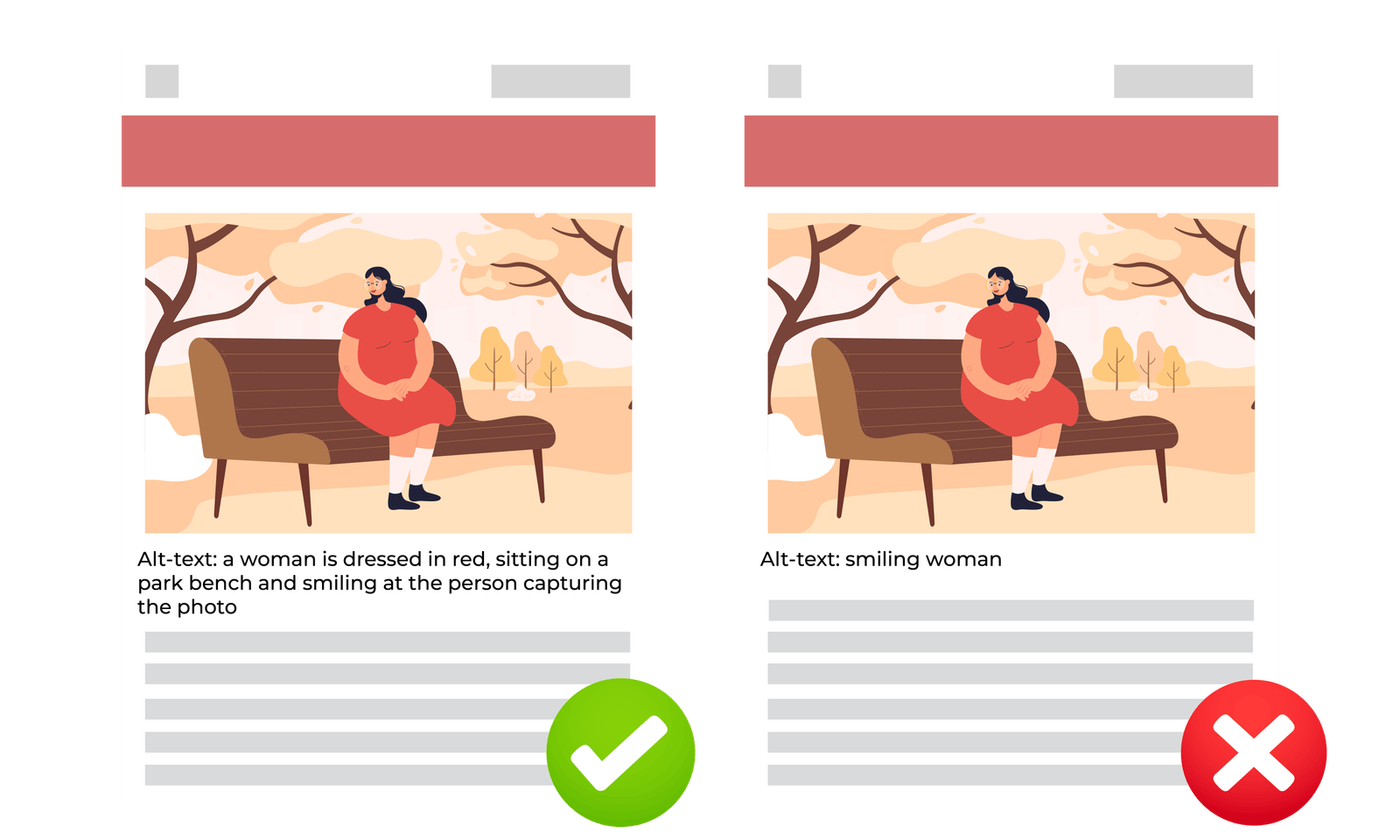
Use descriptive alt text when an image communicates information. Make link text meaningful. Use proper headings instead of bold text that only looks like a heading.
Do not rely only on color to communicate an important difference in a chart or table.
26. Review Tables, Bullets, and Checklists
Structured elements should make information faster to use. If a table contains long essays inside cells, it may be harder to read than normal paragraphs.
Use bullets for parallel points. Use numbered steps when order matters.
27. Check High-Stakes Claims
Health, legal, financial, and safety topics need extra care. AI-generated content in these areas may require qualified expert review.
Do not hide uncertainty. Add appropriate limits and advise readers to use professional help where necessary.
28. Check the Conclusion
The conclusion should help the reader act. Do not repeat every heading.
Summarize the main decision and give one practical next step.
29. Read the Draft Aloud
Reading aloud catches awkward transitions, repeated phrases, and sentences that are too long. If you run out of breath, the sentence may need editing.
This step is simple and often improves tone quickly.
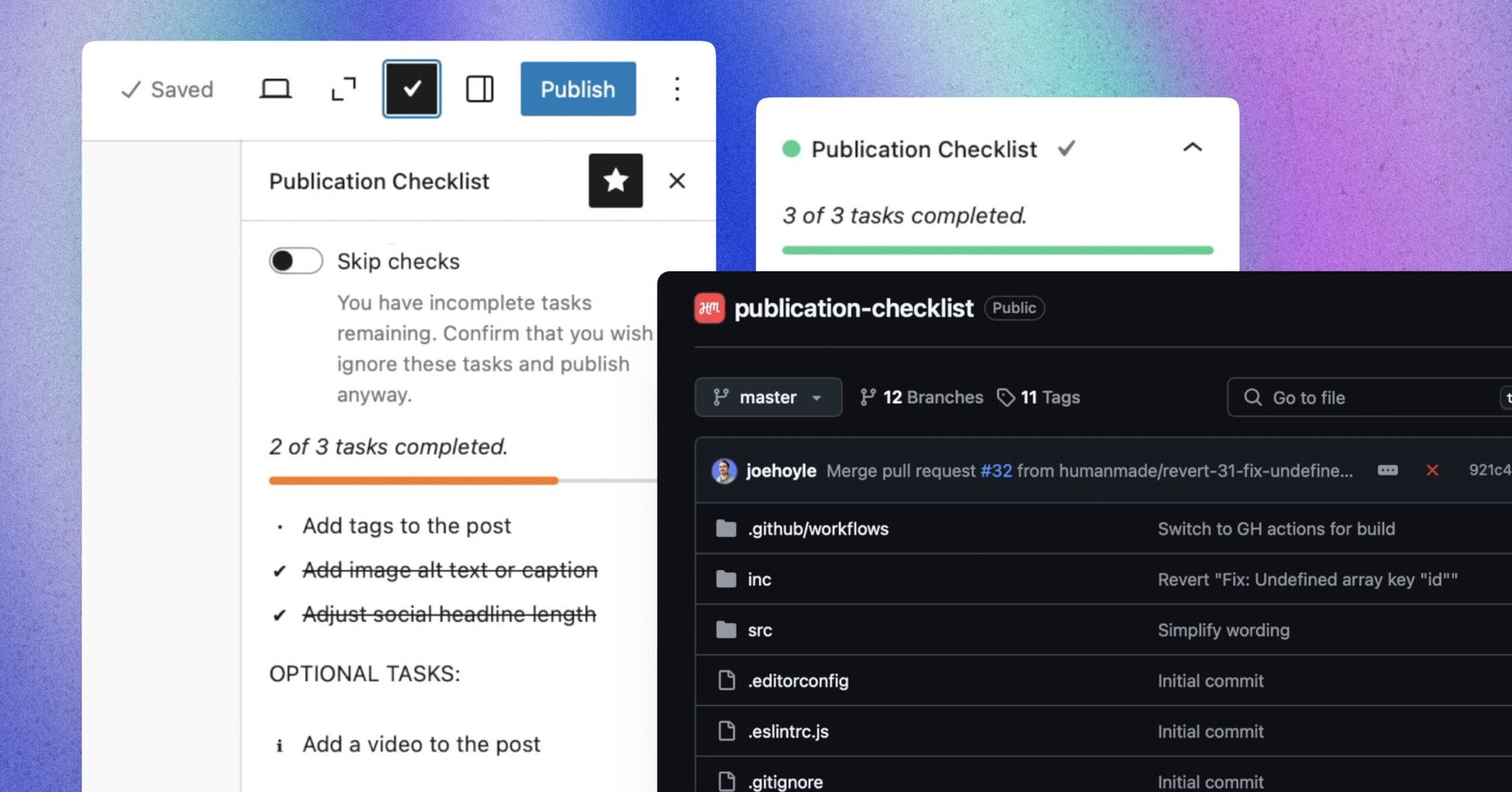
30. Perform a Final Publication QA
Before publishing, check the live or preview version.
- Title displays correctly.
- Headings are in the right order.
- Links work.
- Images load.
- Alt text is present.
- Tables work on mobile.
- Buttons point to the right page.
- SEO metadata is set.
- Category and tags are correct.
- The article is still in the intended status.
A Practical Three-Pass Editing Workflow
Pass 1: Usefulness
Ignore grammar at first. Check problem, intent, structure, examples, missing steps, and repetition.
Pass 2: Accuracy and SEO
Verify facts and sources. Review keywords, links, title, slug, metadata, and image text.
Pass 3: Readability and publication
Shorten sentences. Improve transitions. Check mobile layout, links, images, and final formatting.
This three-pass system reduces the chance that small wording edits distract you from bigger content problems.
AI Content Review Table
| Area | Question | Action if weak |
|---|---|---|
| Intent | Does it solve the search need? | Rebuild the outline |
| Accuracy | Are claims verified? | Check primary sources |
| Originality | Does it add useful examples? | Add real scenarios |
| Readability | Is it easy to scan? | Shorten and restructure |
| SEO | Is metadata clear? | Improve title and description |
| Trust | Are sources and ownership clear? | Add reliable context |
Common Human Editing Mistakes
Editing only grammar
Grammar matters, but it cannot fix a draft that answers the wrong question.
Keeping content because it sounds smart
A complex paragraph may still add no value. Keep what helps the reader.
Trusting every link
AI may suggest a source that does not exist or does not support the claim. Open the link.
Adding keywords after the article is finished
Keyword intent should shape the outline from the start. Do not force phrases into an unrelated draft.
Publishing without mobile review
Tables, images, and callouts may look fine in the editor but break on a phone.
Build an Evidence Log for Research-Heavy AI Content
For articles with many factual claims, keep a simple evidence log while editing. This is especially useful when several people review the same draft or when the article may need future updates.
| Claim | Source | Checked date | Status |
|---|---|---|---|
| Platform feature or rule | Official documentation | Record review date | Verified |
| Statistic | Original report | Record review date | Verified or removed |
| Product detail | Official product page | Record review date | Verified |
Why this helps
An editor can quickly see which parts need rechecking instead of rereading every source from zero. It also makes content refreshes easier. If an article mentions a platform rule that changes often, the next editor knows exactly where to verify it.
Use the log to remove unsupported precision
Suppose an AI draft says a tactic improves conversions by 37%. If the editor cannot find a reliable source that supports that exact number, the safest fix is not to invent a citation. Remove the percentage and explain the practical effect in plain language.
This habit improves trust because the final article contains only details the team can defend. It also keeps AI-assisted research from turning uncertain information into confident claims.
Frequently Asked Questions
Does AI-generated content always need human editing?
Yes, if it will represent a real business or provide factual guidance. The amount of editing may vary, but human review is important.
What should I check first?
Check usefulness and factual accuracy before grammar. A perfectly written wrong answer is still wrong.
Can AI fact-check its own writing?
It can help flag claims, but it can also repeat errors. Verify important facts with reliable external sources.
How can I make AI writing sound more human?
Use real examples, specific details, simple language, varied structure, and a human editor. Remove generic filler and repeated conclusions.
How long should editing take?
It depends on topic risk, draft quality, and depth. High-stakes or research-heavy articles need more review than a simple social caption.
Conclusion
Human editing is the quality control layer that AI cannot replace. Check the reader problem, search intent, facts, sources, structure, examples, readability, links, images, metadata, and final page experience. Remove filler. Replace vague advice with actions. Verify anything that could harm trust if wrong.
Use the 30-point checklist as a repeatable publication standard. The goal is not to make AI writing look less like AI. The goal is to publish content that is accurate, useful, clear, and worth the reader’s time.