Facebook Marketing for Small Businesses: A Practical Organic Growth Plan
Facebook can still be useful for a small business when it is treated as a customer communication channel, not a place to post random promotions. Many local businesses, service companies, community brands, and niche stores use Facebook to stay visible, answer questions, share proof, and bring people back to their website or store.
The challenge is that organic reach is not guaranteed. Posting more does not automatically create better results. A strong Facebook marketing plan needs useful content, a clear audience, consistent page information, real engagement, and simple tracking.
This guide gives you a practical organic Facebook strategy. It focuses on what a small team can realistically do each week without turning social media into a full-time job.
1. Decide What Facebook Should Do for Your Business
Start with one or two clear goals. A local restaurant may want more bookings and repeat visits. A repair company may want more quote requests. A consultant may want trust and inbound leads.
Useful goals include:
- Generate website visits from local customers.
- Get more calls, messages, or bookings.
- Build trust with proof and education.
- Support repeat customers.
- Promote events, launches, or seasonal offers.
- Answer common customer questions.
A vague goal such as “grow followers” is less useful because follower count does not tell you whether the page supports the business.
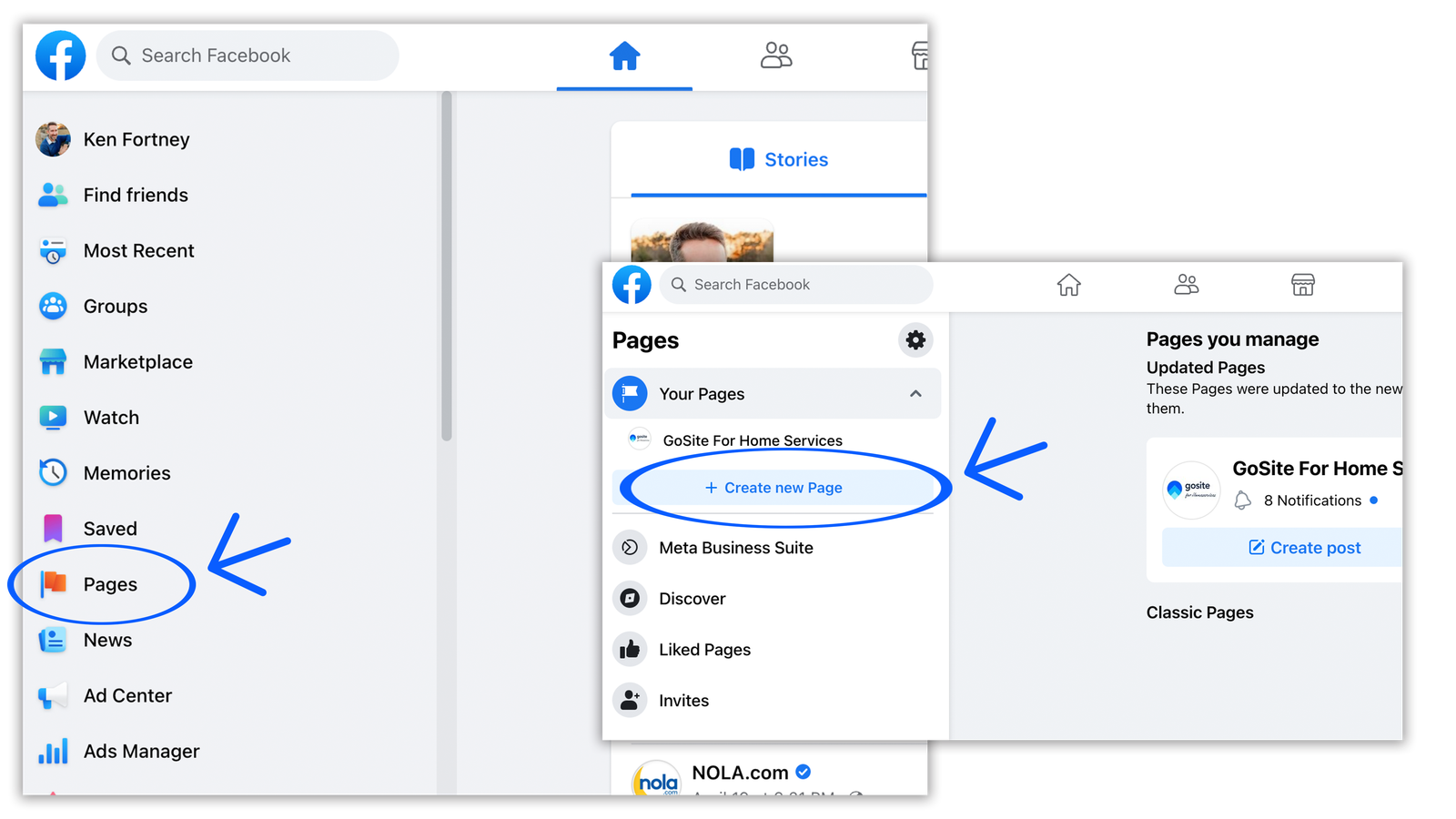
2. Complete Your Facebook Page Before Posting More
Your page should make the business easy to understand. Use the official Meta for Business resources when you need current platform guidance.
Check the page name, category, address or service area, phone number, website, hours, profile image, cover image, and main action button. Keep this information consistent with your website and business listings.
Use a clear About section
Explain what the business does, who it serves, and where it operates. Avoid broad phrases such as “we provide world-class solutions.” A customer should understand the offer in a few seconds.
3. Choose Three to Five Content Pillars
Content pillars are repeatable topic groups. They stop you from guessing what to post every day.
Example for a local bakery
- Products and seasonal items
- Behind-the-scenes baking
- Customer celebrations
- Ordering tips and FAQs
- Local community updates
Example for a home service company
- Quick maintenance tips
- Before-and-after project proof
- Common repair questions
- Team and process updates
- Seasonal reminders
These pillars create variety without losing relevance.
4. Make Most Posts Useful Before They Are Promotional
If every post asks people to buy, users have little reason to follow the page. Mix sales messages with useful content.
A simple weekly mix might include one educational post, one proof-based post, one community or behind-the-scenes post, and one offer or call to action.
Use the 80/20 idea as a guide, not a law
You do not need a strict percentage. The main principle is that the page should provide value even when a person is not ready to buy today.
5. Write Posts for Fast Scanning
Most people scroll quickly. Put the main point early. Use short paragraphs. Avoid large blocks of text. If the post has steps, use bullets or numbers.
A strong opening might be: “Three signs your air filter needs attention before the next heat wave.” That gives the reader a reason to keep going.
6. Use Real Photos When They Add Trust
Small businesses often have an advantage over large brands because they can show real people and real work. Use clear images of products, team members, projects, locations, events, or customer-approved results.
A polished stock photo may look clean, but a real photo can carry more proof. Optimize image size before upload so the page and website stay fast.
7. Use Short Video for Demonstrations
Video works well when motion makes the idea easier to understand. A baker can show a decorating step. A mechanic can explain a worn part. A fitness coach can demonstrate form. A software company can show a quick workflow.
Keep the first seconds clear
Do not spend ten seconds on a logo animation. Show the problem or result quickly. Add captions when people may watch without sound.
8. Turn Customer Questions Into Posts
Your inbox, calls, comments, and sales conversations are content research. Keep a simple list of questions customers ask repeatedly.
If five customers ask how long a service takes, create a post. If people ask what to bring to an appointment, create a checklist. If buyers compare two product options, create a side-by-side explanation.
This content is practical because it starts with real demand.
9. Use Social Proof Carefully
Reviews, testimonials, project results, and customer stories can help build trust. Use real feedback and get permission when needed.
Do not turn every review into a giant promotional graphic. Add context. Explain what service was provided and what problem was solved without sharing private customer details.
10. Join Relevant Community Conversations
Facebook Groups can be useful for local and niche communities. Do not join groups only to drop links. Read the rules. Answer questions when you have something useful to add.
A local garden service might contribute seasonal lawn tips in a neighborhood group. A photographer might answer a question about event timing. Helpful participation can create recognition without direct selling.
11. Build a Simple Weekly Posting Schedule
Consistency matters more than posting every day. A small team can start with three or four useful posts per week.
| Day | Post type | Goal |
|---|---|---|
| Monday | Quick tip | Education |
| Wednesday | Customer proof or case | Trust |
| Friday | Behind the scenes | Human connection |
| Weekend | Offer, event, or reminder | Action |
Adjust the schedule based on what you can maintain and what your audience responds to.
12. Create Posts in Batches
Batching reduces daily pressure. Set aside one block of time each week. Write captions, select images, prepare links, and schedule posts.
Simple one-hour batch
- Review customer questions for ten minutes.
- Choose four post ideas.
- Write all captions.
- Select or create visuals.
- Check links and calls to action.
- Schedule the posts.
This is easier than opening Facebook each morning and trying to invent something new.
13. Make Calls to Action Specific
Tell the reader what to do next when an action makes sense. Examples include “View the full menu,” “Book a consultation,” “Send us your project size,” or “Read the complete guide.”
Do not put a strong sales call in every post. Educational content can simply ask a useful question or invite readers to save the post.
14. Send Traffic to Useful Website Pages
If you link to your website, choose the most relevant destination. A post about emergency plumbing should link to the emergency service page, not the homepage. A post about a guide should link directly to that guide.
Make sure the landing page is mobile-friendly and loads well. Social traffic can disappear quickly if the website feels slow or confusing.
15. Use UTM Parameters for Campaign Links
UTM parameters can help your analytics tool identify traffic from specific social campaigns. Use a simple naming system for source, medium, and campaign.
Do not create random names each week. Consistent naming makes reporting easier later.
16. Reply to Comments and Messages
Facebook is not only a publishing channel. It is also a customer interaction channel. Reply to genuine questions. Thank people for useful feedback. Move account-specific or private issues into a direct support channel.
Set a response routine
A small business may not need someone online all day. Check messages at set times, such as morning, lunch, and late afternoon. Make response expectations clear if the team is not available 24/7.
17. Handle Negative Comments Calmly
Not every negative comment needs deletion. If the person has a real complaint, respond professionally. Acknowledge the concern, avoid arguing, and offer a path to resolve the issue.
Remove or report content when it breaks platform rules, contains threats, exposes private data, or is obvious spam.
18. Avoid Engagement Bait
Do not rely on posts that ask for meaningless comments or shares only to game reach. Ask real questions that help you understand customers.
For example, a café can ask which seasonal drink people want to see next. That question has a real business purpose.
19. Test Different Post Formats
Try photos, short videos, text posts, links, events, and customer stories. Give each format enough attempts before judging it.
One weak video does not prove video never works. One high-performing photo does not mean every future post should be a photo.
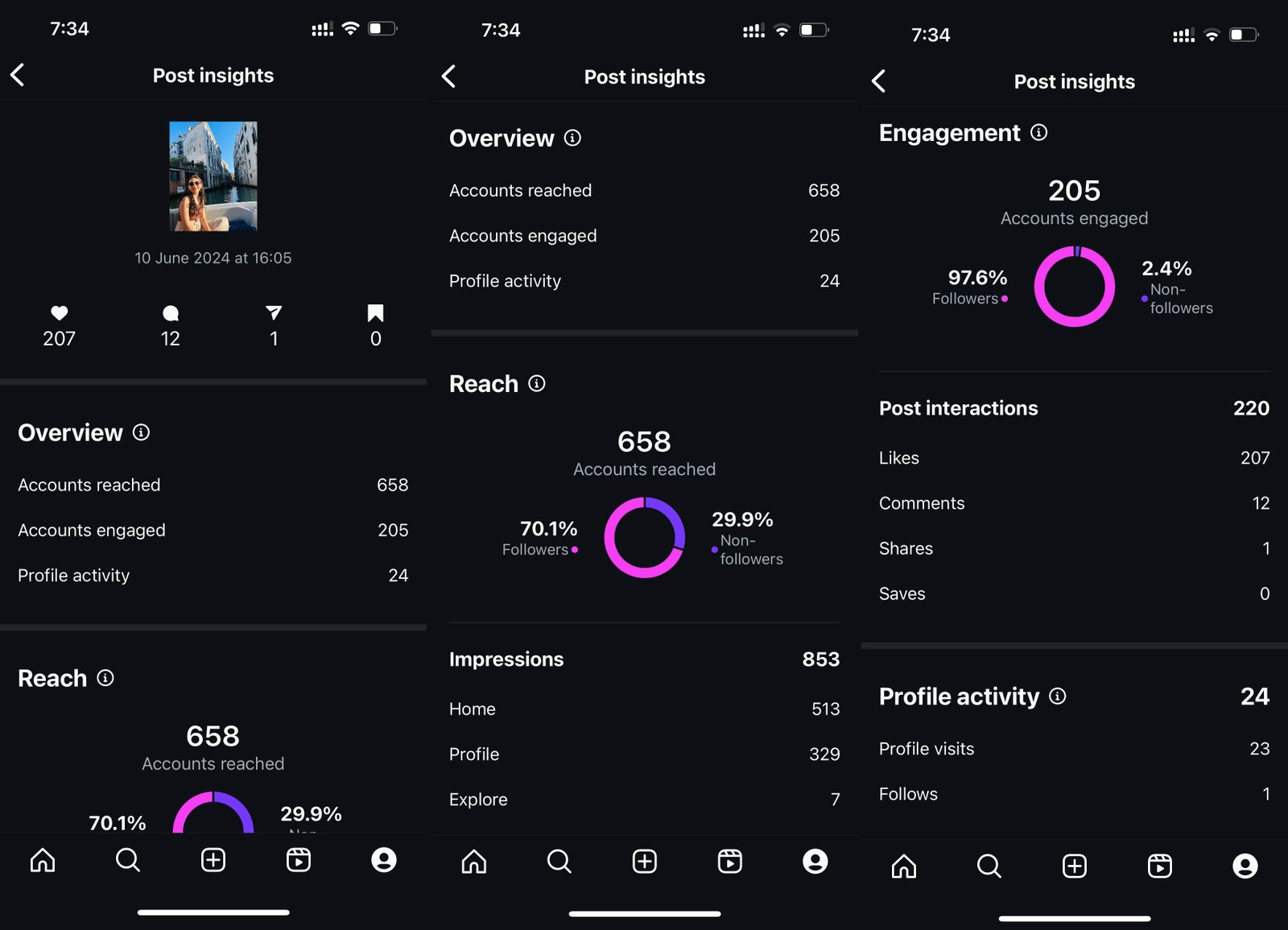
20. Track the Metrics That Match Your Goal
Useful metrics may include:
- Website clicks
- Messages
- Calls
- Bookings
- Post saves or shares
- Video completion
- Meaningful comments
- Reach among the target audience
Follower count can be useful as context, but it should not be your main measure.
21. Review Content Monthly
At the end of each month, identify your five most useful posts. Ask why they worked. Was the topic practical? Was the visual stronger? Did the first line create interest? Did the post answer a common question?
Then create new posts around the lesson, not exact copies.
22. Use a Simple Content Scorecard
| Question | Yes/No |
|---|---|
| Does the post solve a real customer need? | |
| Is the first line clear? | |
| Is the visual relevant? | |
| Is the call to action appropriate? | |
| Does the link go to the right page? | |
| Can a mobile user understand it quickly? |
23. Practical Facebook Content Ideas
- One common mistake customers make
- A three-step mini tutorial
- A before-and-after result
- A team member introduction
- A local event update
- A product comparison
- A customer question of the week
- A seasonal checklist
- A myth versus fact post
- A short process video
24. A 30-Day Facebook Plan
Week 1: Fix the page
Update business details, profile image, cover image, action button, and About section. Choose content pillars.
Week 2: Publish useful proof
Post one educational tip, one project or customer result, and one behind-the-scenes update.
Week 3: Test short video
Create two simple videos that answer customer questions. Keep them focused on one idea each.
Week 4: Review and repeat
Check which posts created useful actions. Build next month around the strongest themes while testing one new format.
25. Common Facebook Marketing Mistakes
| Mistake | Better approach |
|---|---|
| Posting only promotions | Mix education, proof, community, and offers |
| Using random stock images | Show real products, people, and work |
| Ignoring comments | Build a simple response routine |
| Tracking only followers | Track clicks, messages, calls, and bookings |
| Posting every day without a plan | Use a small weekly schedule you can maintain |
26. Build a Repeatable Facebook-to-Customer Workflow
Organic Facebook works better when the team knows what should happen after someone reacts to a post. A useful workflow connects content, conversation, and the next business step.
Example for a local service business
- Publish a post that solves one common customer problem.
- Reply to useful comments with a short, direct answer.
- If someone asks for account-specific help, move the conversation to Messenger, phone, or the website form.
- Send the person to the exact service page that matches the question.
- Record the lead source in your CRM or simple lead sheet.
This process prevents social media activity from becoming disconnected from the rest of the business.
Use customer conversations as a research loop
Each month, review the questions people asked in comments and messages. If the same concern appears several times, add it to your website FAQ, sales script, or next month’s content plan. This turns Facebook into a source of customer insight, not just a publishing channel.
For example, if many people ask whether a cleaning company brings its own supplies, create a short post explaining the policy, add the answer to the booking page, and train staff to give the same response. One repeated question can improve several parts of the customer journey.
Protect customer privacy
Do not ask customers to post private account details, addresses, medical information, order numbers, or payment information in public comments. Move sensitive conversations to an appropriate private channel and follow the business’s privacy practices.
This simple workflow makes Facebook easier to manage because every useful interaction has a clear next step.
Frequently Asked Questions
How often should a small business post on Facebook?
Start with three or four useful posts each week if you can maintain the quality. Adjust based on audience response and team capacity.
Do Facebook pages still get organic reach?
Yes, but reach varies. Focus on useful content, real engagement, and business outcomes rather than expecting every follower to see every post.
Should I use Facebook Groups for marketing?
Use them to participate in relevant communities. Follow group rules and contribute useful answers instead of dropping promotional links.
Is video required?
No. Use video when it helps explain the idea. A clear photo or text post can still be effective.
What should I measure first?
Measure the action closest to your goal, such as website visits, messages, bookings, calls, or sales.
Conclusion
Facebook marketing works best for a small business when the page is useful even before someone is ready to buy. Set a clear goal. Complete the page. Choose a few content pillars. Answer real customer questions. Show real proof. Post on a schedule you can sustain. Then measure actions that matter.
You do not need to post all day or copy large brands. A focused local or niche business can build a useful Facebook presence by being clear, consistent, and genuinely helpful.