Content Refresh Strategy: How to Update Old Blog Posts for Better SEO
Publishing new content is not always the best next step. Many websites already have useful pages that are outdated, incomplete, hard to read, or no longer aligned with what people search for. Updating those pages can be faster and more valuable than starting from zero.

A content refresh is not a cosmetic date change. It is a real improvement to an existing page. You review the search intent, facts, examples, headings, links, images, and user experience. Then you make the page more accurate and more useful.
This guide shows how to build a practical content refresh strategy for a small website or business blog. It covers how to choose pages, what to update, what not to change, and how to measure whether the work helped.
1. Know When a Content Refresh Makes Sense
Not every old article needs an update. Age alone is not a problem. A five-year-old page can still be useful if the information remains accurate. A six-month-old page can already be weak if the topic changed quickly.
Refresh a page when you see a clear reason, such as:
- Traffic or impressions are falling.
- The article contains outdated facts.
- Search intent has changed.
- Competitors now answer the topic better.
- The article lacks sections readers need.
- Links or screenshots are broken.
- The title no longer matches the content.
- The page has strong impressions but weak clicks.
2. Use Search Data to Find Candidates
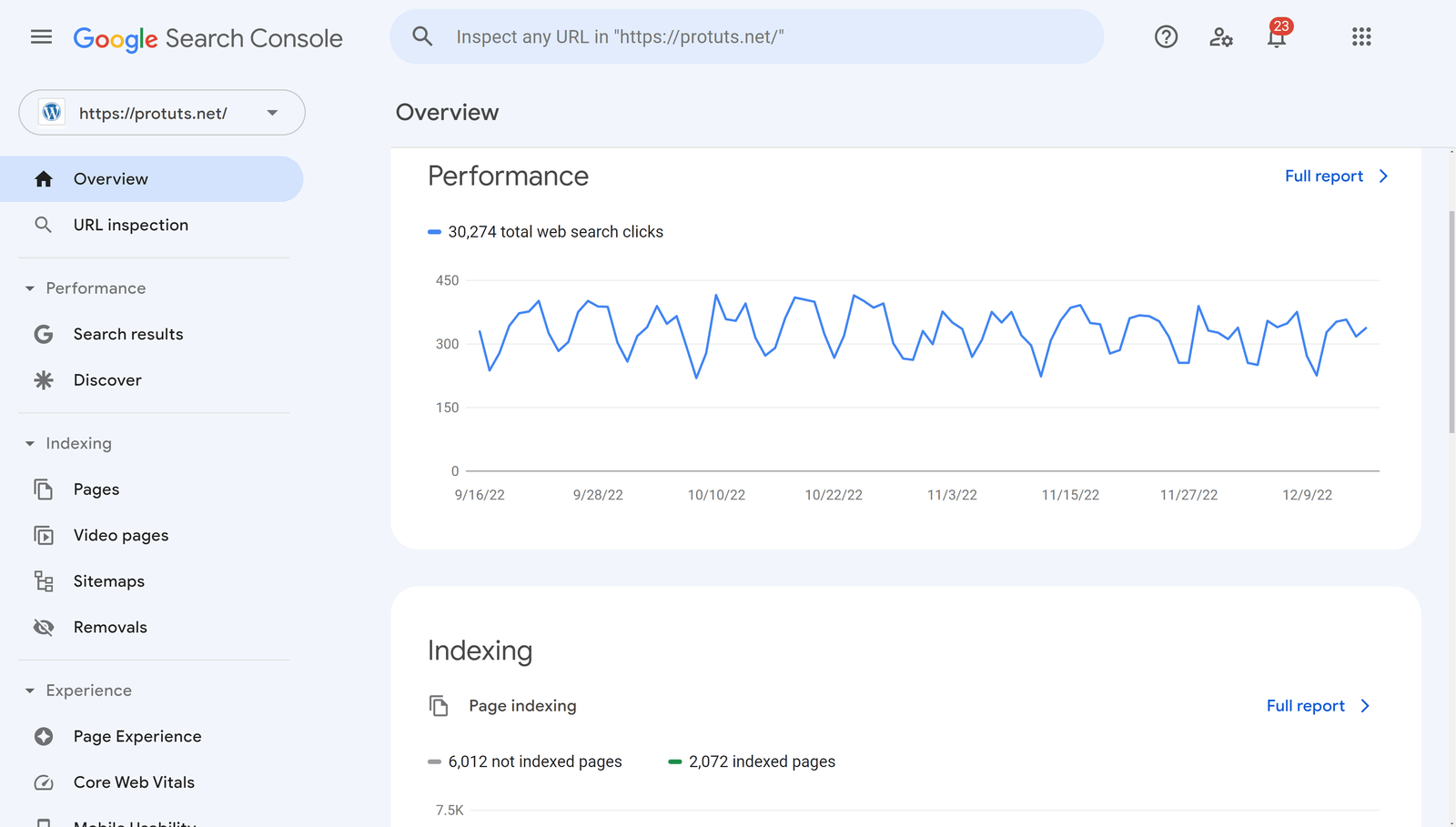
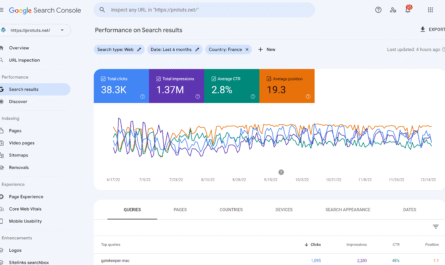
Google Search Console is a strong starting point. Compare recent performance with an earlier period. Look for pages where clicks or impressions have dropped in a meaningful way.
Do not assume every decline means the page is bad. Search demand can be seasonal. A topic may become less popular. A ranking change can come from stronger competition or a shift in search features.
Choose pages with a realistic chance to improve
A page that already earns impressions, backlinks, or steady traffic often has more potential than a page that never gained traction. Start with pages that have some existing value.
3. Build a Simple Refresh Priority Score
You can rank pages using a basic system. Give each page a score from one to three for traffic value, business value, outdated content, and ease of improvement.
| Factor | 1 | 2 | 3 |
|---|---|---|---|
| Traffic value | Low | Medium | High |
| Business value | Low | Medium | High |
| Outdated content | Minor | Some | Major |
| Ease of improvement | Hard | Moderate | Easy |
Pages with strong value and obvious issues should move to the top of your list.
4. Check the Original Search Intent
Before editing, search the main topic again. Look at the current result types. Are people being shown guides, tools, product pages, videos, or comparison articles?
If the intent changed, your old format may no longer fit. A broad guide might need a checklist. A listicle might need a step-by-step process. A product-focused article might need clearer comparison criteria.
Do not force an old page into a new intent
Sometimes the best move is to create a new page rather than completely changing an old one. If the original topic and the new intent are too different, keep them separate.
5. Review the Queries the Page Already Ranks For
Search Console can show the queries that trigger a page. This data often reveals missing sections. A page may already appear for questions it answers only briefly.
For example, a guide about Google Ads budgeting may receive impressions for “how much should a small business spend on Google Ads.” If the article never gives a practical budgeting method, add one.
Do not add every query as a heading. Group related questions and improve the page around the real need.
6. Update Facts Before Adding More Words
Accuracy comes first. Check dates, product names, platform features, screenshots, prices, rules, statistics, and links. Remove advice that no longer applies.
Use primary sources when possible. For search guidance, check Google Search Central. For WordPress features, check WordPress Documentation.
Mark time-sensitive details clearly
If a feature or price can change, avoid writing as if it is permanent. State when the information was checked or link to the official current source.
7. Improve the Introduction
Older posts often start with long background sections. A modern refresh should get to the problem faster.
Tell the reader what the page helps them do. Explain why the task matters. Then show what they will learn. Remove broad filler that delays the answer.
8. Rebuild the Outline if Needed
Do not keep the old heading structure just because it exists. Create a fresh outline based on the current reader journey.
Ask:
- What does the reader need to know first?
- What decisions come next?
- Which sections repeat the same idea?
- Which questions are missing?
- Can a table or checklist make part of the answer faster?
Move sections into a logical order before you rewrite paragraphs.
9. Add New Value, Not Just New Words
A useful refresh may include a real example, step-by-step process, calculator method, checklist, comparison, decision table, updated screenshot, or FAQ.
Example
An old article called “How to Plan Instagram Content” may already explain content pillars. A stronger refresh could add a 30-day planning workflow, examples for three business types, a weekly review routine, and a table showing which post types suit awareness, trust, and conversion goals.
That is a meaningful update. Adding five generic paragraphs about the importance of consistency is not.
10. Remove Repetition and Thin Sections
Long articles often grow through repeated edits. The same idea appears in the introduction, three body sections, and the conclusion. A refresh is a chance to cut that repetition.
Merge similar sections. Delete lines that say nothing new. Replace vague claims with examples or actions.
Content quality should increase even if the total word count decreases.
11. Update the SEO Title Carefully
A title change can improve clarity, but do not change a strong title without a reason. Review current queries and click behavior first.
A useful title states the topic and benefit. Avoid adding the current year unless the topic truly needs fresh yearly context.
Example
Old title: “A Complete Guide to Social Media.”
Better title: “Social Media Content Calendar: How to Plan 30 Days of Posts.”
The second title is more specific and tells the reader what the page delivers.
12. Update the Meta Description
If the page content changes, the meta description should reflect the new value. Keep it clear and specific. Mention the main task, not every subtopic.
Example: “Refresh old blog posts with a step-by-step SEO process for finding weak pages, updating facts, improving intent, fixing links, and tracking results.”
13. Keep the URL Stable When Possible
Changing a URL can create unnecessary risk. If the slug still describes the topic, keep it. If you must change it because the topic changed significantly, create a proper redirect from the old URL.
Also update internal links that still point to the old address.
14. Improve Internal Links
Old posts often miss newer articles. Search your site for content published after the original page. Add links where they help the reader.
Also look for older pages that should link to the refreshed article. This can strengthen the site structure around the topic.
Use contextual anchors
Link with words that describe the destination. “See our technical SEO checklist” is clearer than “read more.”
15. Fix Broken External Links
Check every important external link. Replace dead sources. Update links to official current pages. Remove links that no longer support the claim.
Do not replace a strong primary source with a weaker blog simply because the old URL changed. Look for the current official destination.
16. Replace Weak or Outdated Images
Old screenshots can confuse readers when software interfaces change. Replace them when they no longer match the current process.
Optimize new images before upload. Use descriptive file names and alt text. Keep the file size reasonable. If speed is a concern, test the page with PageSpeed Insights.
17. Add Clear Examples
A refreshed article should feel more useful than the old version. Realistic examples are one of the fastest ways to improve clarity.
Example: refreshing a local SEO article
Suppose an old local SEO guide says, “Optimize your business listing.” The refresh can show the process: confirm the business name, choose the primary category, check hours, add services, upload real photos, and review the website link. That turns vague advice into an action.
18. Improve Readability
Break long paragraphs. Shorten difficult sentences. Use common words. Add headings where they help scanning. Convert dense lists into bullets.
Read the page aloud. If a sentence is hard to say, it may also be hard to read.
19. Check Mobile Experience
A refresh is a good time to test the page on a phone. Look for wide tables, tiny text, broken images, hard-to-tap links, and popups that cover content.
If a table is essential, make sure the theme handles it on small screens.
20. Add FAQs Only When They Answer Real Questions
FAQ sections can improve usefulness when they cover questions that do not fit naturally in the main flow. Use customer questions, search data, and support conversations as sources.
Avoid ten generic FAQs just to increase length. Four strong answers can be more useful than fifteen thin ones.
21. Update the Date Only After a Real Refresh
Changing the published or modified date without meaningful updates can mislead readers. Update dates when the content has actually been reviewed and improved.
You can note that an article was updated if that helps users understand freshness.
22. Check for Cannibalization Before Expanding
Two pages can compete when they target almost the same intent. Before adding a new section, check whether another page already covers the same topic.
If two weak pages overlap heavily, consider combining them into one stronger resource and redirecting the weaker URL when appropriate.
23. Keep Valuable Backlinks in Mind
If an old page has earned external links, be careful with large changes to its topic and URL. Preserve the core subject when possible.
A refresh should strengthen the reason people linked to the page, not remove it.
24. Measure the Refresh After Publishing
Record the date you made the changes. Then compare performance after enough time has passed. Watch clicks, impressions, queries, conversions, and engagement.
Do not expect every update to create an immediate jump. Search systems need time to recrawl and reassess pages. Business cycles can also affect traffic.
Track the right outcome
If the page supports leads, track leads. If it is an educational article, track useful next actions such as internal clicks, signups, or assisted conversions.
25. Use a Refresh Log
A simple spreadsheet can prevent repeated guesswork. Track:
- Page URL
- Primary topic
- Reason for refresh
- Date reviewed
- Major changes made
- Old performance
- New performance
- Next review date
This creates a record of what worked.
26. Set a Realistic Refresh Schedule
You do not need to review every page every month. High-value and fast-changing topics may need frequent checks. Evergreen pages can be reviewed less often.
Simple schedule
- Monthly: high-value pages with active traffic
- Quarterly: important service and marketing guides
- Twice yearly: stable evergreen content
- Any time: pages with sudden performance drops or broken information
27. A Practical Content Refresh Workflow
- Choose one page using search and business data.
- Record current clicks, impressions, and leads.
- Review current search intent.
- Check queries the page already appears for.
- Update facts and sources.
- Rebuild the outline if needed.
- Add missing examples, steps, tables, or FAQs.
- Remove repeated or weak content.
- Update internal and external links.
- Replace outdated images.
- Review title, description, headings, and slug.
- Test mobile layout and speed.
- Publish the real update.
- Record the refresh date.
- Measure results later.
28. Common Content Refresh Mistakes
| Mistake | Better approach |
|---|---|
| Changing only the date | Make meaningful content improvements |
| Adding filler to make the post longer | Add examples, steps, data, or missing answers |
| Changing the URL for no reason | Keep stable URLs when they still fit |
| Ignoring search intent | Review what current searchers need |
| Deleting useful old sections | Preserve proven value while improving clarity |
| Updating without measurement | Record before-and-after performance |
Frequently Asked Questions
How often should blog posts be refreshed?
There is no fixed schedule. Refresh based on topic change, performance, business value, and accuracy.
Should I change the publish date after an update?
Only when the page received a meaningful review or update. Do not change dates to create false freshness.
Can updating an old post hurt rankings?
It can if you remove useful content, change the intent, or create technical problems. Make changes for clear reasons and preserve what already works.
Should I make an old article longer?
Only if the added content solves a real problem. Length by itself is not an SEO goal.
Is it better to update an old post or write a new one?
Update when the old page still matches the topic and has useful value. Create a new page when the new intent is distinct enough to deserve its own resource.
Conclusion
A strong content refresh strategy starts with evidence. Find pages that matter. Understand why they need work. Update facts, search intent, examples, links, images, and structure. Remove filler. Keep the URL stable when possible. Then measure the result.
The biggest advantage is focus. Instead of publishing endlessly, you improve assets your site already owns. A small website with a thoughtful refresh process can become stronger over time without turning its content calendar into a race for more pages.