A small business can waste money on Google Ads in two opposite ways. It can spend too much before tracking is ready. Or it can spend so little that the campaign never gets enough data to judge.
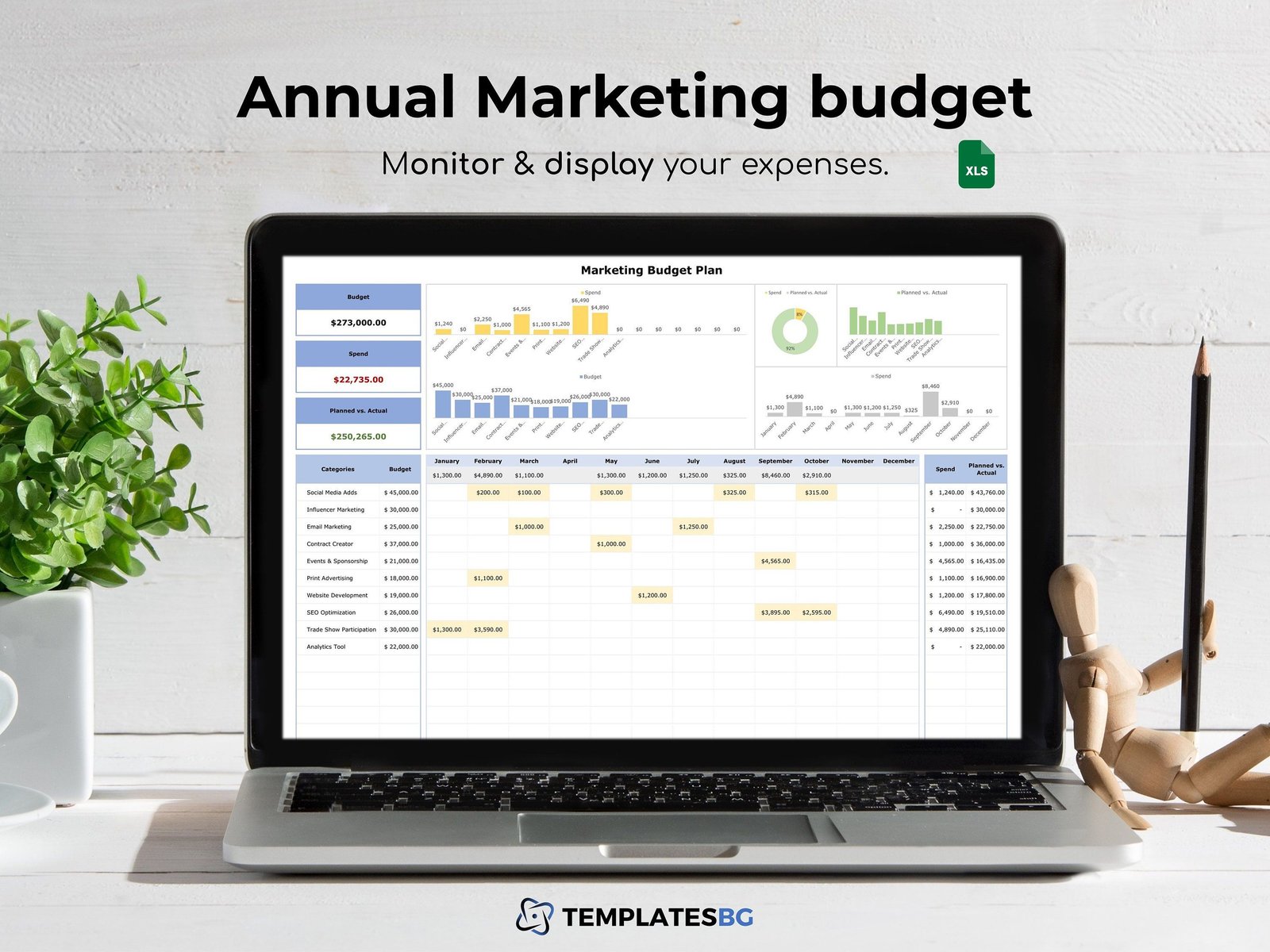
A better budget starts with business math. How much is a customer worth? What can you afford to pay for a lead or sale? How often do clicks turn into customers? Once you know those numbers, you can build a test budget that has a purpose.
This guide explains Google Ads budgeting for small businesses in plain English. It shows how to calculate a break-even cost per acquisition, estimate a useful test range, use keyword cost data, track conversions, and decide whether to scale, fix, or stop a campaign. For current platform features, use Google Ads Help as the primary reference.
Start with the business goal, not the daily budget box
Before choosing $20, $50, or $100 per day, decide what a conversion means.
For a business, a useful conversion might be:
- A completed purchase
- A qualified lead form
- A booked consultation
- A phone call that lasts long enough to be meaningful
- A trial signup
- A quote request
Do not count every page view as a business conversion. A budget is easier to judge when the campaign optimizes toward an action that matters.
Calculate customer value before allowable ad cost
You need a rough value for a new customer. For a one-time sale, this can be simple. For a repeat business, use a conservative estimate rather than the best possible lifetime value.
Example: local cleaning service
Suppose an average first booking is $180. The business keeps about $72 after labor, supplies, payment fees, and other direct costs. If many customers never book again, the owner should not use a huge lifetime value to justify high ad spend.
A cautious starting point may be to allow $25 to $35 of ad cost for a first-time customer. The exact number depends on overhead, repeat booking rates, and cash flow.
Know the difference between revenue, gross profit and ad budget
A common mistake is to say, “The customer pays $500, so I can spend $200 to get one.” Revenue is not profit.
Subtract the direct costs required to deliver the product or service. Then decide how much of the remaining margin can go to acquisition while leaving room for overhead and profit.
| Item | Example amount |
|---|---|
| Average sale | $500 |
| Direct fulfillment cost | $250 |
| Gross profit before advertising | $250 |
| Maximum desired ad cost per sale | $80 |
| Remaining contribution | $170 |
This is only an example. Your real numbers may be very different.
Calculate your break-even CPA
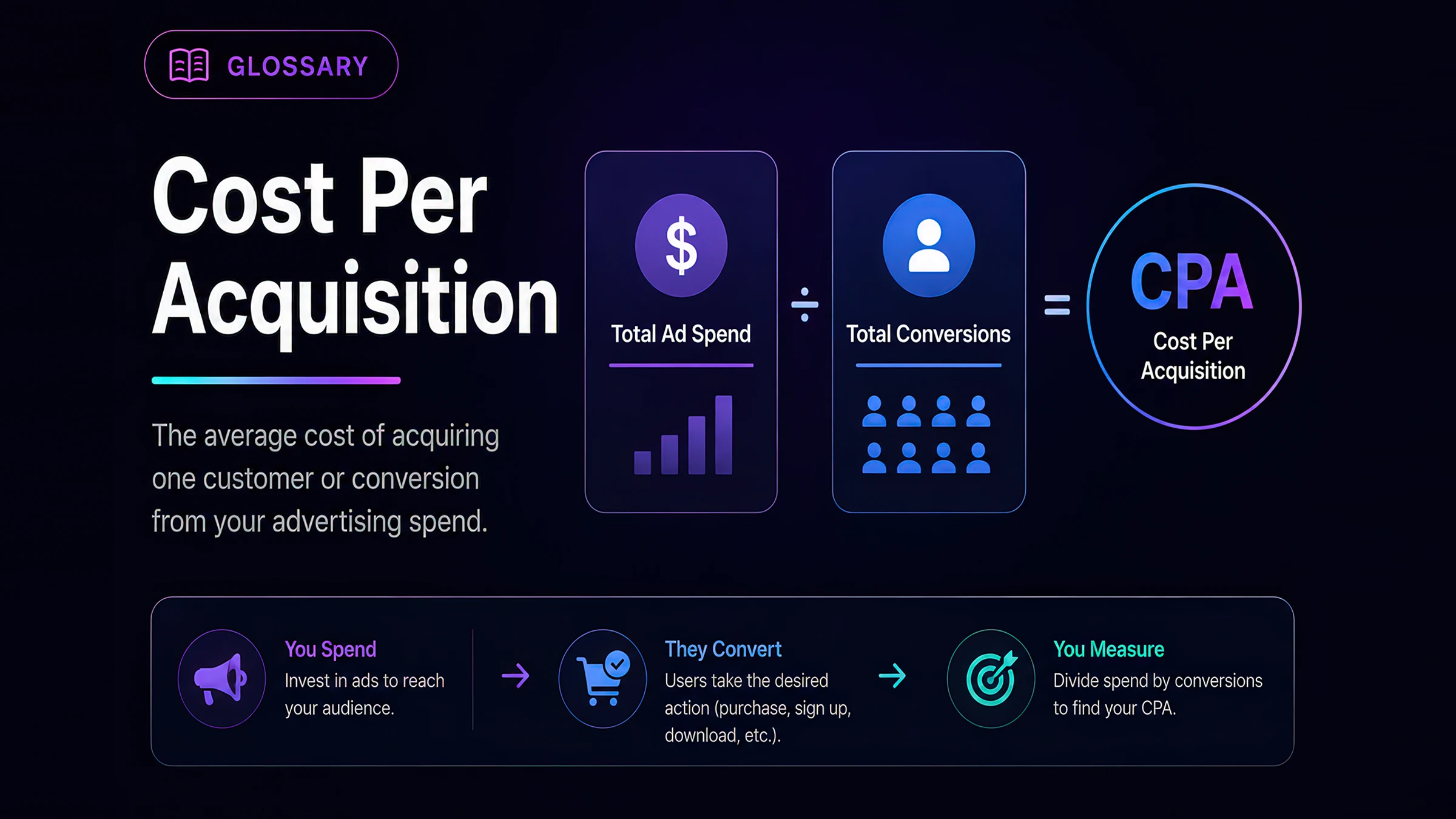
CPA means cost per acquisition. It is the advertising cost required to get one conversion.
A simple break-even formula is:
Break-even CPA = gross profit from the conversion before ad spend
If a sale produces $120 in gross profit before advertising, spending more than $120 to get that sale loses money before overhead. Most businesses need a target CPA lower than break-even so the sale still contributes to profit.
Set a target CPA with a safety margin
If break-even CPA is $120, a business may target $70 or $80 at first. That gives room for operating costs and variation in lead quality.
For lead generation, include the lead-to-customer rate
Lead generation needs one extra step. A lead is not the same as a customer.
Suppose:
- Average gross profit per new customer: $600
- Maximum desired acquisition cost per customer: $180
- 25% of qualified leads become customers
If one in four leads closes, you need four leads for one customer. A simple target cost per lead is:
$180 ÷ 4 = $45 per qualified lead
If the campaign generates forms at $30 but most are junk, the real cost of a qualified lead may still be poor. Track lead quality, not just form volume.
Use CPC and conversion rate to estimate budget needs
CPC means cost per click. Conversion rate is the percentage of ad clicks that complete the target action.
You can estimate CPA with:
Estimated CPA = average CPC ÷ conversion rate
Example
If the average click costs $4 and 10% of clicks become qualified leads:
$4 ÷ 0.10 = $40 estimated cost per lead
If only 3% convert:
$4 ÷ 0.03 = about $133 per lead
This shows why landing page quality and offer fit matter as much as bid settings.
Use Keyword Planner for a reality check
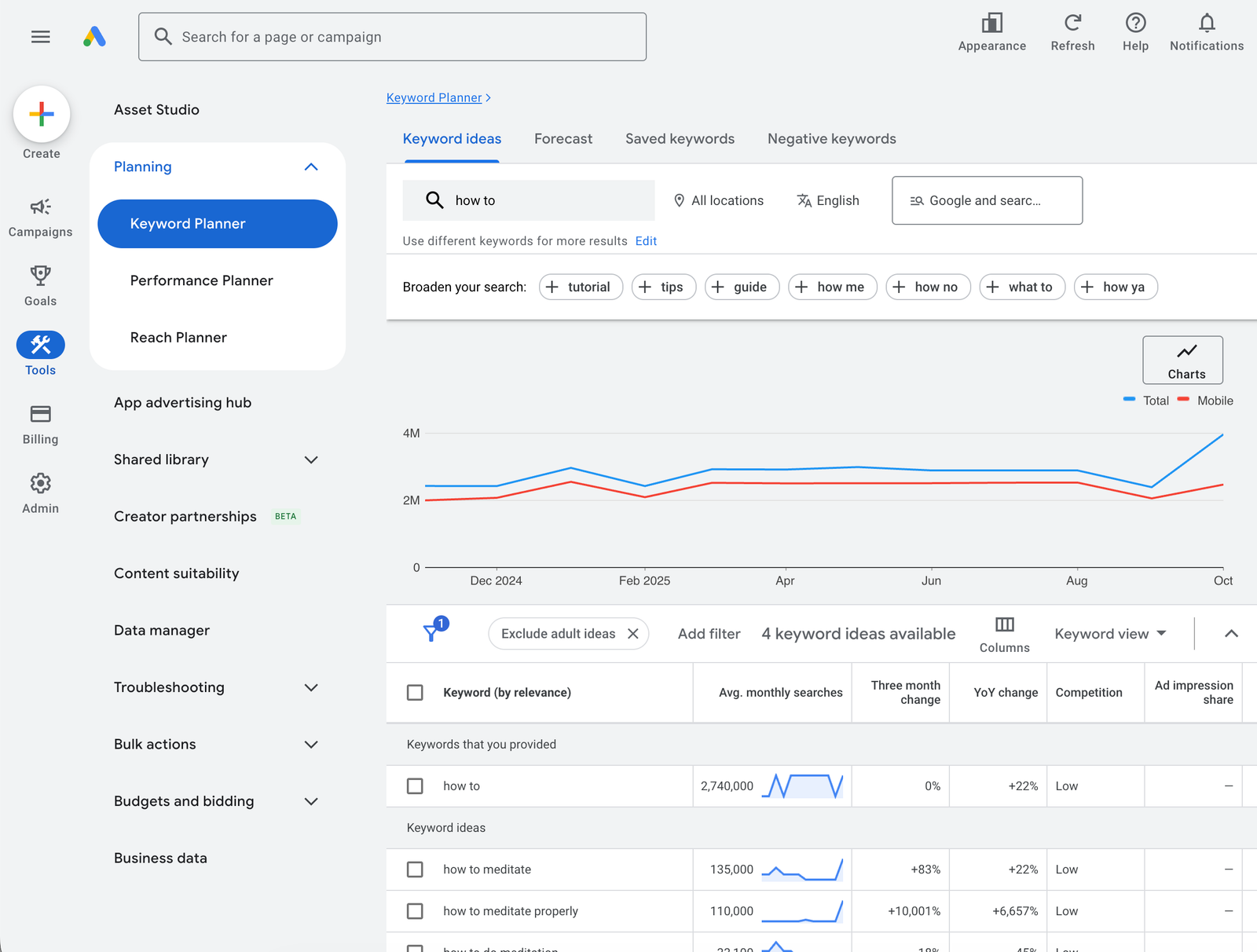
Google Keyword Planner can help you discover keywords and view estimates related to search demand and cost. Google notes that actual campaign performance can vary based on factors such as bids, budget, ad quality, location, and customer behavior.
Use Keyword Planner to estimate whether your desired budget matches the market.
Practical workflow
- Enter terms closely related to your service.
- Set the correct location.
- Review estimated cost ranges and related keywords.
- Remove searches that do not fit the offer.
- Group close terms by intent.
- Use the estimates to model possible click volume.
Do not treat forecasts as guarantees. They are planning inputs.
Choose keywords by intent before volume
A limited budget needs focus. A local HVAC company may get more value from “emergency AC repair near me” than from a broad term such as “air conditioning.”
High-intent keywords often include:
- Service name + location
- Book
- Hire
- Quote
- Price
- Company
- Provider
- Near me
The exact words depend on the market. Review search terms after launch to see what users actually typed.
Understand match types before spending
Google Ads supports broad, phrase, and exact keyword match types. The current Google Ads keyword guidance explains how match types affect which searches can trigger ads.
A small account should know what each match type does before relying on automation. Broader matching can find more traffic, but it also needs strong conversion data, negative keyword review, and clear campaign goals.
Do not confuse a keyword with the search term
The keyword is what you target. The search term is what the user typed. Review the search terms report so you can find irrelevant queries and new useful patterns.
Build a test budget from the number of conversions you need
A test needs enough activity to answer a question. If your target cost per lead is $40 and you want at least 15 qualified leads to judge early performance, a simple starting test allowance is:
15 × $40 = $600
This does not mean $600 guarantees 15 leads. It means the test budget is tied to a measurable target.
If the market’s likely CPC makes that impossible within your cash limit, narrow the location, focus on fewer services, improve the landing page first, or choose another channel.
Set a daily budget that matches the test period
If your planned test allowance is $900 over 30 days, the rough daily average is $30. If you need faster learning and can handle the spend, you may run a shorter test with a higher daily budget.
Do not choose a daily number only because it feels comfortable. Work backward from the amount of data needed and the business’s safe cash limit.
Track conversions before judging campaign performance
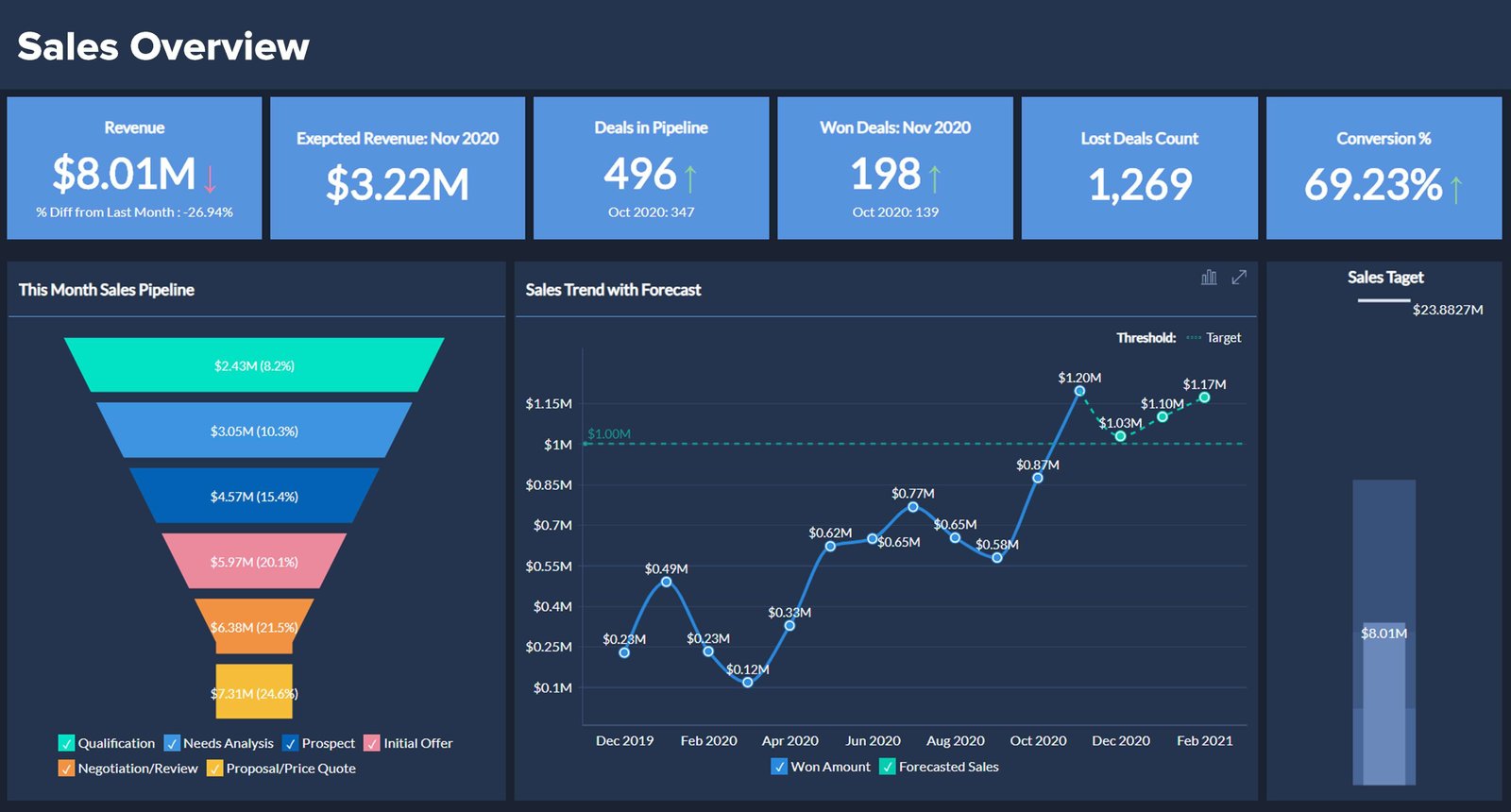
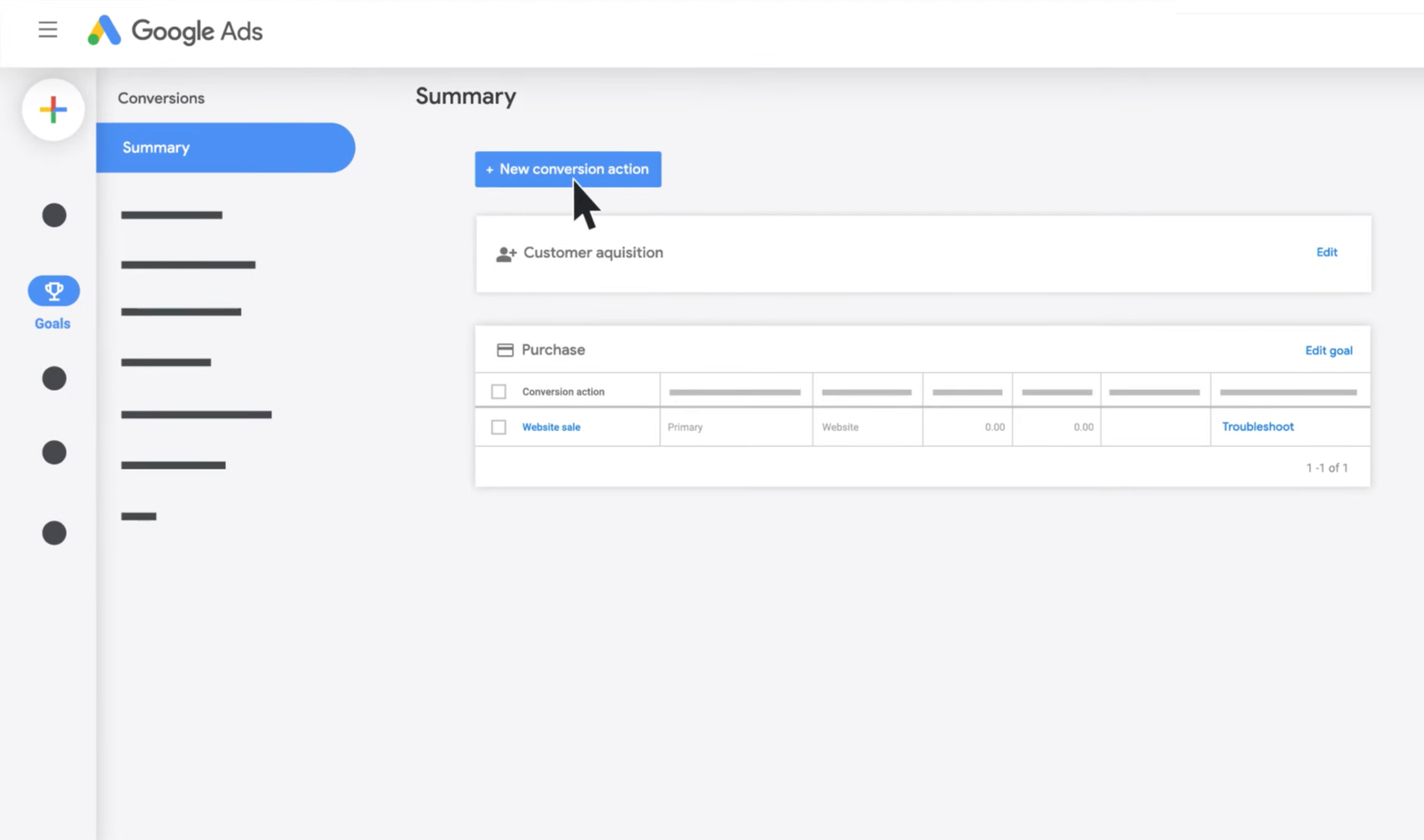
Conversion tracking should be ready before you scale spend. Google provides current setup guidance in Google Ads Help.
Track the action that matters. For lead generation, this may include:
- Form submission
- Booked appointment
- Qualified phone call
- Offline lead status
- Closed sale when your setup supports it
If all leads are treated as equal, automated bidding may learn from poor signals.
Measure qualified leads, not only cheap leads
Imagine two campaigns:
| Campaign | Form CPL | Qualified lead rate | Qualified CPL |
|---|---|---|---|
| A | $20 | 25% | $80 |
| B | $35 | 70% | $50 |
Campaign A looks cheaper in the platform. Campaign B produces qualified opportunities at a lower real cost.
This is why sales feedback matters for lead-gen advertising.
Build a landing page around one search need
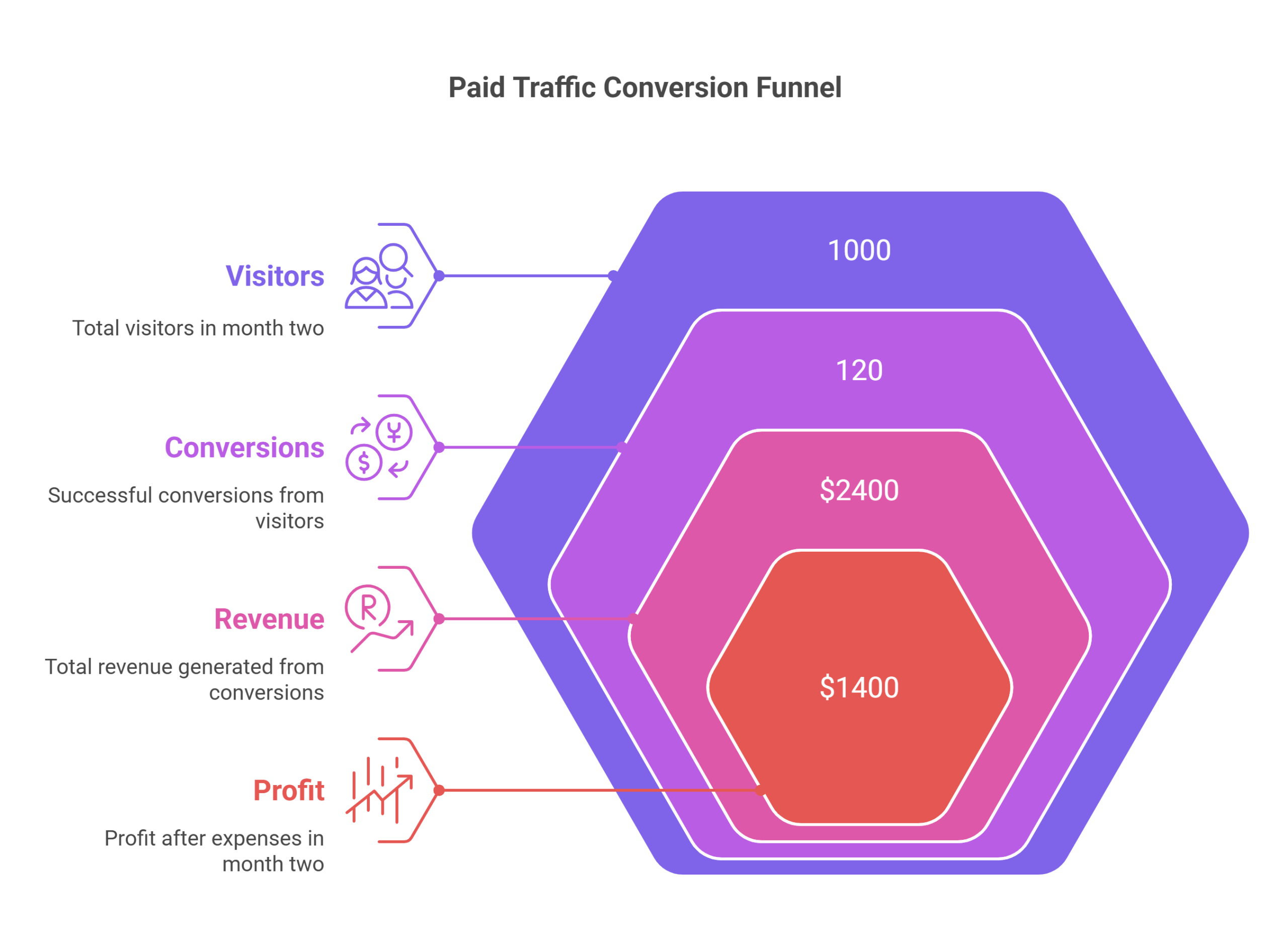
Sending paid traffic to a generic home page often makes the visitor work too hard.
A focused landing page should answer:
- What is being offered?
- Who is it for?
- What problem does it solve?
- Why should the visitor trust the business?
- What does the next step involve?
- How can the visitor act now?
Keep the message close to the ad and keyword. If the ad promises emergency plumbing, the landing page should not open with a broad story about every home service the company provides.
Use negative keywords to protect a limited budget
Negative keywords can prevent ads from showing for unwanted searches. Review search terms regularly, especially during a new campaign.
A premium business may want to exclude searches that clearly seek free resources or unrelated jobs. A training company may need to exclude employment queries if it sells courses rather than vacancies.
Be careful with broad exclusions. A negative keyword that is too wide can block useful traffic.
Separate services when the economics differ
Do not force products with very different customer value into one budget decision.
A law firm may have one service where a new client is worth far more than another. A home service company may have emergency repair and low-cost maintenance with different margins.
Separate campaigns or reporting groups when it helps you set different goals and budgets.
Account for location and schedule
A local business should not pay for clicks in places it cannot serve. Check location targeting and location reports.
Also consider whether calls can be answered. If a campaign drives phone leads at midnight but no one responds until the next day, lead quality may fall.
Use scheduling only when it fits the buying process. Ecommerce and online services may need wider coverage than a local appointment business.
Do not make major changes every day
A new advertiser often changes bids, keywords, ads, location, and landing pages at the same time. Then no one knows what caused the result.
Keep a change log. Make changes for a reason. Allow enough time and data before judging, while still acting quickly on clear waste such as irrelevant search terms or broken tracking.
A practical first-month budget review
Week 1: validate setup
- Check conversion tracking.
- Review search terms.
- Confirm location targeting.
- Check that ads and landing pages match.
- Fix obvious irrelevant traffic.
Week 2: review quality
- Check which keywords produce meaningful actions.
- Ask sales which leads are qualified.
- Review calls and forms.
- Look for mobile landing page problems.
Week 3: improve weak parts
- Refine negative keywords.
- Improve ad-message clarity.
- Fix landing page friction.
- Move budget away from clearly weak segments when data supports it.
Week 4: compare against the business target
Calculate the real cost per qualified lead or customer. Compare it with your allowable acquisition cost. Decide whether to scale, continue testing, or pause and fix the offer.
When to increase the budget
Increase spend when the campaign shows repeatable results within your business target and the operation can handle more customers.
Ask:
- Is tracking reliable?
- Are leads qualified?
- Is the target CPA profitable?
- Can the team handle more volume?
- Is the landing page stable?
- Are there more useful searches available?
Scale in measured steps. A sudden large increase can change traffic patterns and cash needs.
When to reduce or pause spend
Pause or reduce when:
- Tracking is broken.
- The landing page is not working.
- Most search terms are irrelevant.
- Lead quality is consistently poor.
- The offer is not competitive.
- The business cannot respond to leads.
- The real acquisition cost is above a sustainable level after enough data.
Do not keep spending only because you already spent money. Fix the constraint first.
Use Performance Planner with current limits in mind
Google Performance Planner can model how budget and bid changes may affect supported campaign types. Platform support changes over time, so check the current Google documentation before relying on a planning feature for a specific campaign type.
Use forecasts as scenarios, not promises. Your offer, competition, tracking, landing page, and market can change the real result.
Google Ads budgeting checklist
- Define the real conversion.
- Estimate customer gross profit.
- Set a maximum sustainable acquisition cost.
- For leads, include the lead-to-customer rate.
- Research likely CPC with Keyword Planner.
- Estimate CPA from CPC and conversion rate.
- Set a test budget tied to a useful number of conversions.
- Install and verify conversion tracking.
- Review search terms and negative keywords.
- Measure lead quality outside the ad platform.
- Improve landing page fit.
- Scale only after results fit the business math.
Frequently asked questions
What is a good Google Ads budget for a small business?
There is no universal number. A useful budget depends on CPC, conversion rate, customer value, target acquisition cost, location, and how much data you need to test the campaign.
Is $10 per day enough for Google Ads?
It can be enough in a low-cost market or a very narrow campaign, but it may be too small in an expensive category. Use keyword cost estimates and your target CPA to judge whether the budget can gather meaningful data.
How long should I test a new Google Ads campaign?
Use both time and data. A campaign may need several weeks, but the more important question is whether it generated enough relevant clicks and conversions to judge. Fix clear tracking or targeting errors immediately.
Should I optimize for clicks first?
Clicks can help gather traffic, but the business goal should remain meaningful conversions. Choose bidding and optimization based on your data quality and campaign stage.
What if my cost per lead is low but sales are poor?
Measure qualified lead rate and customer conversion. Cheap forms can hide poor traffic. Feed sales quality back into campaign decisions and, where possible, into conversion tracking.
Conclusion: let the business math set the budget
A Google Ads budget should not begin with a number copied from another company. Start with customer value, margin, lead quality, and a sustainable acquisition cost. Then use CPC and conversion-rate estimates to build a test that can answer a real question.
Track the right conversions. Review search terms. Improve the landing page. Compare advertising cost with qualified business results. When the campaign works within your economics, increase the budget carefully. When it does not, find the broken part before spending more.