On-Page SEO Checklist for Service Business Websites
A service business website has a different job from a news site or a general blog. It must help people understand the service, decide whether the business fits their needs, trust the company, and take the next step. Good on-page SEO supports all four goals.
On-page SEO means improving the content and page elements you control directly. It includes the title, headings, page copy, internal links, images, URLs, metadata, and the way the page answers search intent. It is not about stuffing a city name or service keyword into every sentence.
This checklist is designed for plumbers, consultants, agencies, clinics, repair companies, accountants, contractors, salons, tutors, and other service businesses. Use it on your homepage, core service pages, location pages, and important guides.
1. Define One Main Job for Each Page
Before you optimize a page, decide what the page is meant to do. A service page should explain and sell one service. A location page should show local availability. A guide should answer a question. A contact page should make communication easy.
When one page tries to rank for five unrelated services, it becomes harder to write clearly. Split distinct services into separate pages when each service deserves enough useful content.
Example
An HVAC company may have separate pages for air conditioning repair, furnace repair, maintenance plans, and new system installation. Each page can answer different customer questions, show different proof, and target different search intent.
2. Match the Page to Real Search Intent
Ask what a searcher expects before they click. Someone searching “emergency plumber” may need fast contact details. Someone searching “how much does a boiler service cost” wants pricing factors and a clear explanation before making a decision.
Your page format should match that need. A high-intent service page should make the service, coverage area, proof, and contact method visible early. A research-focused guide can go deeper into education and examples.
3. Choose a Primary Keyword That Fits the Page
The primary keyword should describe the page in normal language. Related terms can support subtopics. Do not choose a keyword only because a tool reports high search volume.
For a service page, a sensible pattern may be “service + location,” such as “bookkeeping services in Denver.” Related phrases could include “small business bookkeeper Denver,” “monthly bookkeeping services,” and “outsourced bookkeeping.”
Use keyword research as a guide
Tools can help you compare language, but your customers are also a source. Review sales calls, emails, support questions, and search data. Google Search Console can reveal phrases people already use to find your pages.
4. Write a Clear SEO Title
The title should state what the page offers. Put the main service near the start when natural. Add the location or differentiator only when it helps the searcher.
Weak: “Welcome to Our Professional Solutions.”
Better: “Small Business Bookkeeping Services in Denver.”
The second title is clear. A user knows what the page is about before clicking.
5. Keep the URL Short and Stable
A readable URL is easier to understand and share. Use words that describe the page. Avoid long strings, dates that will become stale, and unnecessary folders.
For example, “/bookkeeping-services-denver/” is clearer than “/services/business/financial-solutions/bookkeeping-package-2026/.”
Do not change existing URLs without a reason. If you must change one, set a proper redirect from the old URL to the closest matching new page.
6. Use One Clear H1
The H1 should describe the main topic of the page. It can be similar to the SEO title, but it does not need to be identical.
A service-page H1 might be “Reliable Bookkeeping Services for Denver Small Businesses.” It includes the topic and audience without sounding forced.
7. Build H2 and H3 Headings Around Customer Questions
Headings should make the page easy to scan. Use H2 sections for the main decision points. Use H3 headings to break down specific details.
Useful service-page sections
- What the service includes
- Who the service is for
- How the process works
- Pricing factors
- Service area
- Why customers choose the business
- Common questions
- How to get started
This structure is useful because it mirrors the questions people ask before contacting a service provider.
8. Put the Most Important Answer Near the Top
Do not make visitors read 800 words before learning what you offer. The first screen should usually answer the basics: what the service is, who it helps, where it is available, and how to take action.
You can add deeper detail below. Good long-form service content does not mean hiding the main answer.
9. Explain the Service in Plain English
Industry language can make a business sound less clear, not more expert. Explain the service using words a customer would use.
Instead of saying “we leverage comprehensive end-to-end solutions,” say what happens: “We reconcile your accounts, organize monthly reports, and flag missing records before month-end.”
Show the deliverable
A strong service page tells people what they receive. A marketing consultant might provide an audit, 90-day plan, reporting dashboard, and monthly review. A cleaner might explain room coverage, supplies, timing, and add-on services.
10. Add Proof Near Important Claims
Trust grows when claims are backed by evidence. Use real reviews, project examples, certifications, team experience, before-and-after examples, or clear process details.
Do not create fake testimonials or unsupported statistics. If you say “same-day service,” make sure the business can really provide it under the conditions shown on the page.
11. Use Real Examples and Scenarios
Examples help users understand whether the service fits them. A bookkeeping firm could explain a typical case: a five-person agency has six months of inconsistent records, needs clean monthly books, and wants a clear handoff before tax season.
The page can then explain what the service would do in that situation. This is more useful than repeating “we offer customized solutions.”
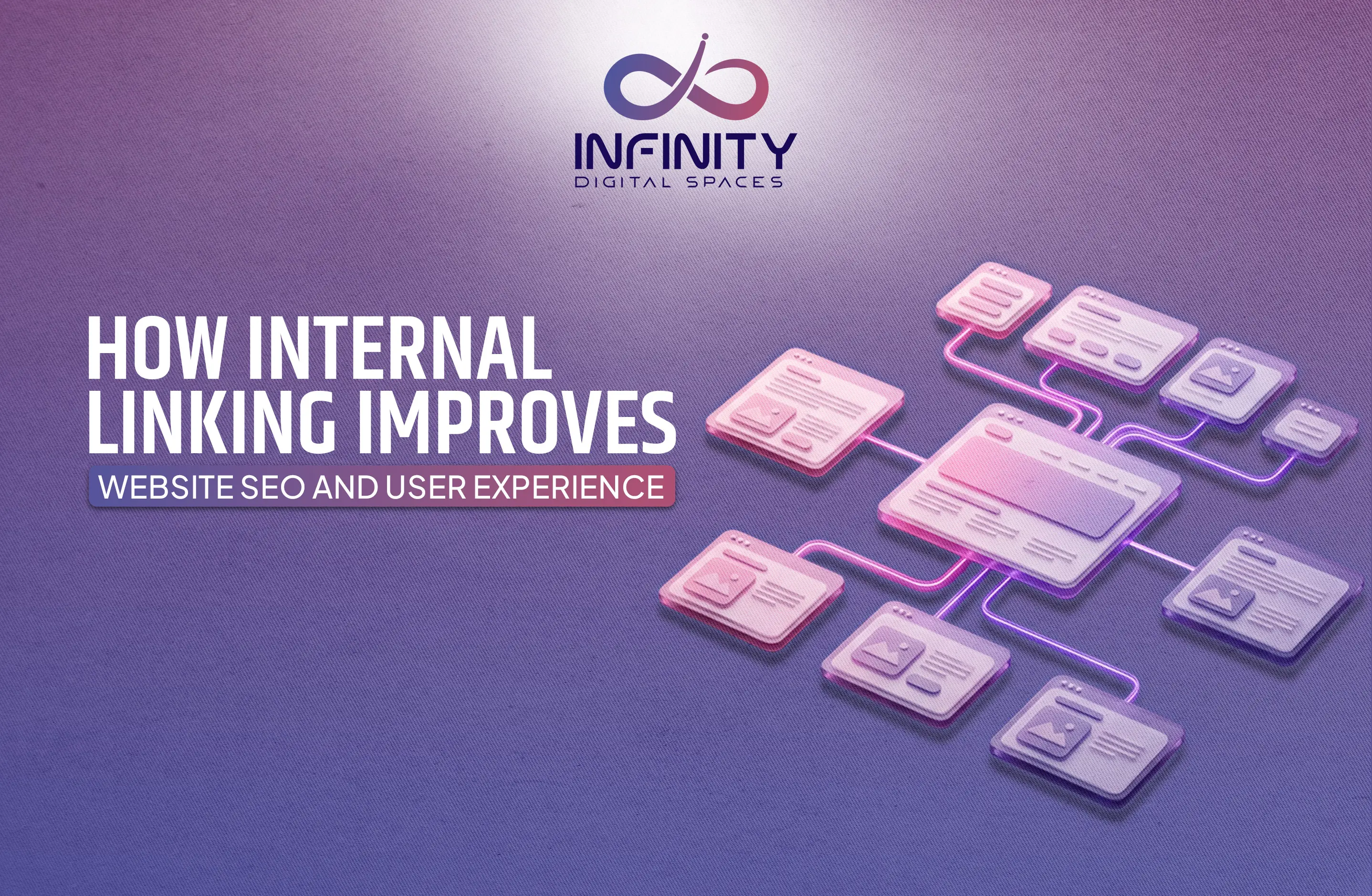
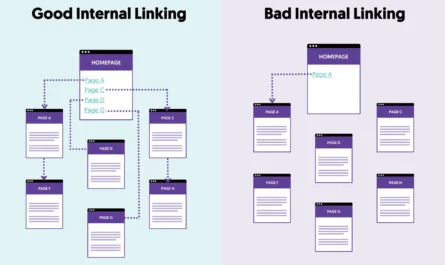
12. Add Internal Links to Related Pages
Internal links help customers move to the next useful step. A service page can link to a pricing guide, case study, FAQ, location page, or related service.
A guide can link back to the service when the reader may need professional help. Keep the anchor text descriptive.
For example: “See our monthly bookkeeping service” is better than “click here.”
13. Link to Official Sources When They Add Value
Authority links should help the reader verify a rule, tool, or standard. For SEO guidance, Google Search Central is a primary source. For WordPress usage, WordPress Documentation can provide platform-specific help.
Do not add external links just to make a page look researched. Use them where they support a real point.
14. Add a Strong, Specific Call to Action
The call to action should match the page. A high-intent service page may use “Request a Quote,” “Book a Consultation,” or “Call for Same-Day Availability.” A guide might use a softer next step such as “See our service process.”
Avoid ten different calls to action on one page. Give the reader one main next step and one backup option where useful.
15. Make Contact Details Easy to Find
Do not hide the phone number in the footer. If calls matter, make the number easy to tap on mobile. If bookings matter, keep the booking button visible. If quotes require details, use a short form that asks only what the team needs.
Reduce form friction
Every extra field can make a form harder to complete. Ask for the essentials first. You can gather more information after the lead responds.
16. Optimize Images Without Turning Alt Text Into a Keyword Box
Use real service images where possible. Add descriptive titles and alt text that explain what the image shows. Keep file sizes reasonable.
Example alt text: “Technician inspecting an outdoor air conditioning unit.”
Weak alt text: “best HVAC repair Denver cheap AC service local HVAC company.”
Use PageSpeed Insights if you need help identifying pages slowed by large images or other resources.
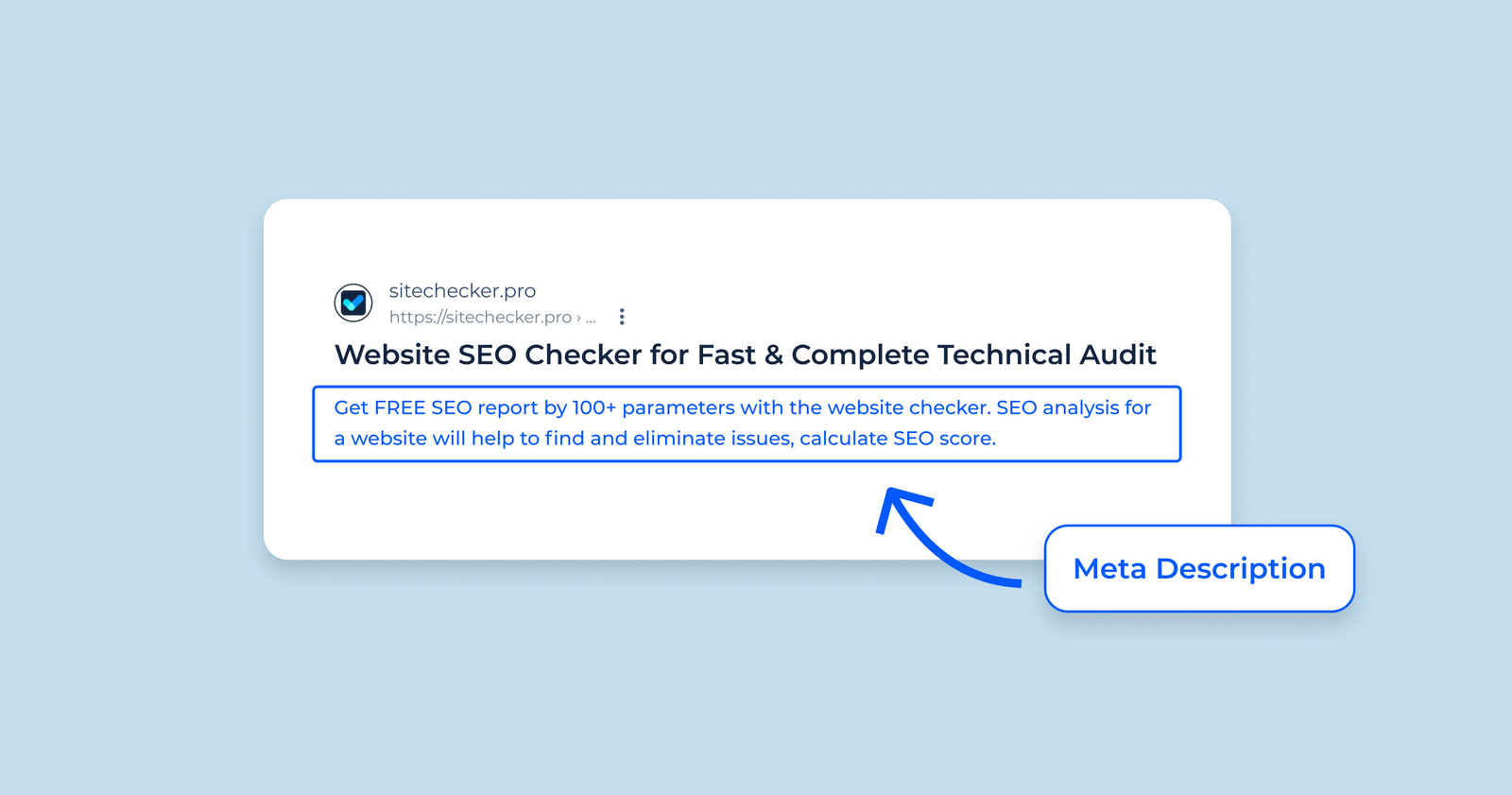
17. Write a Useful Meta Description
A meta description should explain the page in a sentence or two. Include the service and main benefit. Avoid vague promotional language.
Example: “Get monthly bookkeeping support for Denver small businesses, including reconciliations, organized reports, cleanup help, and a clear monthly process.”
Search engines may use other text for some searches, so make the on-page content strong too.
18. Add Local Details When Location Matters
If the service is local, explain the real service area. Add office or service details, local phone information, relevant directions, and practical coverage notes.
Avoid creating dozens of city pages with nearly identical text. A location page should have real local value, such as service availability, local examples, local reviews, area-specific FAQs, or team information.
19. Add Structured Data Only When It Is Accurate
Structured data can help search engines understand page content. Service businesses may use organization, local business, breadcrumb, or other supported schema where appropriate.
Only mark up information that is true and visible. Do not add fake ratings, fake pricing, or services you do not offer.
20. Check Mobile Usability
Many service searches happen on phones. Test the page on a real device. Can a user understand the service without zooming? Can they tap the call button? Is the form usable? Does a popup cover the page?
Mobile usability is a business issue as much as an SEO issue. A page can rank well and still fail if customers cannot use it.
21. Improve Page Speed Without Removing Useful Content
Speed matters, but do not solve it by stripping away every helpful element. Start with the biggest causes of delay: oversized images, unnecessary scripts, weak caching, slow server response, and heavy page-builder elements.
Measure before and after. Focus on the pages that matter most to customers.
22. Add FAQ Sections Based on Real Questions
FAQ sections work best when they answer questions customers actually ask. Do not add generic questions only to increase word count.
Examples for a service page
- How long does the service take?
- What does the price include?
- Do you serve my area?
- What should I prepare before the appointment?
- What happens after I request a quote?
Keep answers direct. Link to deeper guides only when the extra detail helps.
23. Review the Page for E-E-A-T Signals
Experience, expertise, authority, and trust are stronger when the page shows who is behind the service. Add accurate team details, credentials where relevant, contact information, policies, and clear ownership.
A financial or medical service should be especially careful with qualifications and claims. High-stakes topics need accurate content and appropriate expert review.
24. Track Leads, Not Only Rankings
A service page is successful when it supports useful business actions. Track calls, forms, bookings, quote requests, or purchases. Rankings can help explain visibility, but they are not the final outcome.
A page with fewer visits but a strong lead rate may be more valuable than a broad article with large traffic and no business action.
25. Refresh Pages When the Business Changes
Service pages become stale when pricing, coverage, staff, process, or offers change. Schedule a quarterly or twice-yearly check for core pages.
Update facts first. Then review examples, FAQs, internal links, screenshots, and metadata. Remove claims that no longer apply.
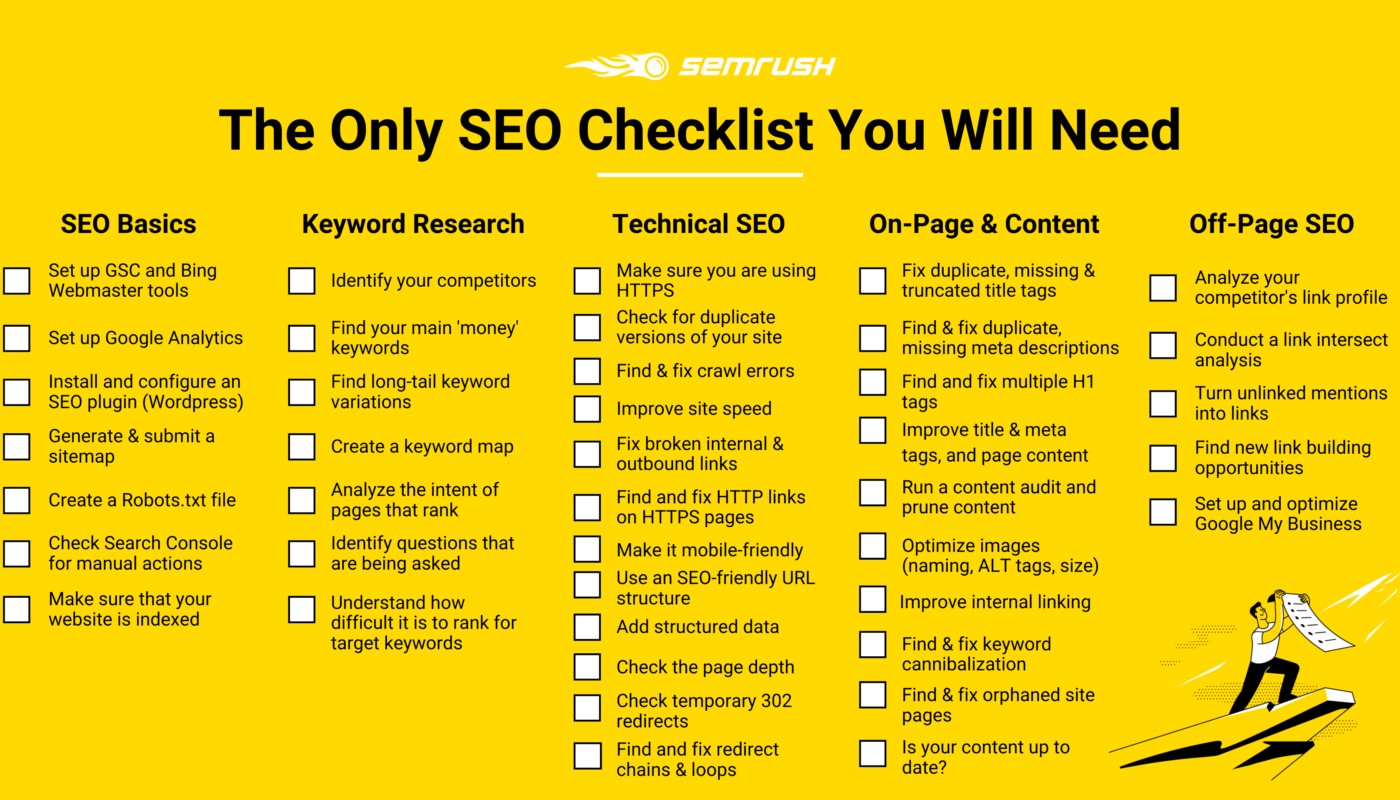
Complete On-Page SEO Checklist
- One clear purpose for the page
- Search intent matched
- Primary keyword selected
- SEO title written
- Short stable slug
- One clear H1
- Logical H2 and H3 structure
- Main answer visible early
- Service explained in plain English
- Real proof included
- Practical examples added
- Internal links included
- Useful authority links added
- Clear call to action
- Easy contact method
- Images optimized with good alt text
- Meta description written
- Local information added where relevant
- Structured data accurate
- Mobile experience tested
- Page speed checked
- Real FAQs included
- Trust signals visible
- Conversion tracking set
- Refresh date planned
Frequently Asked Questions
How many keywords should a service page use?
Focus on one main topic and use related terms naturally. There is no useful fixed keyword count.
Should every service have its own page?
Create a separate page when the service has distinct intent and enough useful information. Closely related small services can sometimes share one page.
How long should a service page be?
Long enough to answer the questions a buyer needs before taking action. Depth should come from useful detail, not filler.
Is on-page SEO enough to rank?
It is one part of SEO. Technical health, competition, links, local signals, trust, and content quality also matter.
Conclusion
Good on-page SEO for a service business is mostly good communication. Make each page about one clear job. Match the searcher’s need. Explain the service in plain English. Show real proof. Use headings, links, images, and metadata to make the page easy to understand. Then give the visitor a simple next step.
Use this checklist on your highest-value pages first. Fix the basics before adding more content. A smaller set of clear, trustworthy, useful service pages can outperform a large site filled with thin or repetitive copy.