TikTok Marketing Strategy for Small Businesses: A Practical Beginner Guide
TikTok can help a small business reach people through useful, entertaining, or practical short videos. The platform rewards content that holds attention and feels native to the feed. That means a small team does not need studio-level production. It needs clear ideas, useful hooks, simple filming, and a repeatable process.

The biggest mistake is to treat TikTok like a place to upload ads all day. People open the app to discover, learn, laugh, compare, and see how things work. A business can fit into that behavior by solving small problems in video form.
This guide explains how to build a TikTok marketing strategy without chasing every trend. It is designed for service businesses, local brands, ecommerce stores, creators, and small teams that need a practical workflow.
1. Decide What TikTok Should Achieve
Choose one main business goal. You may want more brand discovery, website visits, inquiries, store visits, email signups, or product interest.
Do not use follower growth as the only goal. A smaller audience that matches your customers can be more valuable than a large audience that never buys.
Example
A small skincare brand may use TikTok to explain ingredients, show routines, answer customer questions, and bring viewers to a product guide. A local mechanic may use it to show common warning signs and build trust before customers need a repair.
2. Set Up a Clear Profile
Your profile should make the business easy to understand. Use a recognizable image, a simple name, a short bio, and the correct website or contact option when available.
Use the official TikTok for Business resources for current platform features and account guidance.
Write a practical bio
A good bio says who you help and what you offer. “Simple bookkeeping help for UK freelancers” is clearer than “Helping you unlock financial freedom.”
3. Research the Audience Before Trends
Search the platform for your topic. Look at questions in comments, common formats, recurring problems, and phrases viewers use. Do not copy videos word for word. Use the research to understand what people care about.
Also review your own customer emails, support tickets, calls, and website search data. Real customer questions often produce better topics than random trend lists.
4. Choose Four Content Pillars
Content pillars keep your videos focused. Choose topics that connect customer needs with your expertise.
Example for a fitness studio
- Exercise form tips
- Beginner mistakes
- Member routines and stories
- Studio process and behind the scenes
Example for an ecommerce shop
- Product demonstrations
- Comparison videos
- Care or usage tips
- Packaging and order process
Four pillars are enough to create variety without making the account feel random.
5. Build Videos Around One Idea
A short video should usually answer one question or show one result. Do not try to explain an entire course in 30 seconds.
One video can explain how to clean a coffee grinder. Another can compare two grind sizes. Another can show a common mistake. Separate ideas make the content easier to understand and easier to produce.
6. Use Strong Hooks Without Clickbait
The first seconds matter because viewers decide quickly whether to continue. State the problem, result, or question early.
Useful hook patterns
- “Three signs your website homepage is confusing visitors.”
- “Before you buy a used laptop, check these four things.”
- “This is why your sourdough dough keeps tearing.”
- “A simple way to plan five social posts in 20 minutes.”
Do not promise a shocking result that the video cannot deliver. Strong hooks should be accurate.
7. Film for Clarity, Not Perfection
Good light, clear sound, and a stable frame matter more than expensive equipment. A modern phone is enough for many business videos.
Record near a window or use a simple light. Keep the background clean. If you speak, make sure your voice is easy to hear. If the location is noisy, use a small microphone or record a voiceover later.
8. Add On-Screen Text
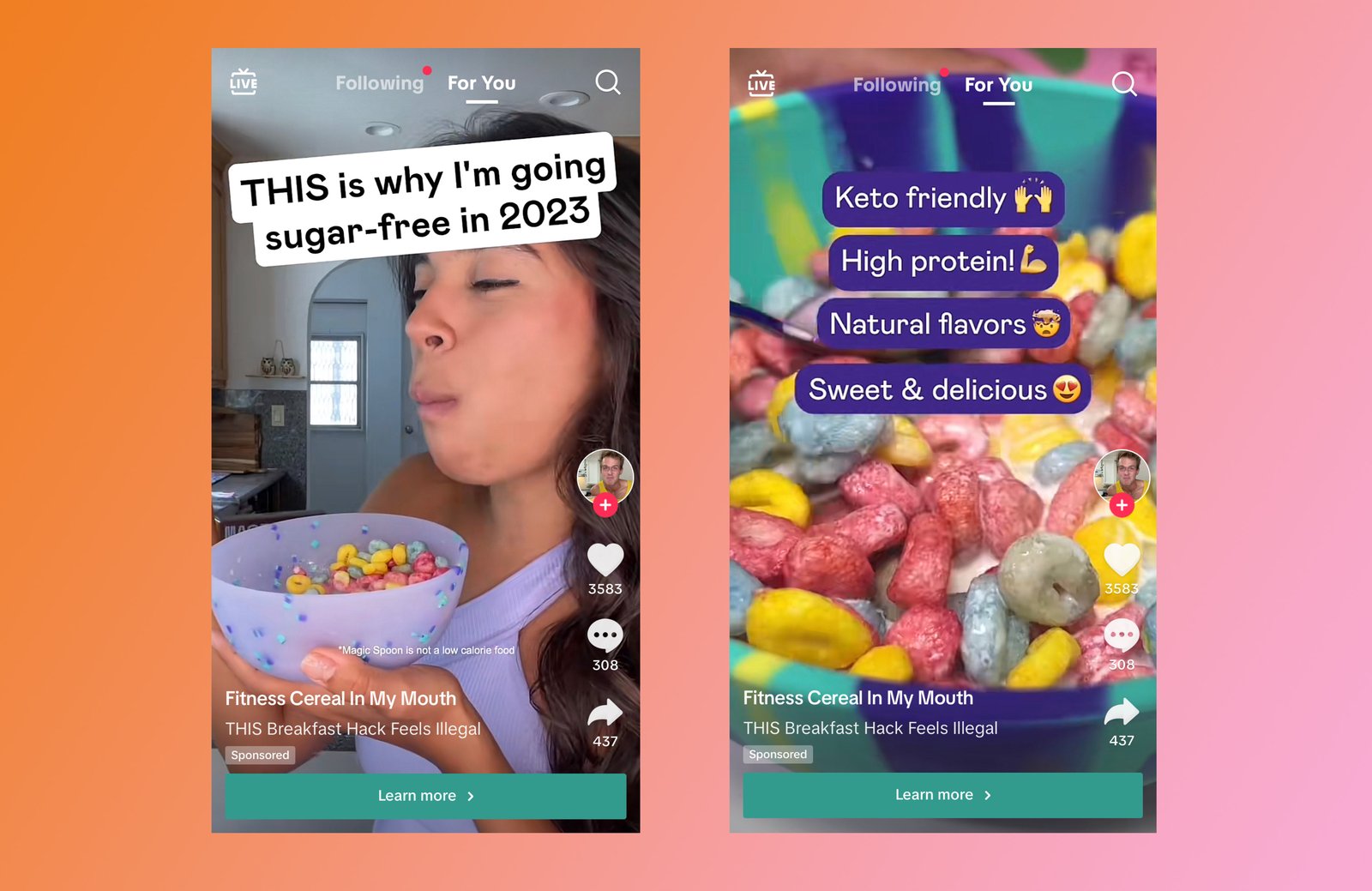
Text helps viewers understand the topic quickly and can support people who watch without sound. Keep the main message short enough to read on a phone.
Use text for the hook, key steps, product names, or a final action. Do not cover the whole screen with paragraphs.
9. Use Captions to Add Context
The caption can explain the video, add a useful detail, or direct viewers to a next step. Use relevant keywords naturally because platform search can help people discover videos by topic.
A caption for a local bakery might say: “How we keep butter cold while laminating croissant dough in warm weather. The full process takes planning, not just colder ingredients.”
10. Use Hashtags as Labels, Not a Strategy
Hashtags can help describe the topic, but adding twenty broad tags does not make weak content useful. Choose a small set that fits the video, business, and audience.
Mix a broad category tag with a specific topic or local tag when relevant. Avoid unrelated trending hashtags.
11. Show Processes People Rarely See
Behind-the-scenes content works because it answers curiosity. Show how a product is made, how a service is prepared, how a package is assembled, or how a professional checks quality.
Real-world example
A florist can show how stems are conditioned before a wedding order. A print shop can show how a design moves from file to finished sign. A web agency can show a quick homepage audit with client details removed.
12. Turn FAQs Into a Video Series
One customer question can become one video. Ten common questions can become two weeks of content.
Create a list from:
- Sales calls
- Comments
- Support messages
- Product reviews
- Website FAQs
- Search queries
Answer each question in plain language. Save longer explanations for your website.
13. Use Demonstrations for Products
Product videos should show the product doing its job. Show size, texture, setup, fit, speed, or before-and-after use when truthful.
A clothing brand can show how the same shirt fits three body types. A kitchen store can demonstrate how two pan materials behave on the same recipe.
Demonstration reduces uncertainty better than generic claims.
14. Create Comparison Videos Carefully
Comparisons can be very useful when customers are choosing between options. Explain who each option is for instead of declaring one universal winner.
| Video idea | Useful angle |
|---|---|
| Basic vs premium service | Which buyer needs each package |
| Product A vs Product B | Key use-case differences |
| DIY vs professional help | Cost, time, risk, and skill tradeoffs |
15. Use Trends Only When They Fit
A trend can help a business join a familiar format, but it should not replace the strategy. If a sound, meme, or format fits your brand and audience, adapt it. If it does not, skip it.
Businesses often lose clarity when they force every trend into unrelated products.
16. Make a Simple Posting Schedule
Start with a frequency your team can maintain. Three useful videos per week can be better than ten rushed videos followed by silence.
Example weekly plan
- Monday: common mistake
- Wednesday: process or demonstration
- Friday: FAQ or customer scenario
After one month, use performance data to decide whether to increase volume.
17. Batch Your Video Production
Batching can save hours. Write several hooks at once. Film related videos in the same setup. Edit and schedule them together.
Two-hour batch workflow
- Choose six questions.
- Write one-sentence hooks.
- Prepare examples or products.
- Film all six videos.
- Add text and captions.
- Save final files with clear names.
You now have two weeks of content at three videos per week.
18. Reply to Comments With Useful Answers
Comments can extend a video. Answer direct questions. Clarify misunderstandings. When a question needs a visual answer, create a new video around it.
Do not argue with obvious trolls. Protect private customer information and move support cases to the correct channel.
19. Use Calls to Action That Match the Video
A video does not always need “buy now.” Choose the next step based on intent.
- Educational video: “Save this checklist.”
- Comparison video: “See the full comparison on our site.”
- Local service video: “Check service availability in our profile.”
- Product demo: “View the size guide before ordering.”
20. Build a Website Destination for TikTok Traffic
If you send viewers to your website, make the landing page match the video. Do not send every visitor to the homepage.
A video about a product size question should link to the relevant product or sizing page. A video about a service process should lead to the service page or detailed guide.
Test the page on mobile. TikTok visitors are usually on phones, so slow or confusing pages can lose attention fast.
21. Repurpose Strong Videos Across Channels
A useful TikTok can become an Instagram Reel, YouTube Short, Facebook video, blog example, or email tip. Remove platform-specific watermarks when possible and adapt the caption for each channel.
Do not post the same caption everywhere without thought. Each platform has different audience behavior.
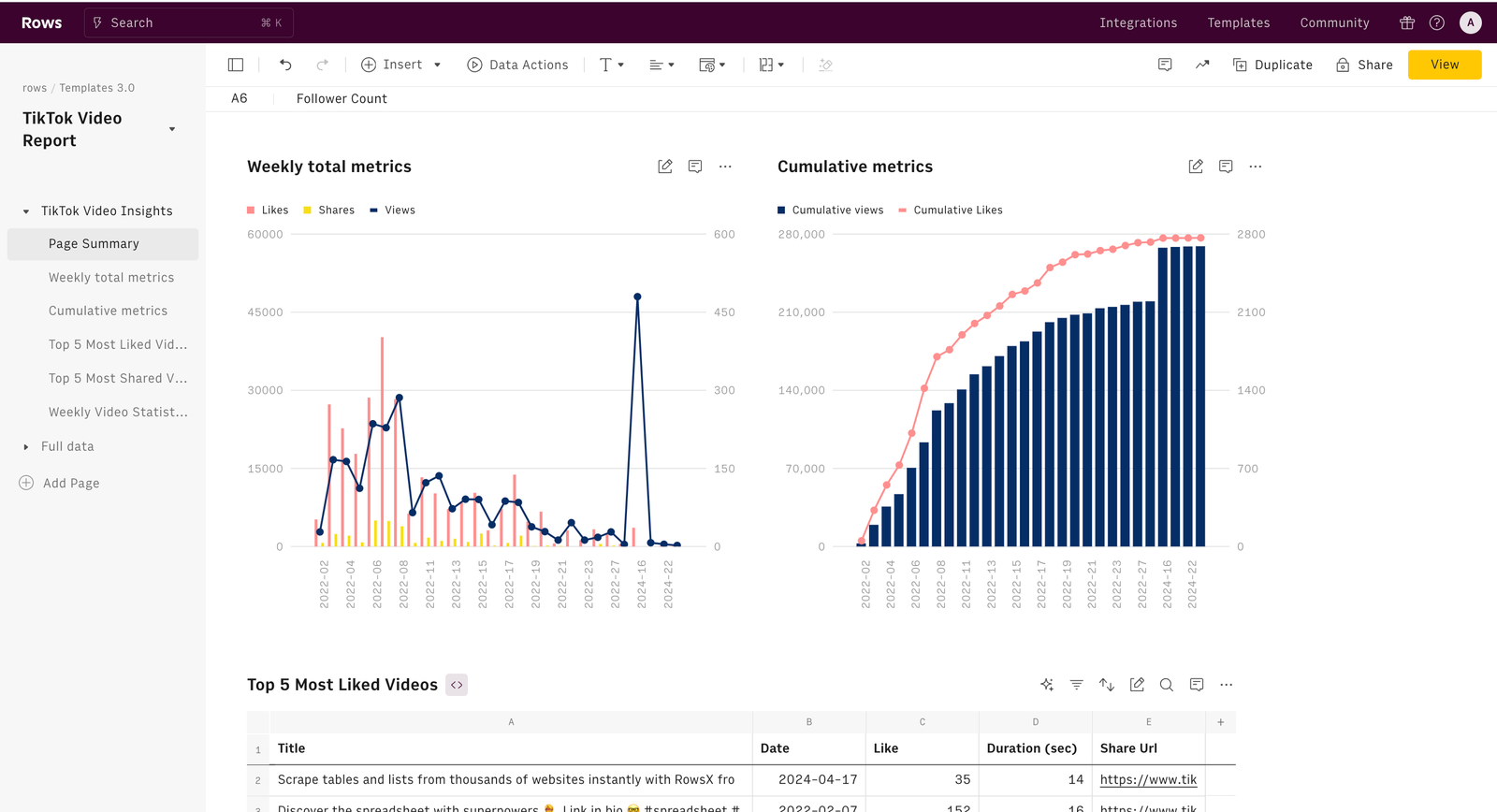
22. Track Meaningful TikTok Metrics
Useful metrics include:
- Average watch time
- Completion rate
- Shares
- Saves
- Profile visits
- Website clicks
- Comments that show real interest
- Leads or sales linked to the channel
Views are useful context, but they do not tell the whole story.
23. Learn From Retention
If viewers leave early, the opening may be slow or unclear. If they watch most of the video but do not act, the call to action may be weak or unnecessary.
Compare videos with similar topics. Look for patterns in hook, length, visual style, and explanation.
24. Use a Monthly Review
At the end of the month, group videos by content pillar. Identify which pillars produced useful engagement and business actions.
Then ask:
- Which questions created the longest watch time?
- Which videos produced website visits?
- Which format was easiest to make?
- Which comments reveal new content needs?
25. Avoid Common TikTok Marketing Mistakes
| Mistake | Better approach |
|---|---|
| Copying every trend | Use trends only when they fit the audience |
| Long intros | State the point in the first seconds |
| Only posting promotions | Teach, show, compare, and then sell when relevant |
| Using vague captions | Add clear topic context |
| Tracking only views | Track watch quality and business actions |
26. 30-Day TikTok Plan
Week 1: Research and setup
Fix the profile. Research twenty customer questions. Choose four content pillars. Write six hooks.
Week 2: Publish basic educational videos
Post three videos that solve simple problems. Focus on clear delivery, not trends.
Week 3: Add proof and demonstrations
Post a product demo, process video, and customer scenario. Watch comments for new questions.
Week 4: Review and refine
Compare watch time, saves, shares, profile visits, and website actions. Plan the next month around the strongest topics.
27. Create a TikTok Content Testing Matrix
Instead of guessing which style will work, test a small set of repeatable variables. Keep the topic similar while changing one element at a time.
| Variable | Version A | Version B |
|---|---|---|
| Hook | Question | Direct problem statement |
| Format | Talking head | Hands-on demonstration |
| Length | 20 seconds | 45 seconds |
| CTA | Save the video | Visit the guide |
For example, a small coffee roaster could publish two videos about storing coffee beans. One starts with “Are you storing coffee in the wrong place?” and the other starts with “Stop putting coffee next to the stove.” Both teach the same lesson. The team can compare retention, saves, profile visits, and comments.
Document what you learn
Keep a simple spreadsheet with date, topic, hook, format, length, views, average watch time, completion rate, saves, shares, profile visits, and website clicks. After ten or twenty videos, patterns become easier to see.
This prevents the team from changing the entire strategy after one weak post. TikTok performance can vary widely between videos, so decisions should come from repeated patterns rather than a single result.
Use winning patterns without cloning posts
If demonstrations consistently outperform talking-head videos, make more demonstrations. Do not remake the same clip word for word. Apply the winning format to new customer questions, products, or scenarios.
This testing approach keeps content fresh while making production more evidence-based.
Frequently Asked Questions
How often should a small business post on TikTok?
Start with three useful videos per week if that is sustainable. Increase only when you can maintain quality.
Do I need to follow trends?
No. Trends are optional. Useful evergreen videos can perform well when they answer real questions.
Do I need expensive equipment?
No. Clear sound, good light, a stable phone, and useful ideas are enough for many small businesses.
How long should TikTok videos be?
Use the shortest length that explains the idea well. Some topics need 15 seconds. Others need a minute or more. Watch retention data and adjust.
Can TikTok work for B2B businesses?
Yes, when the business can teach, demonstrate, explain processes, or answer buyer questions in a clear visual format.
Conclusion
A strong TikTok marketing strategy does not start with trends. It starts with customer problems. Choose a clear goal. Build content pillars. Turn FAQs into short videos. Use strong hooks, clear visuals, simple captions, and a schedule your team can maintain. Then track watch quality and business actions.
Small businesses can compete by being useful and specific. You do not need a huge production budget. You need a repeatable way to turn real expertise into short videos people want to watch.